
KitchenOS — One central kitchen. Every brand. Perfectly costed.
A commissary operations platform that manages pull orders, production scheduling, costed recipes and live inventory for multi-brand central kitchens — enterprise-grade control without a full ERP implementation.
What is KitchenOS?
A commissary operations platform that manages pull orders, production scheduling, costed recipes and live inventory for multi-brand central kitchens — enterprise-grade control without a full ERP implementation.
Who is KitchenOS for?
KitchenOS is built for central kitchens teams in food service. It is delivered under Outcome-as-a-Service: Xamun invests the build, deploys it on your infrastructure, and you pay per transaction the system processes.
What can KitchenOS do?
Not a generic ERP with a food bolt-on. Every module is shaped around how central-kitchen operations really run.
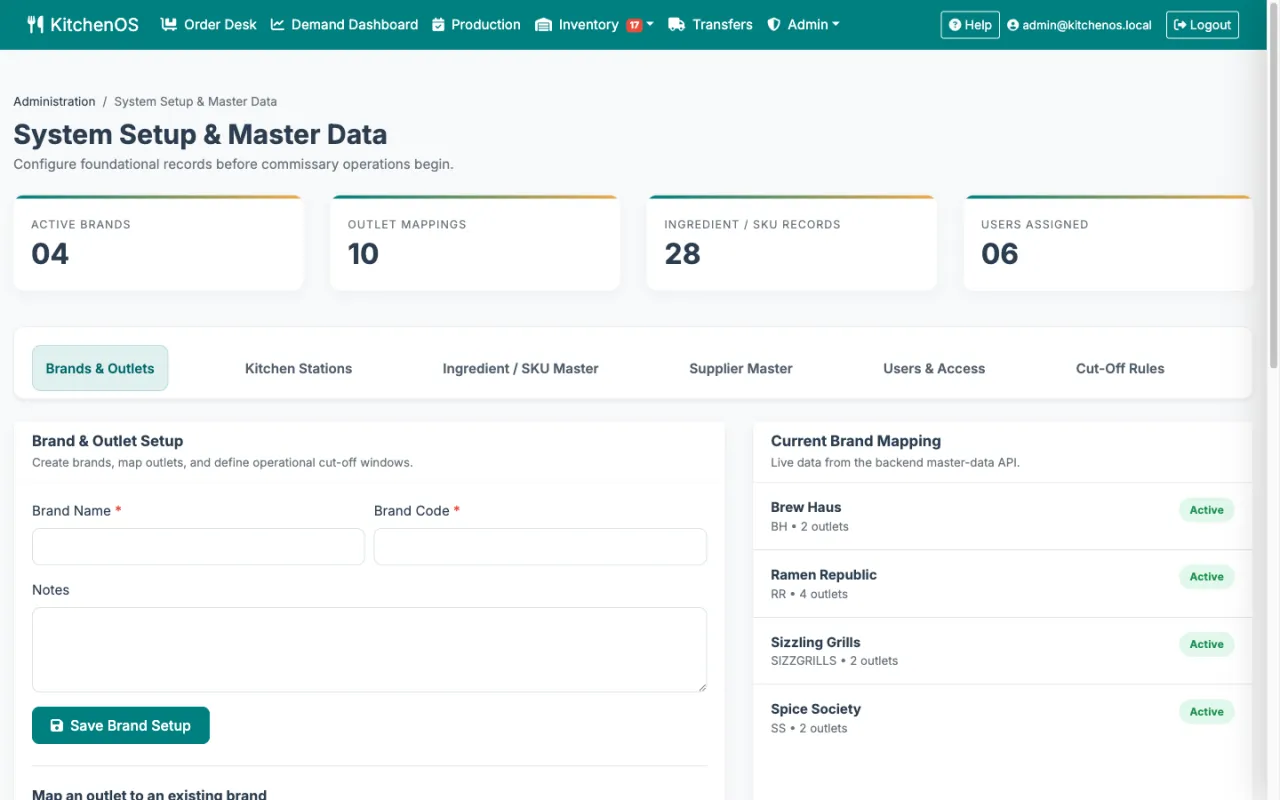
Multi-brand, multi-outlet control
Manage every brand, outlet and kitchen station from one workspace. Per-brand cut-off rules, outlet-scoped roles and master data kept consistent across the whole operation.
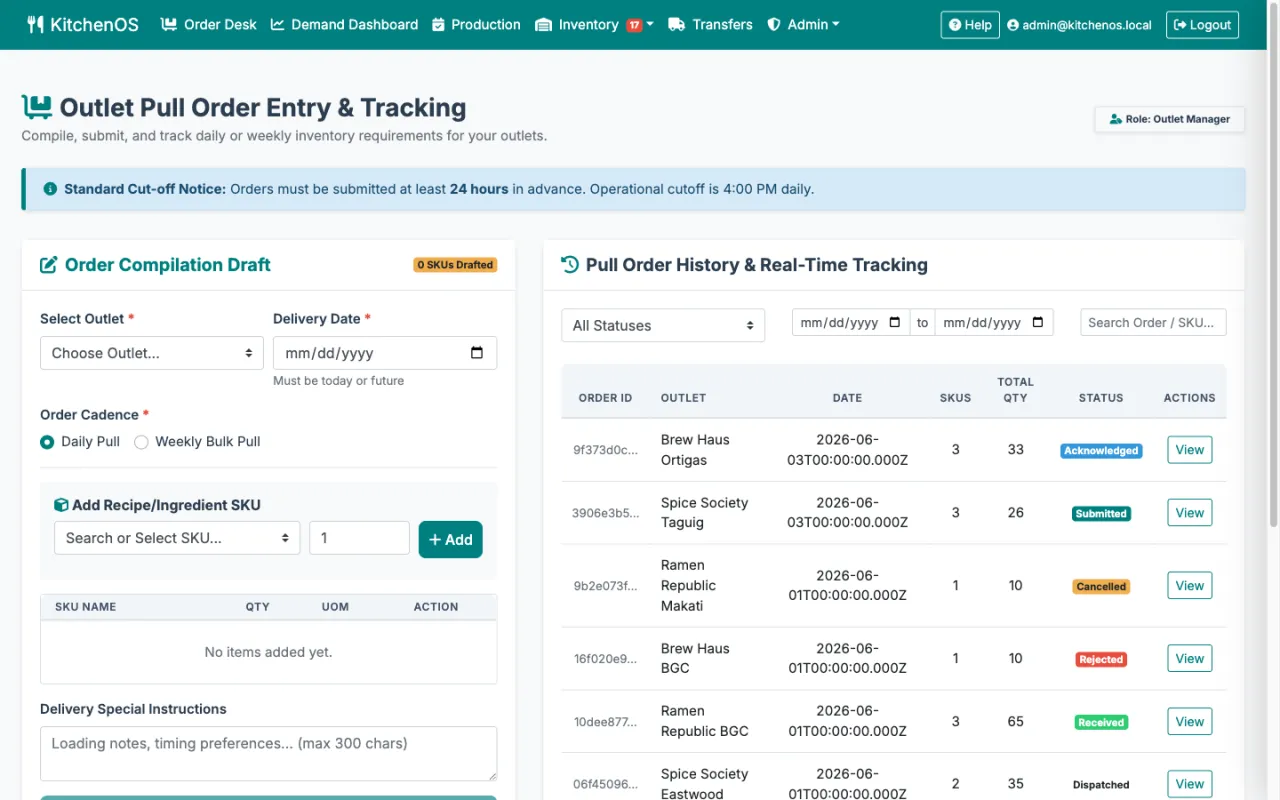
Pull order lifecycle
Outlets submit pull orders before cut-off; the commissary acknowledges, rejects with reason or edits quantities. Orders flow Submitted → Acknowledged → In Production → Dispatched → Received with a full audit trail.
Production scheduling & kitchen slots
Book kitchen slots and schedule production runs against real capacity. Conflict detection prevents double-booking; record batch yields to close the loop between demand and supply.
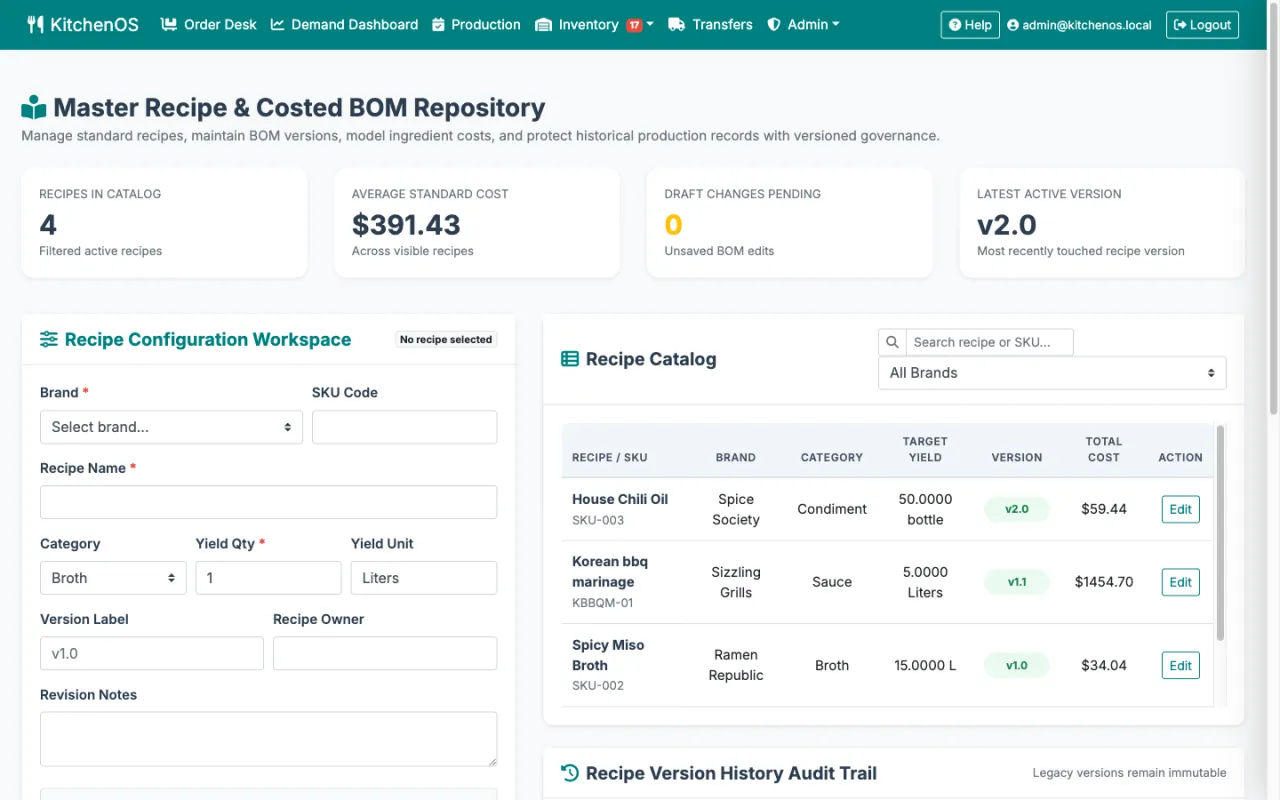
Costed recipes & versioned BOM
Build versioned recipes with ingredient quantities, units and standard costs. KitchenOS calculates batch cost automatically and preserves every prior version for cost history and audit.
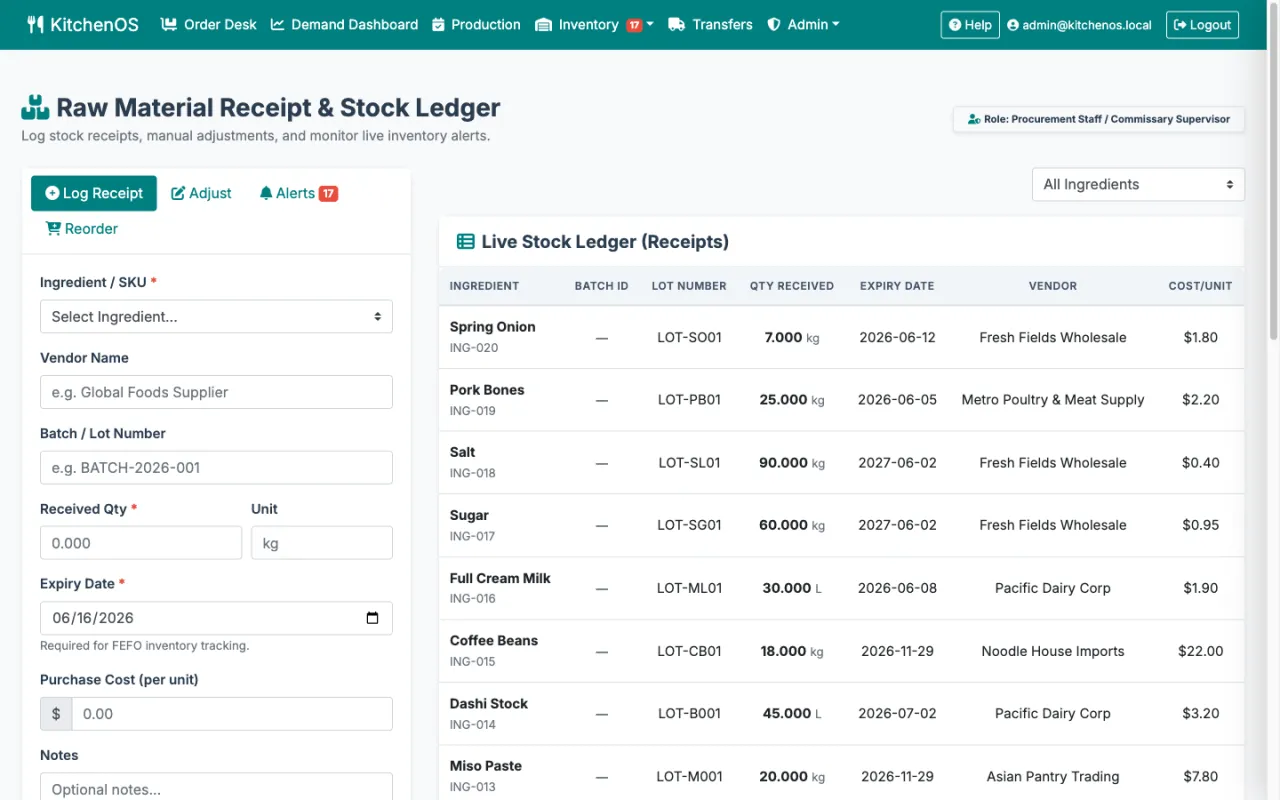
Live stock ledger & smart alerts
Monitor raw-material inventory across locations in real time. Set safety-stock thresholds and KitchenOS raises low-stock alerts before you run out — then triggers reorder requests.
Batch/lot traceability & FEFO
Every receipt is logged with a batch/lot number and expiry date. Quarantine bad batches, expire-first by default, and trace any lot end-to-end — so a recall is a query, not a panic.
Transfer & delivery tracking
Dispatch transfers to outlets with driver details, then let the receiving outlet confirm quantities and flag discrepancies — a clean chain of custody from commissary to counter.
Brand cost allocation
See standard cost vs actual cost per brand with variance reporting, and export finance-ready summaries to Excel — so margin leaks show up before month-end, not after.
Role-based ops & audit log
Distinct workspaces for admin, finance, brand managers, commissary supervisors, outlet managers and procurement — each scoped to its job, every action captured in an immutable audit log.
What does KitchenOS look like?
Real screens from the live demo you can open above. Your own deployment is a separate instance, branded and configured to your operation.
The winning balance of cost and control
Stacked against the four ways multi-brand kitchens run their commissary today.
| Capability | KitchenOS Purpose-built for commissaries | Generic ERP(SAP B1 / NetSuite / Odoo) | Restaurant inventory apps(MarketMan-style) | Spreadsheets & group chats |
|---|---|---|---|---|
| Multi-brand, multi-outlet commissary model | ● Built-in | ◑ Heavy config | ✕ Single-outlet | ✕ Manual |
| Pull-order lifecycle with cut-off rules | ● Native | ◑ Custom build | ◑ Basic ordering | ✕ Chat threads |
| Production scheduling & kitchen slots | ● Built-in | ◑ MRP module | ✕ No | ✕ Whiteboard |
| Costed recipes & versioned BOM | ● Auto-costed | ◑ Add-on | ◑ Basic recipe cost | ✕ Manual |
| Batch/lot traceability & FEFO expiry | ● Built-in | ◑ WMS module | ◑ Varies | ✕ None |
| Standard vs actual cost variance by brand | ● Native report | ◑ BI add-on | ✕ No | ✕ Manual |
| Transfer & delivery tracking to outlets | ● Built-in | ◑ Logistics module | ✕ No | ✕ Manual |
| Role-based workspaces & immutable audit log | ● Per-role | ● Yes | ◑ Limited | ✕ None |
| Time to go live | ● Weeks | ✕ 12–24 months | ◑ Weeks–months | ● Immediate* |
| Cost model | ● One-time perpetual | ✕ Licence + integrator | ✕ Per-seat SaaS | ◑ Cheap, then costly |
| Source code ownership & white-label | ● You own & rebrand it | ✕ Vendor-locked | ✕ Vendor's product | ◑ Files only |
| Hosting & data residency control | ● Your infra, any region | ◑ Vendor-defined | ✕ Vendor cloud only | ◑ Your device |
How do you buy KitchenOS?
Under Outcome-as-a-Service, with no upfront CAPEX. What you open above is a demo instance; what you buy is your own separate deployment — on your infrastructure, under your brand, source-available, and configured to how your operation actually works. Xamun invests the build, and you pay a per-transaction fee on what the system processes. A slow month is a small invoice; if it does not run, you do not pay.
Where KitchenOS fits
See KitchenOS on your own numbers
Bring us one workflow and we will show you KitchenOS running it.