
UAE E-Invoicing: The 30 October 2026 ASP Deadline — A Four-Week Plan for Distributors
Published 26 September 2026 · By Arup Maity · ~6 min read
Arup Maity is Founder and CEO of Xamun, author of The Always-On Enterprise and adjunct faculty at the Asian Institute of Management.
If your UAE business had revenue of AED 50 million or more, you have until 30 October 2026 to appoint an Accredited Service Provider for e-invoicing. From 1 January 2027 every B2B and B2G invoice and credit note you issue has to go through that provider as a PINT AE e-invoice. That is five weeks from the date of this post, and the deadline has already been moved once, so do not plan on a second extension.
This post is for the finance and operations leads at a distributor who have the deadline on the calendar but not yet a plan. It sets out what the deadline is, what “appoint” means in practice, a week-by-week plan for the remaining weeks, and the one thing the deadline does not solve.
What the deadline is, and who it applies to
The UAE e-invoicing rollout is set by Ministerial Decision No. 244 of 2025, as amended by Ministerial Decision No. 66 of 2026. The amendment moved the large-taxpayer ASP appointment date from 31 July 2026 to 30 October 2026. The go-live date did not move.
| Who | Appoint an ASP by | Issue e-invoices from |
|---|---|---|
| Revenue of AED 50 million or more | 30 October 2026 | 1 January 2027 |
| Revenue below AED 50 million | 31 March 2027 | 1 July 2027 |
| Government entities | 31 March 2027 | 1 October 2027 |
The threshold is annual revenue, so a distributor that crossed AED 50 million in its last financial year is in the first wave even if the current year looks softer. If you are near the line, treat yourself as in scope: the cost of being ready early is small, and the cost of being late is a fine per month plus a queue of invoices that have not legally been issued.
What “appoint” means in practice
The Ministry of Finance publishes a list of Accredited Service Providers. Appointing one means choosing a provider from that list, contracting with it, and completing its onboarding so that your invoices can be validated, exchanged with your customers’ providers and reported to the Federal Tax Authority. Until that onboarding is done you have not appointed anyone in any sense that matters; a signed proposal is not an appointment.
Three questions decide the choice for a distributor, and none of them is price. How does the provider take invoices from you: a file upload, a portal you key into, or an API your system calls? What does it do with a rejected invoice: tell you which field failed, or just say no? And what is the exit: if you change providers in two years, how much of your invoicing process has to change with it?
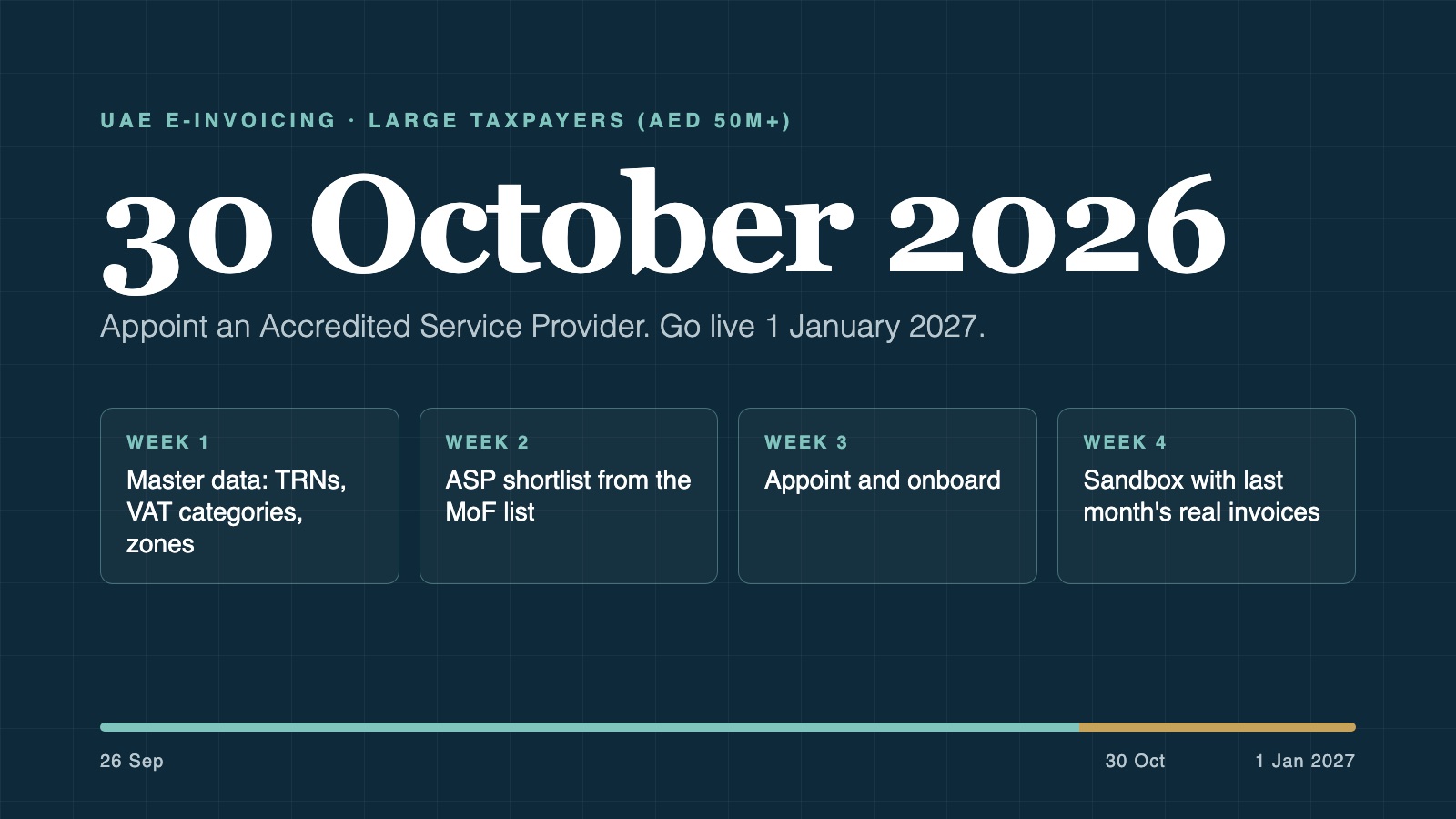
The four weeks that are left
This is the order we would run at a distributor with a few depots, an order desk and field reps. Each week has one job.
Week 1 — Master data
Pull last quarter’s invoices and fix the data before anyone looks at providers. Which B2B customers are missing a validated TRN? Does every invoice line carry its own VAT category, or was VAT applied to the total? Who are your designated-zone and export customers, and is their treatment applied by the system or remembered by a person? This is the cheapest week and the one that pays back most, because a wrong TRN fails at the provider on every single invoice to that customer.
Week 2 — ASP shortlist
Take the Ministry’s list and shortlist two or three providers against the three questions above. Ask each for a sandbox and for a written description of what it does with a rejection. Ask what it accepts from a system like yours today, not what it will accept next year. If your invoicing runs on a spreadsheet or a PDF template, this is the week you find out whether a portal is enough for your volume or whether the order system has to change.
Week 3 — Appoint
Contract and onboard with your chosen provider. Do it in this week, not the last one, because onboarding takes real time on the provider’s side and a provider handling a rush of late appointments in the final days of October will not be able to help you quickly.
Week 4 — Sandbox with real invoices
Send last month’s actual invoices through the provider’s sandbox, all of them, not a sample. Count the rejections and read the reasons. That number is your January risk, and you have November and December to bring it down. A distributor that finds a 15 percent rejection rate in a sandbox in October has a fixable problem; one that finds it in a live queue in January has a receivables problem.
What the ASP does not fix
The provider validates and carries what you send it. It does not know that the price on the invoice drifted from the price agreed on the order, that the delivery went from the wrong depot, or that a rep’s site order was re-keyed with the wrong customer. It will accept a technically valid invoice that is commercially wrong, and once accepted that invoice is on record with the tax authority. The correction is a credit note, which is also in scope and also visible.
So the deadline is really two deadlines. The visible one is appointing a provider by 30 October. The invisible one is having invoices that are right at the order by the time the route changes in January. The provider takes care of the first. Only your order-to-invoice process takes care of the second, and the four-week plan above puts the first week on that problem for a reason.
Where SalesOrderOS fits
We built SalesOrderOS by Xamun for exactly this shape of business, and to be plain about it: it is our product. It starts at the sales order. The order captures the customer, the depot, the price and the VAT category once, whether it is typed at the desk, taken on a rep’s phone or said in one sentence to an AI assistant in English or Arabic; the invoice freezes those values on every line; and the PINT AE file is built from that frozen invoice and sent through whichever provider you appoint. Each provider is one connector, so the week 2 question about exit has a short answer. It is delivered with no upfront capex, paid per order from go-live, and there is a live demo on fictional data. If you are running the plan above and want to see what your invoices look like as PINT AE before the deadline does, book a walkthrough.
- UAE e-invoicing in 2027: a distributor’s checklist — the eight checks to run in week 1
- Can you still invoice from Excel after UAE e-invoicing? — for the July 2027 wave
- Distribution and wholesale in the UAE — the sector page
- SalesOrderOS and the UAE e-invoicing mandate — the product page, with the full timeline and legal basis
Frequently asked questions
What happens if I miss the 30 October 2026 ASP deadline? Cabinet Decision No. 106 of 2025 sets a fine of AED 5,000 per month for failing to implement the e-invoicing system or appoint an Accredited Service Provider. From 1 January 2027 each in-scope invoice or credit note not issued electronically carries a further AED 100, capped at AED 5,000 a month, and invoices your provider has not accepted have not been issued at all.
Can the ASP deadline be extended again? It was extended once, from 31 July to 30 October 2026, by Ministerial Decision No. 66 of 2026. Nothing published by the Ministry of Finance as of 26 September 2026 indicates a second extension, and the 1 January 2027 go-live date was never moved.
How do I know if my business is a large taxpayer for UAE e-invoicing? The first wave covers businesses with annual revenue of AED 50 million or more. If your last financial year crossed that line, plan for the 30 October 2026 appointment date and the 1 January 2027 go-live.
Is appointing an ASP the same as being compliant? No. Appointing the provider is the first obligation. Compliance from January means every in-scope invoice and credit note is issued as a valid PINT AE e-invoice through that provider, which depends on the data in your order and invoicing system being right.
Does my ERP or invoicing software count as an ASP? No. Only providers accredited by the Ministry of Finance are ASPs. Your order or invoicing system, whether it is an ERP, a spreadsheet or SalesOrderOS by Xamun, produces the invoice; the ASP validates, exchanges and reports it. You need both.
Dates and fines as published by the UAE Ministry of Finance, checked 26 September 2026. This is general information, not tax advice; confirm your own obligations with your tax adviser.