
CafeteriaOS — Every meal served, every meal billed, every plate proved.
The operating system for caterers who run corporate cafeterias for client companies. The client’s HR team sets who is entitled to which meals; employees show a signed meal pass at the counter; the kitchen plans from confirmed headcount and logs what it prepared and wasted; and the month ends with an invoice the client can check against every scan.
Why is a corporate cafeteria invoice so easy to dispute?
Because the meal, the subsidy and the bill are usually recorded in three different places, by three different people. When the client asks for proof, there is none in one place.
“Prove we were billed for meals our people ate.”
The client company pays per meal. Without a record of who was served what, when and under which subsidy, every invoice is a negotiation.
Paper lists and shared cards at the counter
Entitlements live in a spreadsheet, the serving line checks them by eye, and a busy lunch is where caps are exceeded and passes are shared.
The kitchen cooks for a guess
Production is planned on last week’s numbers, so the kitchen over-prepares or runs out, and nobody can say whether the waste was the forecast or the cook.
Who uses CafeteriaOS?
Three parties share one record of every meal: the caterer that runs the cafeteria, the client company that pays for it, and the employees who eat there.
For the caterer
Client contracts, menus, recipes, kitchen production, wastage, invoices and collections, across every cafeteria you run.
For the client’s HR team
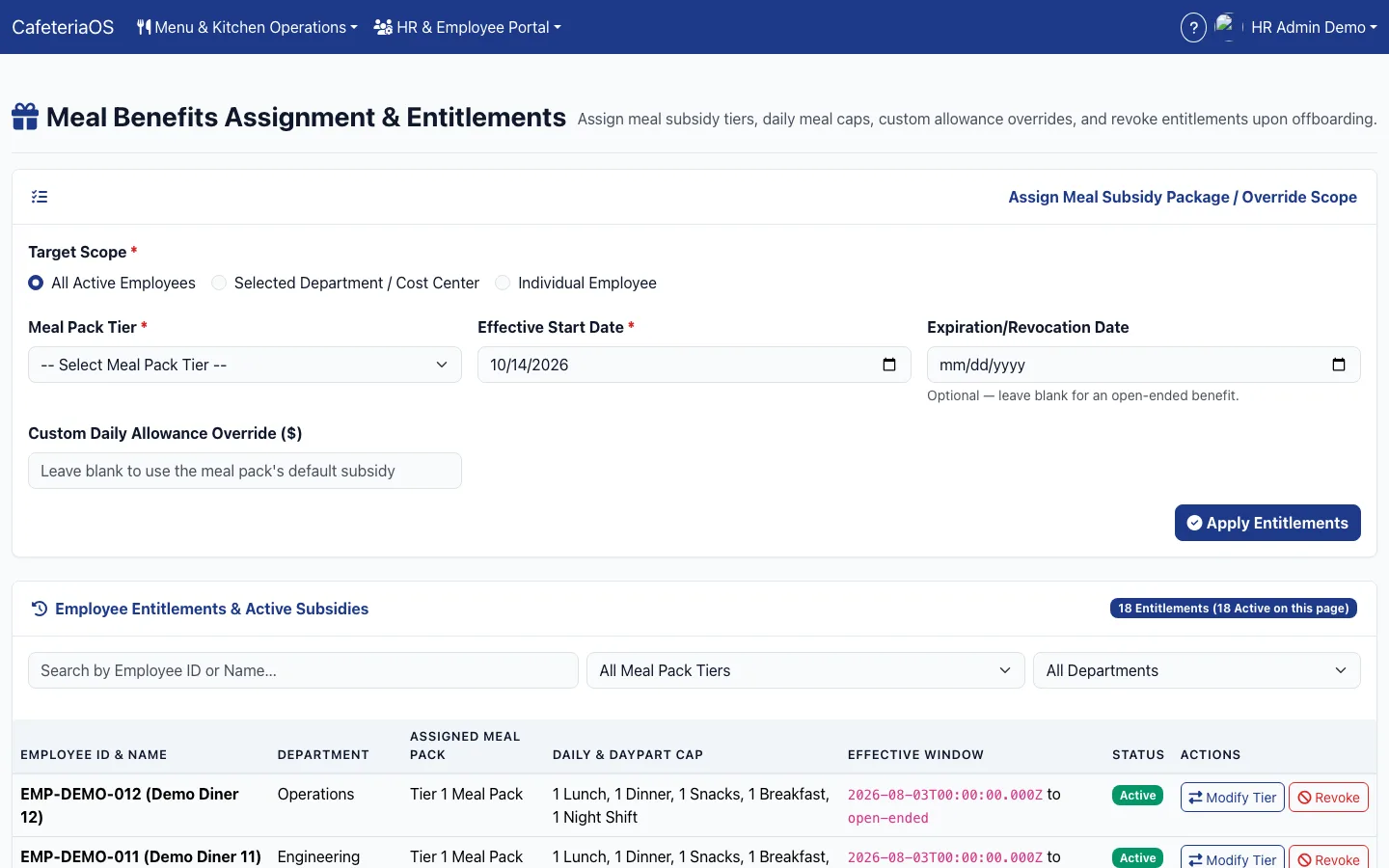
The employee roster, meal subsidy tiers, daily caps, headcount confirmations and a monthly consumption statement by department.
For employees and the counter
A meal pass on the phone, a scan at the serving line, and paid extras added at the same counter.
What happens at the serving line?
The employee shows a pass, the counter scans it, and the rules decide. Nobody at the counter has to remember who is entitled to what.
A meal pass that cannot be screenshotted and shared
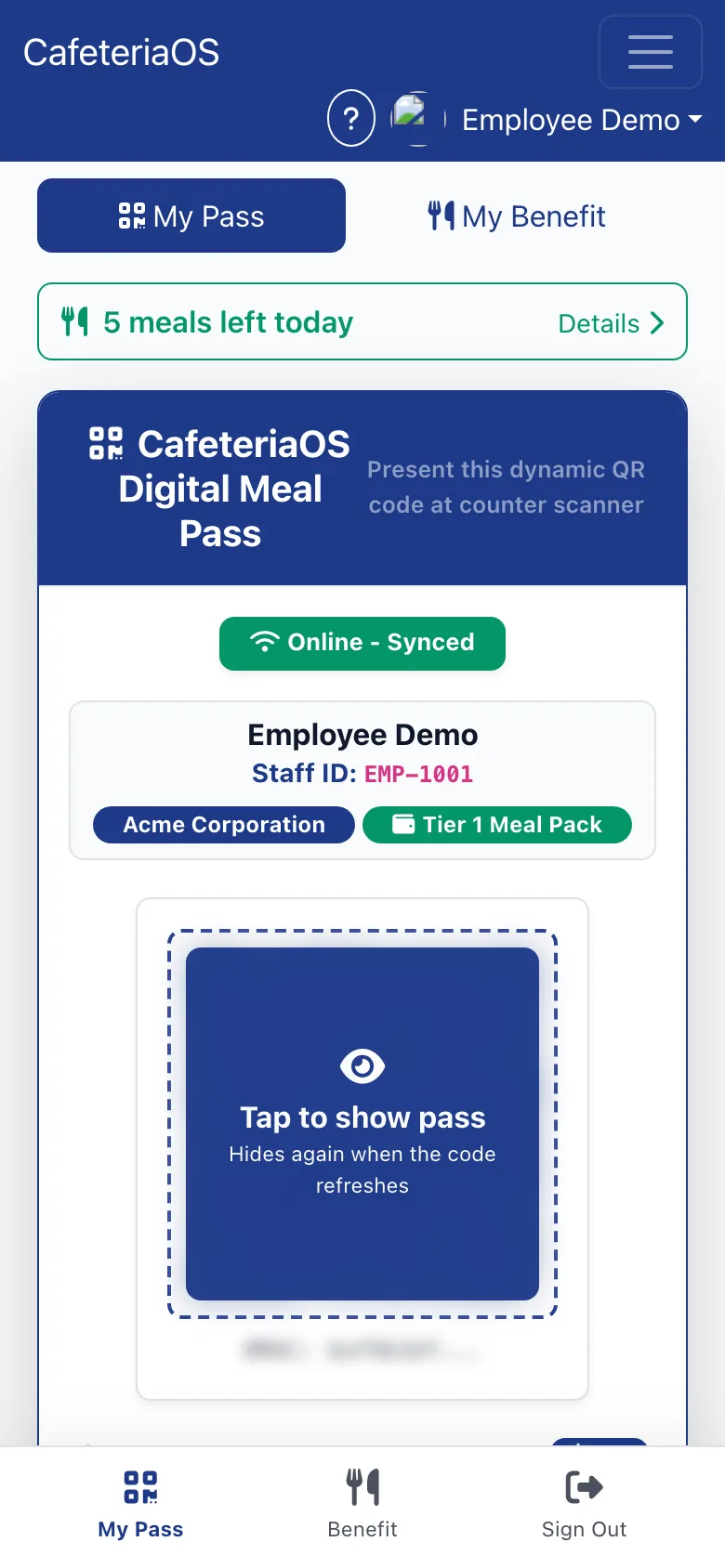
Each employee’s pass is a signed QR code that refreshes every 60 seconds, with a six-digit backup code for when a camera fails. It shows how many meals are left today.
The counter checks the rules, not the cashier
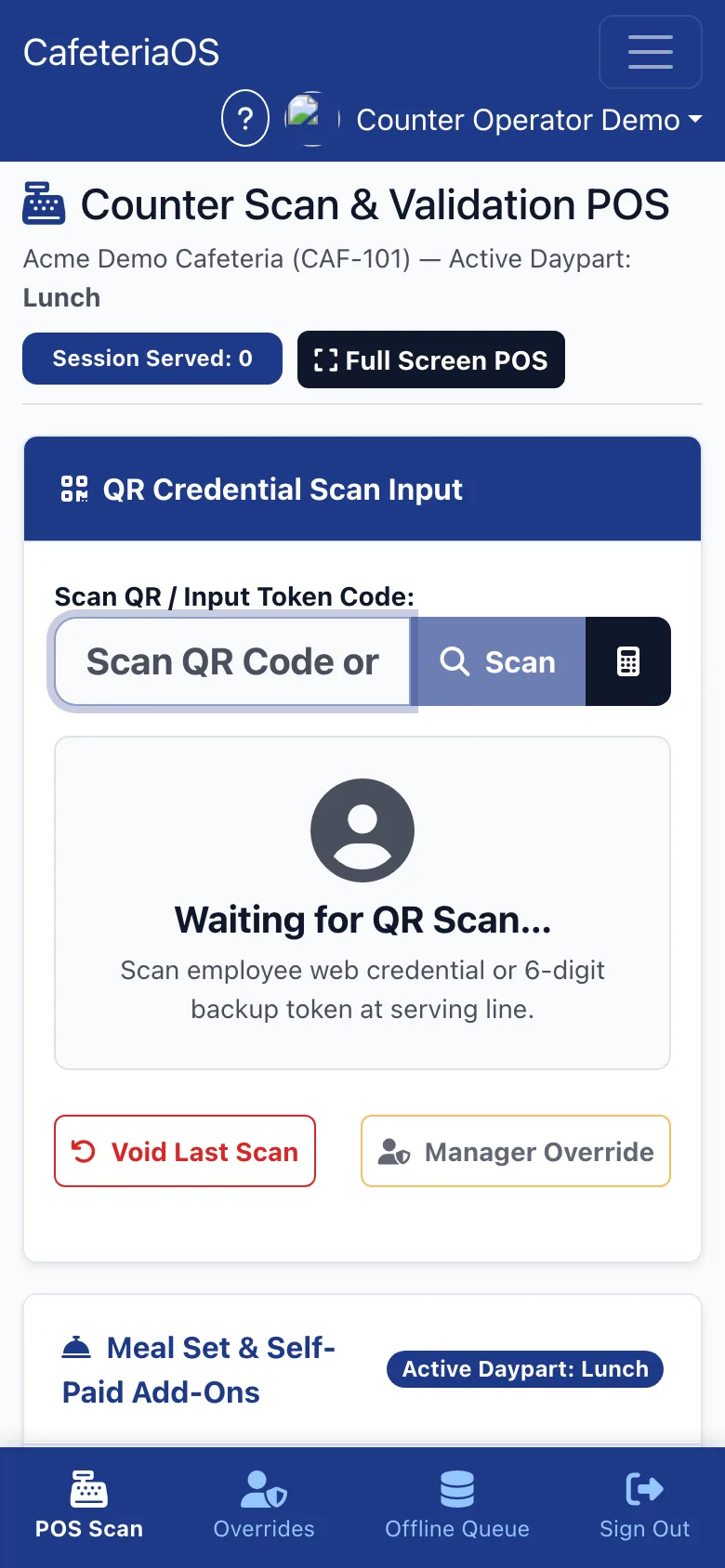
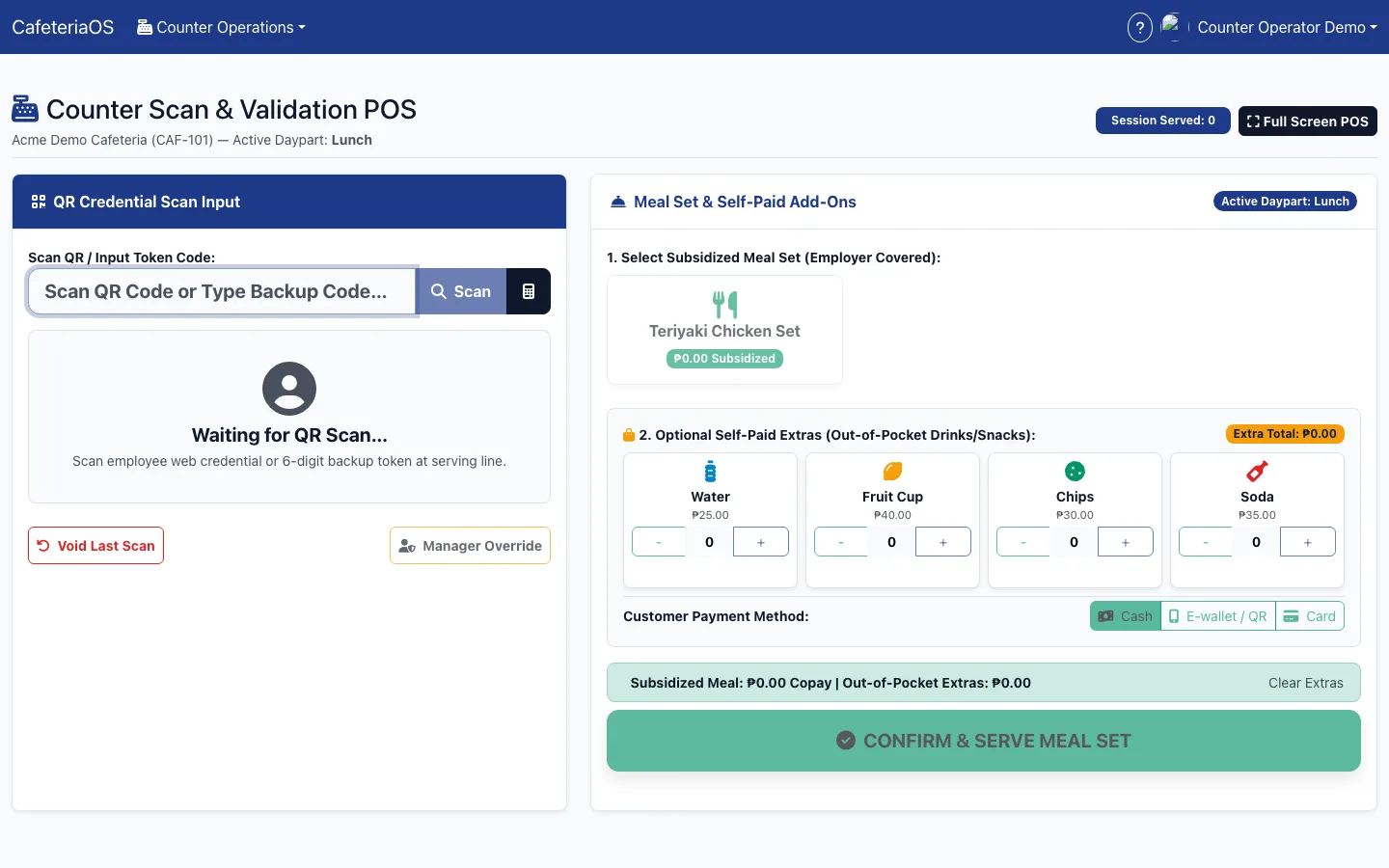
A scan confirms the employee is active and within the daily and per-meal cap before the meal set is served. Paid extras such as drinks and snacks are added on the same screen, by cash, e-wallet or card.
Mistakes and exceptions leave a trail
A wrong scan is voided, and an exception needs a manager’s PIN and a written reason. Every override and void is in the audit log.
Lunch does not stop when the network does
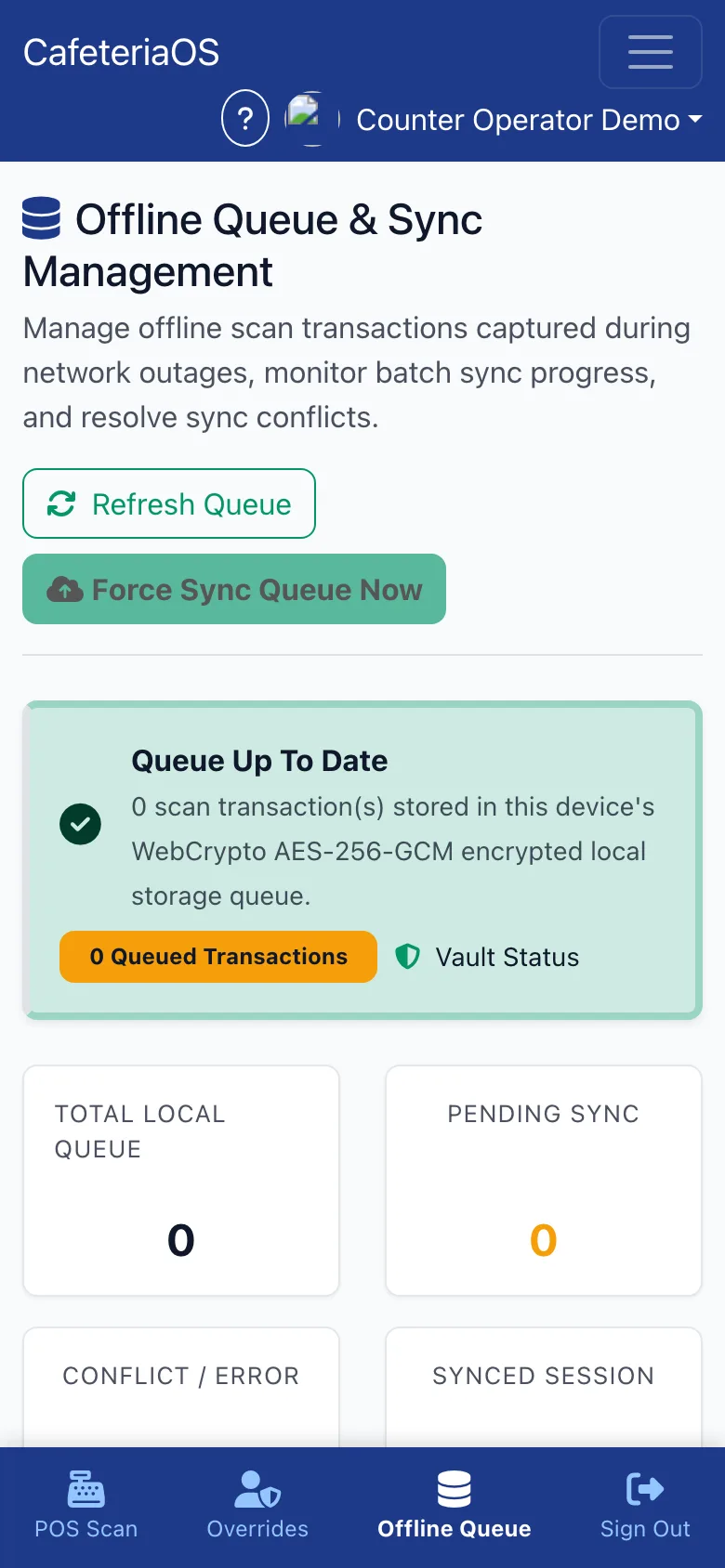
If the connection drops, scans are kept in an encrypted queue on the device and synced when it returns, with conflicts shown for review.
How does the kitchen know how much to cook?
From the headcount the client confirmed, not last week’s guess, and every batch records what was prepared, served and wasted.
Plan from confirmed headcount
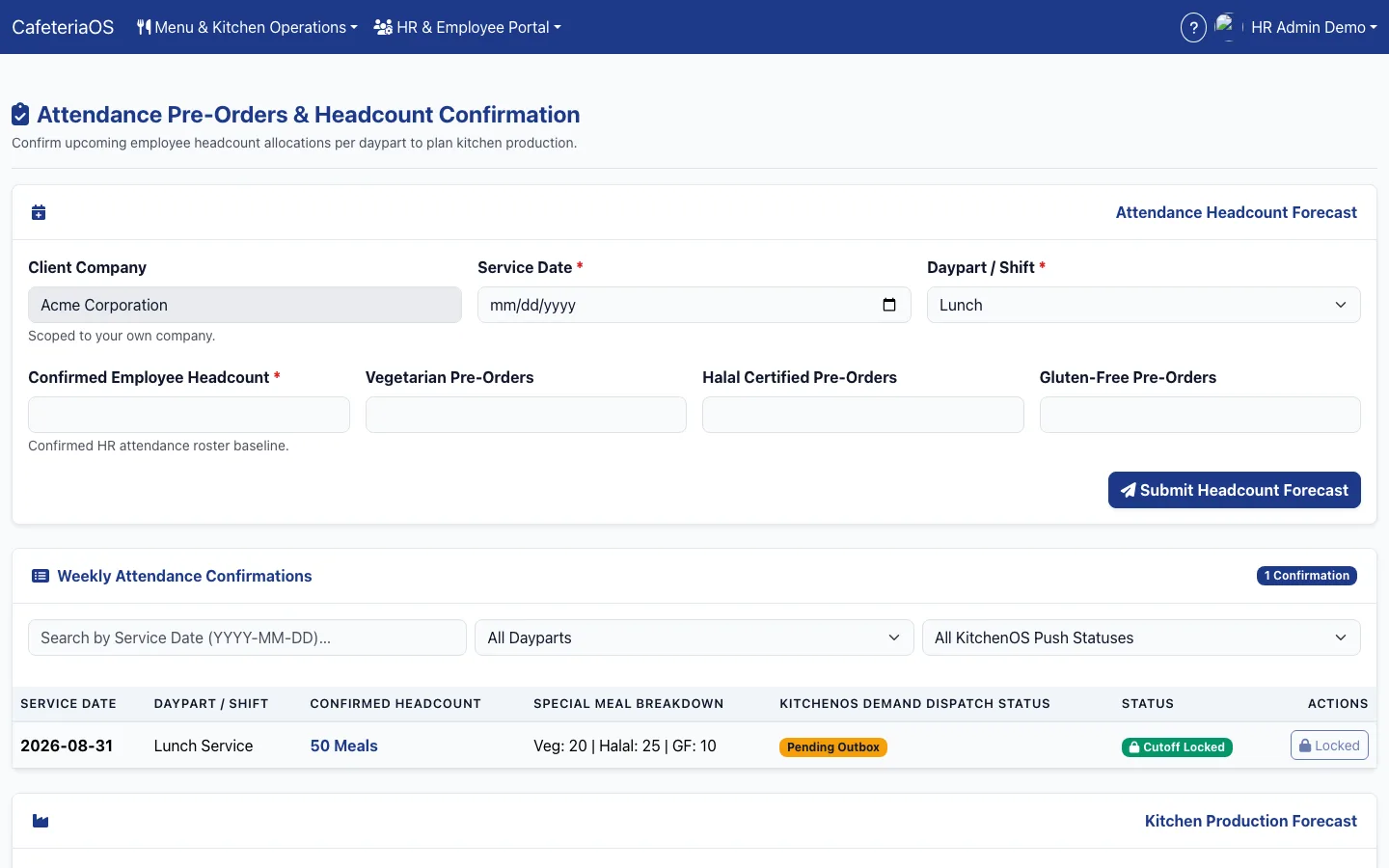
The client’s HR team confirms headcount per day and meal period, with vegetarian, halal and gluten-free counts, before the kitchen’s cut-off.
Menus that know their cost
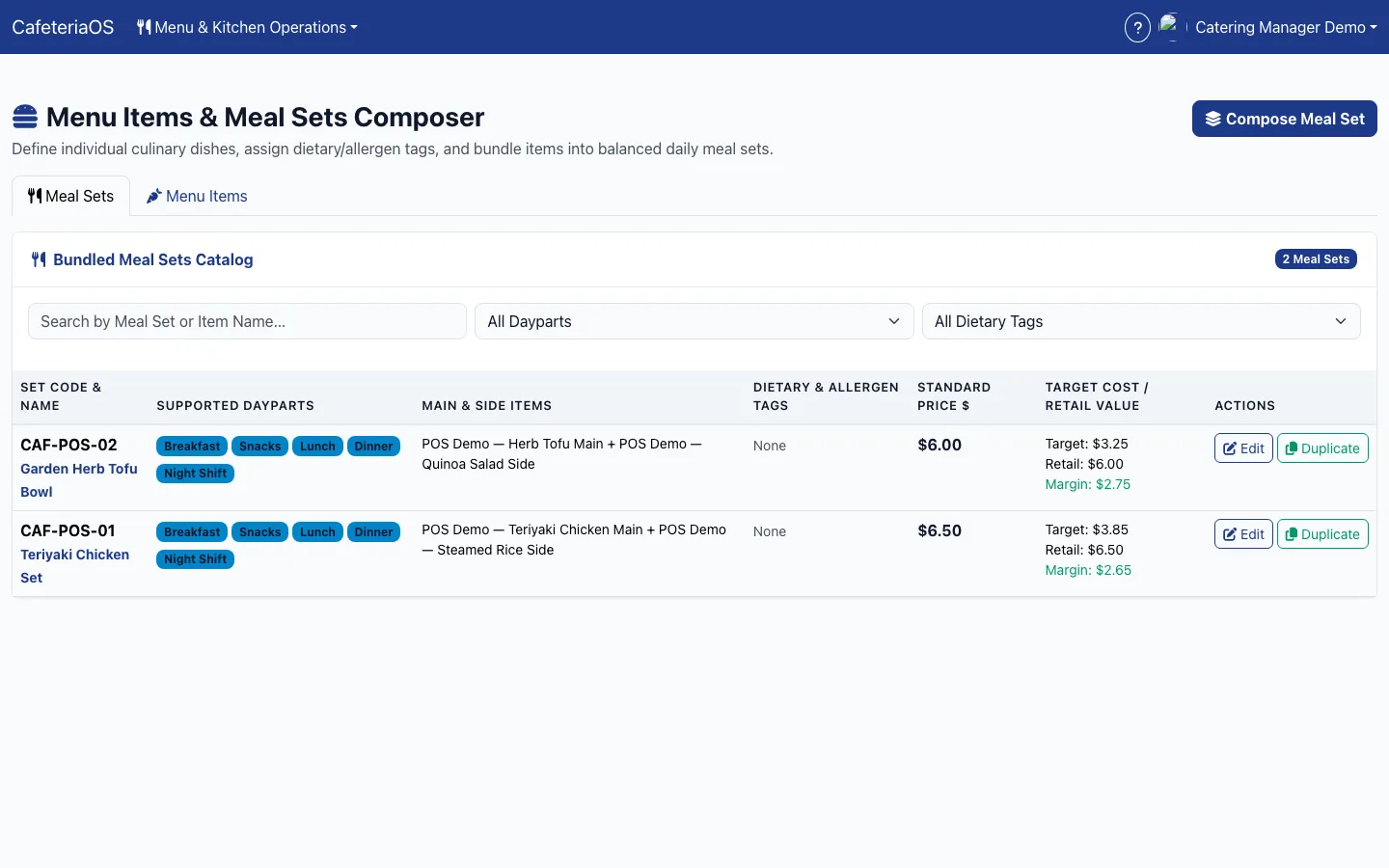
Meal sets are built from menu items with dietary and allergen tags, each showing its target cost against its price and the margin between them. Cycle menus repeat across weeks.
Recipes with effective dates
Ingredients, units and yield loss sit in one master list. Each recipe’s bill of materials is dated, so last month’s meals are costed on last month’s recipe.
Production and wastage on the record
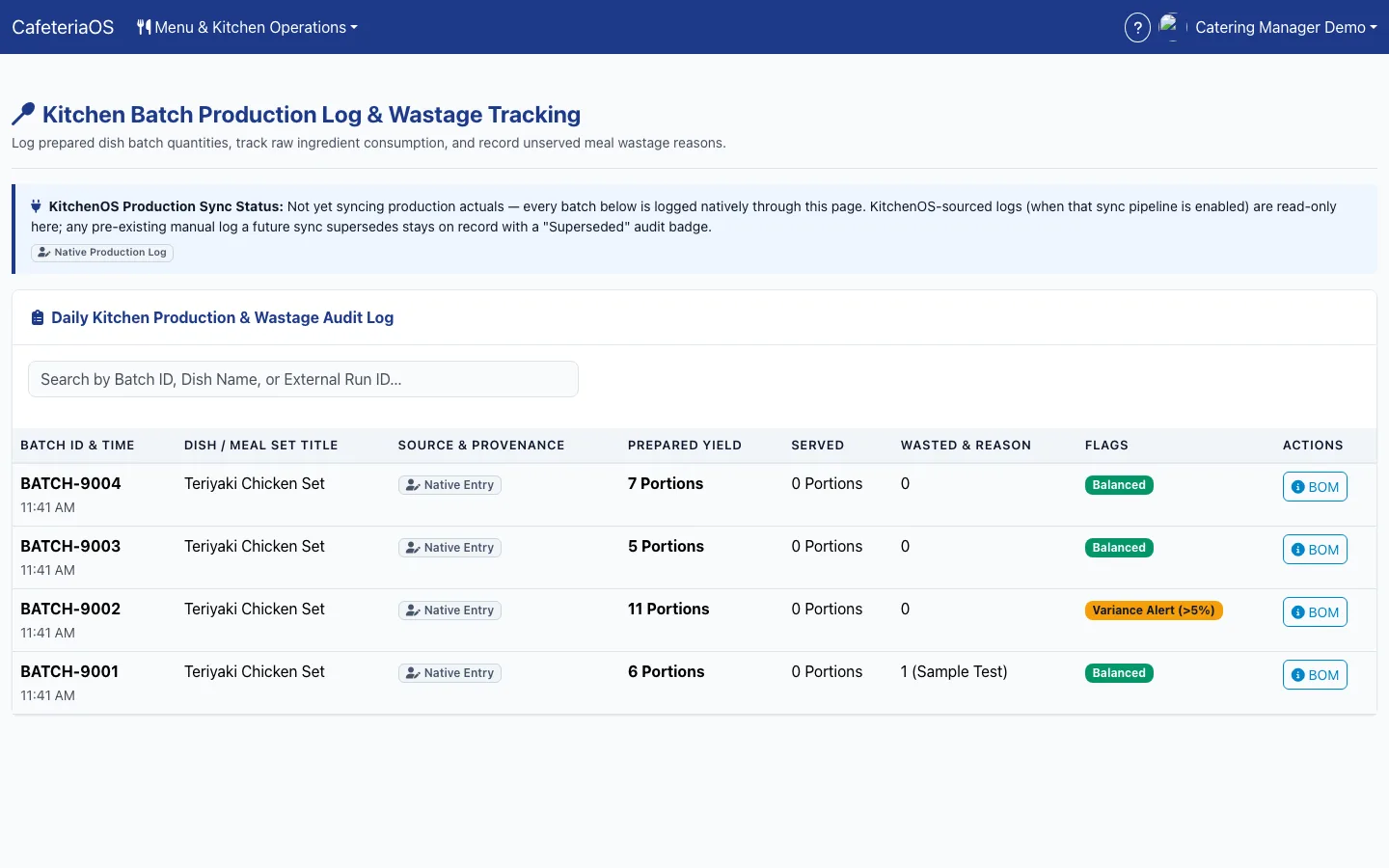
Every batch logs what was prepared, served and wasted, with the reason, and flags any batch where the gap passes five per cent.
Orders traced to supplies
Meals served are turned back into the ingredients they should have used, so the kitchen can show that what it drew from stock matches what employees ate.
KitchenOS when there is a central kitchen
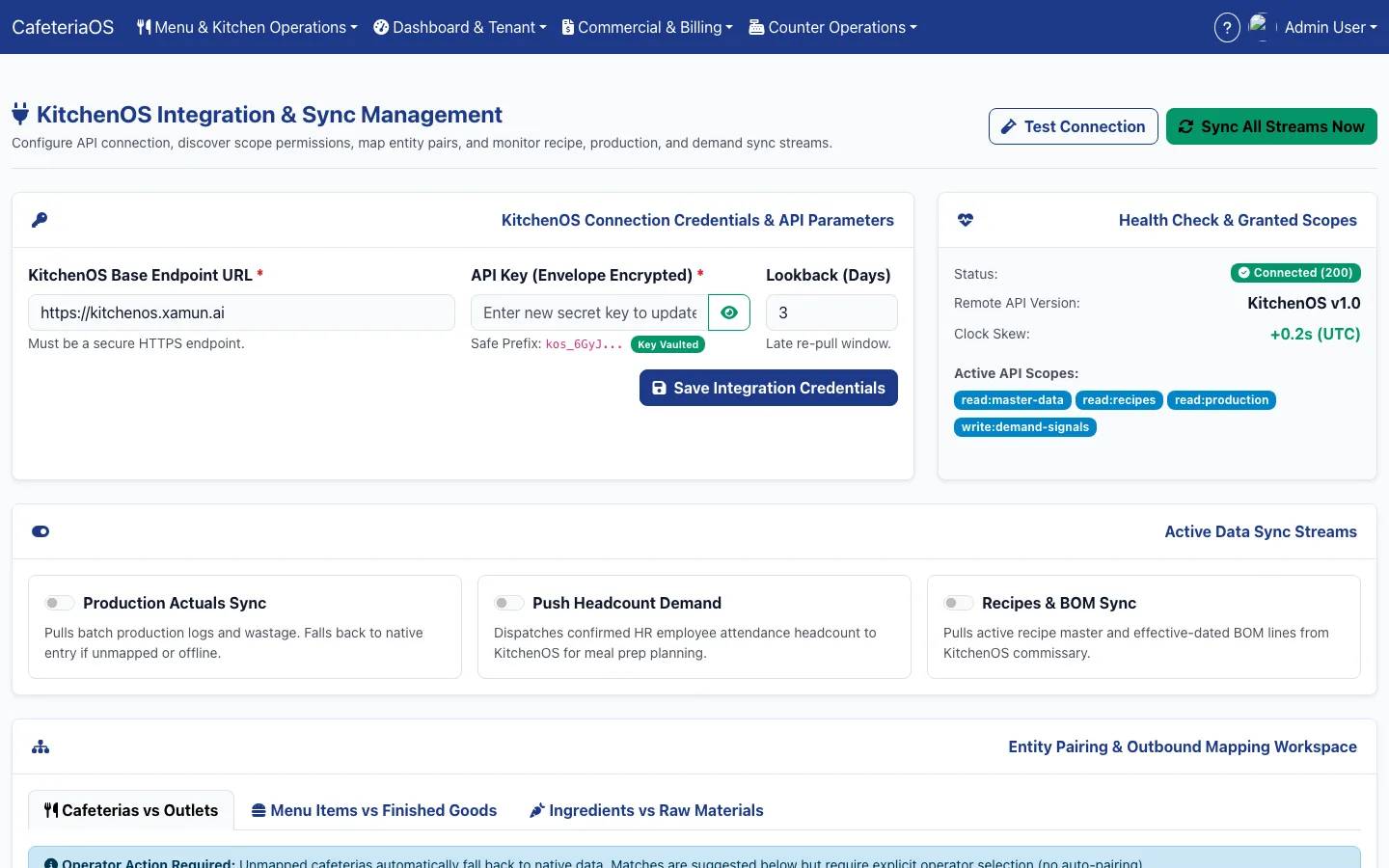
Where meals come from a commissary, CafeteriaOS sends confirmed demand to KitchenOS and takes recipes and production back from it.
How does the month end?
With an invoice built from the scans, a statement the client’s HR team can check, and receivables that are visible before they are late.
Invoices built from the scans
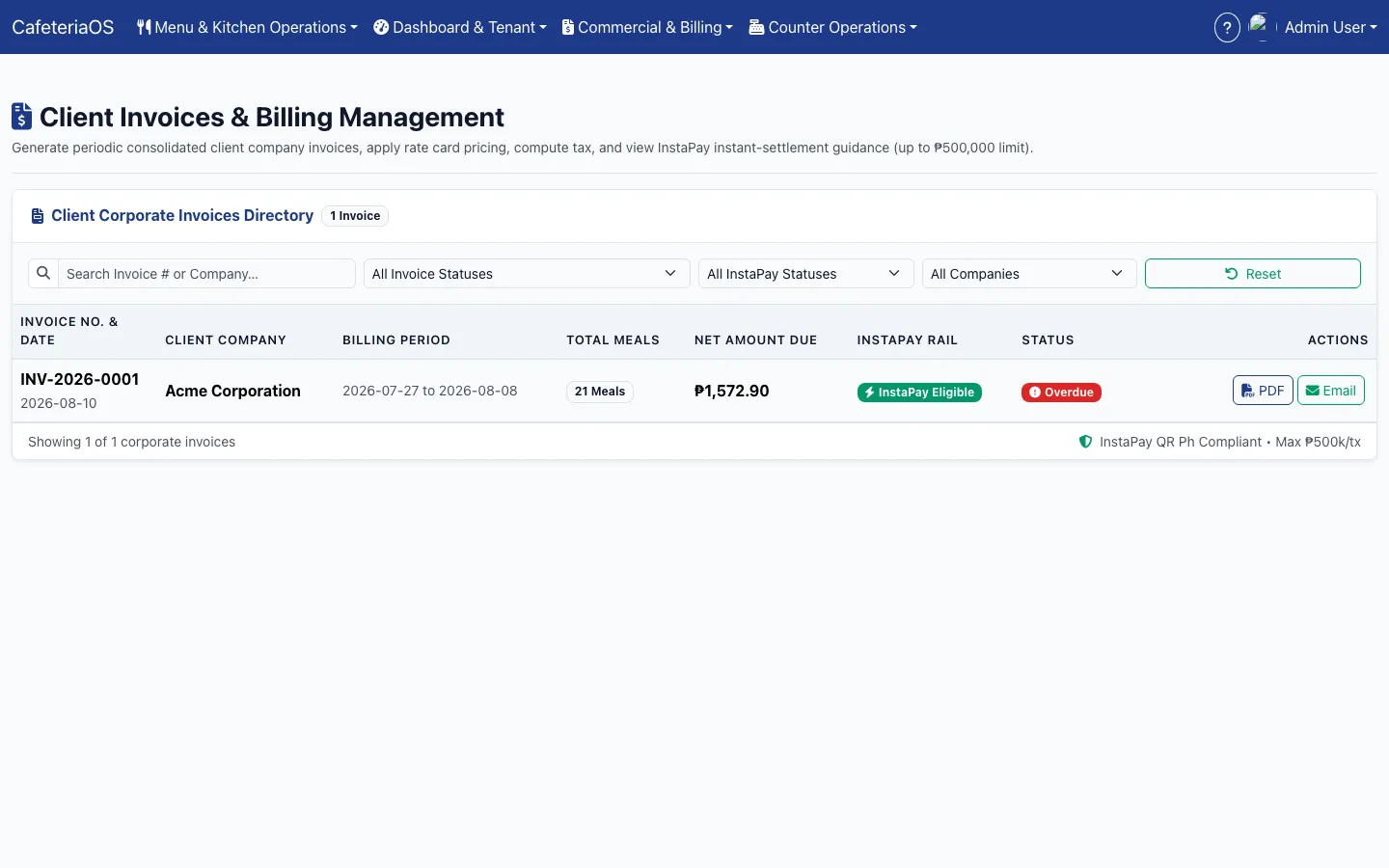
Each client company gets a consolidated invoice for the billing period, priced on its rate card and meal packs, with tax computed and a PDF ready to send.
Receivables you can see
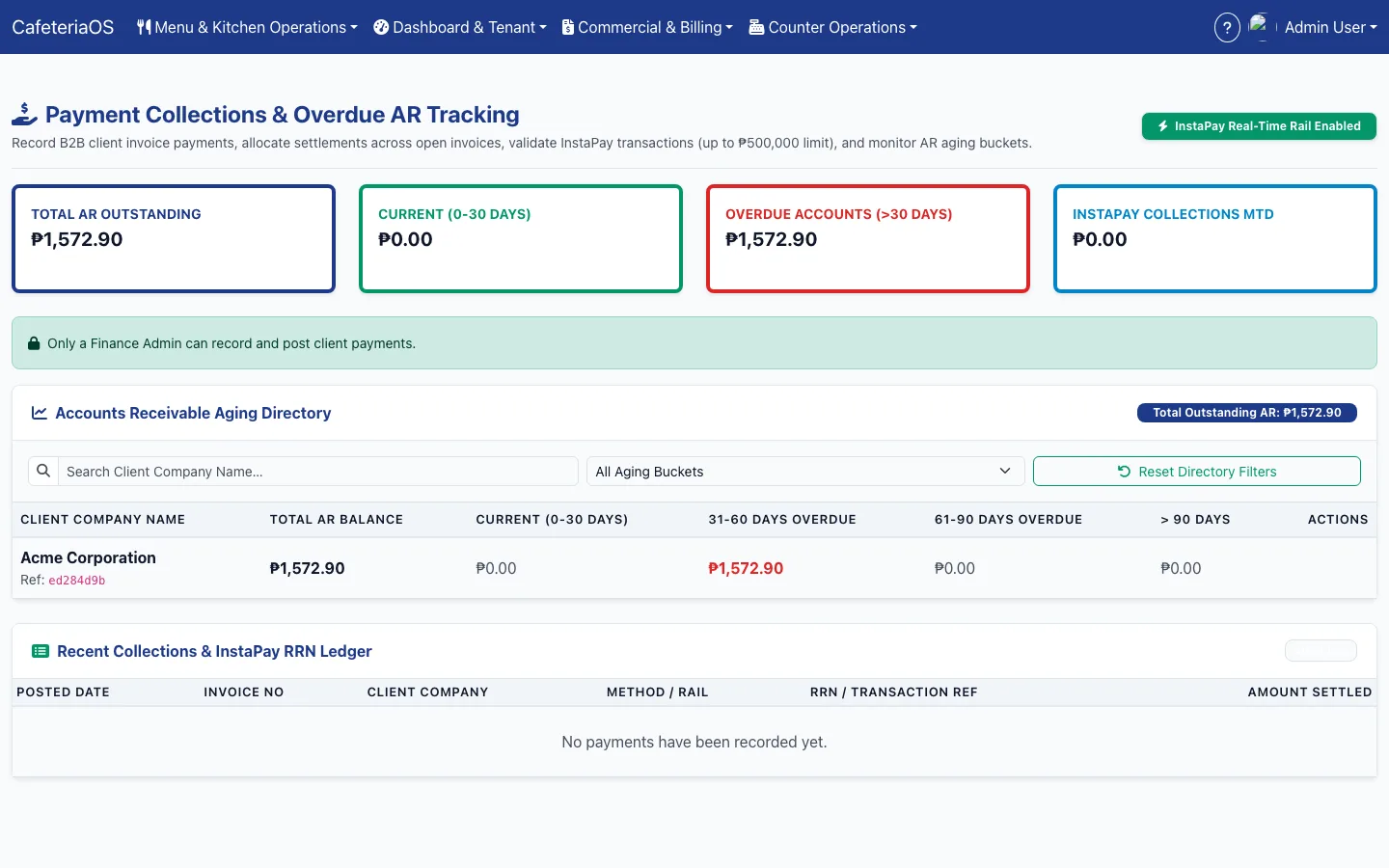
Payments are allocated across open invoices and receivables are aged by bucket, so an overdue client is visible before the next month’s service.
Limits that act
Each client company has a credit limit with warning levels; past the limit, counter service can be locked until the account is settled.
A statement HR can check
The client’s HR team sees meals redeemed, the company subsidy and the employee copay by department and meal period, and exports it as PDF or CSV.
What changes for the caterer?
The invoice stops being a negotiation, because the record behind it is shared.
A bill the client can check
Every invoice line traces back to individual scans.
Subsidies enforced at the line
Caps and entitlements are checked on every scan.
Less food thrown away
Production follows confirmed headcount, and wastage has a reason.
Service through outages
The counter keeps serving and syncs later.
Cash collected on time
Ageing and credit limits are part of the same system.
One record for three parties
Caterer, client HR and employees see the same meals.
What does CafeteriaOS look like?
Real screens from the live demo you can open above, on invented demo data. Your own deployment is a separate instance configured to your contracts, sites and menus.
How do we start, and how do we pay?
In three phases, starting with one cafeteria and one client company.
One cafeteria, one client
Load the roster and meal packs for one client company and run the counter at one site.
Kitchen and billing
Plan production from confirmed headcount, log wastage, and send the first invoice built from the scans.
Every site, every client
Add cafeterias and client companies, credit limits and, where there is one, the central kitchen through KitchenOS.
Licence
Your own instance on your infrastructure, white-label and source-available, configured to your contracts and sites.
Outcome-as-a-Service
Xamun invests the build and runs it with your team, priced on the unit your business is paid on, agreed with you.
Questions caterers ask
Who is CafeteriaOS for?
Caterers and food-service operators that run cafeterias inside client companies and bill those companies for the meals their employees eat. The client company’s HR team and its employees use it too, each in their own workspace.
How does CafeteriaOS stop shared or reused meal passes?
Each employee’s pass is a signed QR code that refreshes every 60 seconds and stays hidden until tapped. A screenshot stops working within a minute, and the counter checks that the employee is active and within their cap before serving.
What happens at the counter when the network goes down?
The counter keeps scanning. Scans are stored in an encrypted queue on the device and synced when the connection returns, and any conflicts are shown for review.
How does the client company know its invoice is right?
The invoice is built from the scans themselves. The client’s HR team has its own statement of meals redeemed, company subsidy and employee copay by department, which it can export and check line by line.
Does CafeteriaOS handle dietary requirements?
Yes. Menu items carry dietary and allergen tags, and headcount confirmations include vegetarian, halal and gluten-free counts so the kitchen prepares the right meals.
Can CafeteriaOS show that supplies used match meals served?
Yes. Meals served are converted back into the ingredients their dated recipes call for and compared with what the kitchen drew from stock and logged as production and wastage.
Does it work with a central kitchen?
Yes. Where meals are produced in a commissary, CafeteriaOS sends confirmed headcount demand to KitchenOS and receives recipes and production actuals from it.
How is CafeteriaOS bought?
Two ways. As a licence, your own instance on your infrastructure, white-label and source-available. Or under Outcome-as-a-Service, where Xamun invests the build and is priced on the unit your business is paid on, agreed with you. No prices are published.
Is there a live demo?
Yes, at cafeteriaos.xamun.ai, with one-click sign-in for each role on invented demo data. Your own deployment is a separate instance configured to your contracts and sites.
Run one cafeteria on CafeteriaOS
Bring us one client contract. We will write down how its meals, subsidies and billing run today, free, and you keep the document whether or not we work together.