
DeployOS Health — Know which step is holding up each nurse, and fix it first.
The deployment system for licensed agencies placing nurses and allied health professionals from the Philippines in the UK, the UAE and Saudi Arabia. It keeps every credential as a dated record, works out a realistic deployment date for each candidate, names the one step holding that date back, and warns before a document expires ahead of the step that needs it. Candidates see their own tasks on a phone, and every cost carries a payer, so the agency can prove the candidate paid no placement fee.
Why do nurse deployment dates slip?
Because the date depends on bodies the agency does not control and that rarely report back, and on documents that quietly expire while everyone waits.
The date is a guess
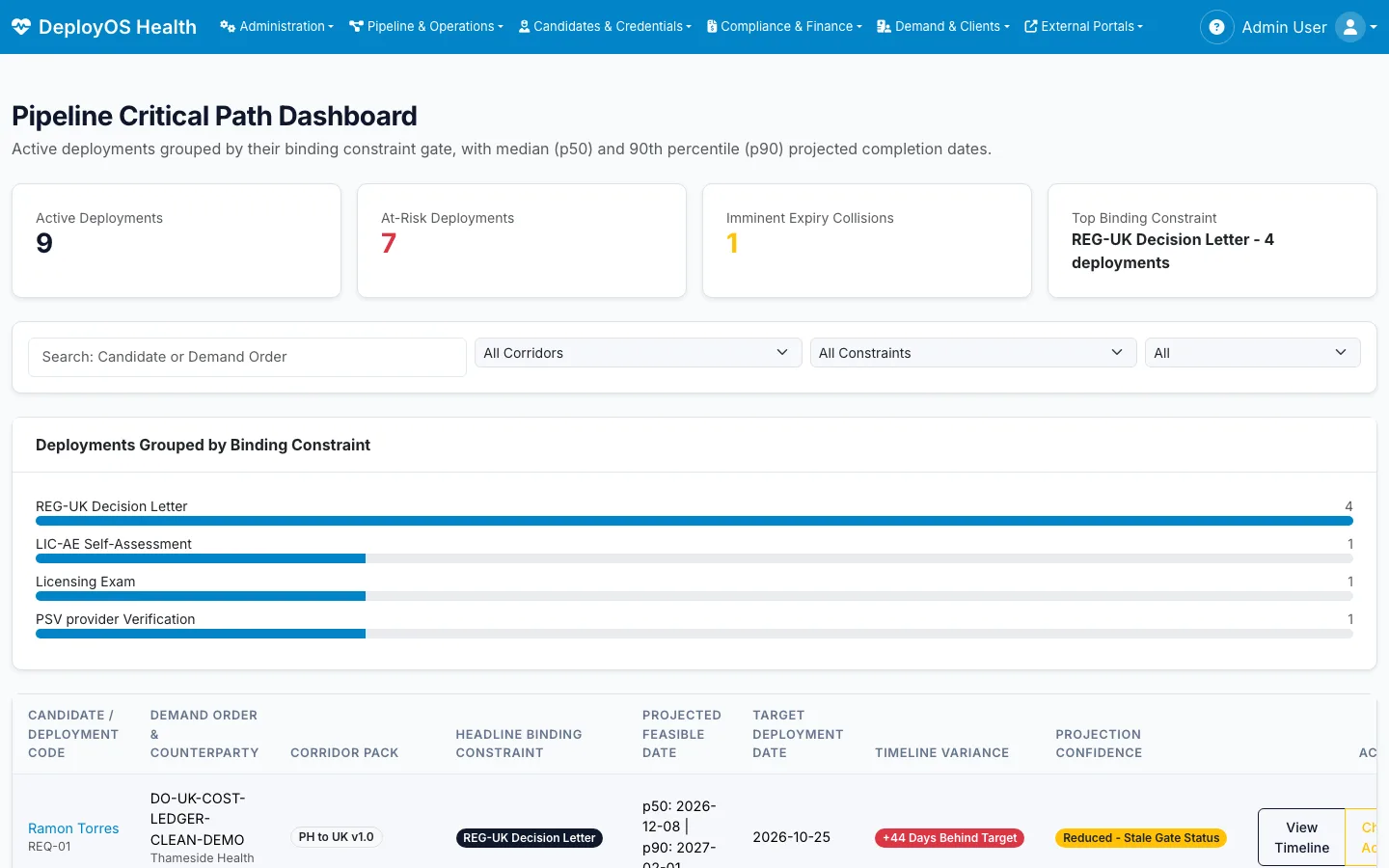
Every corridor is a chain of steps run by different bodies: verification, licensing, exams, visas, the employer’s own sign-off. Few of them report status to the agency, so the deployment date in the spreadsheet is whatever someone last typed.
Documents expire in the queue
A good-standing certificate or a medical is valid for months, not years. When the step that needs it runs late, the document lapses first and the candidate starts that part again.
The rules keep moving
Fees, portals and sequences change without notice, and differ by destination. Agencies keep them in people’s heads, and each new corridor becomes another copy of the process.
How does DeployOS Health keep each deployment on time?
By treating each deployment as a chain of dated steps, and always showing which one is holding the date back.
A realistic date for every candidate
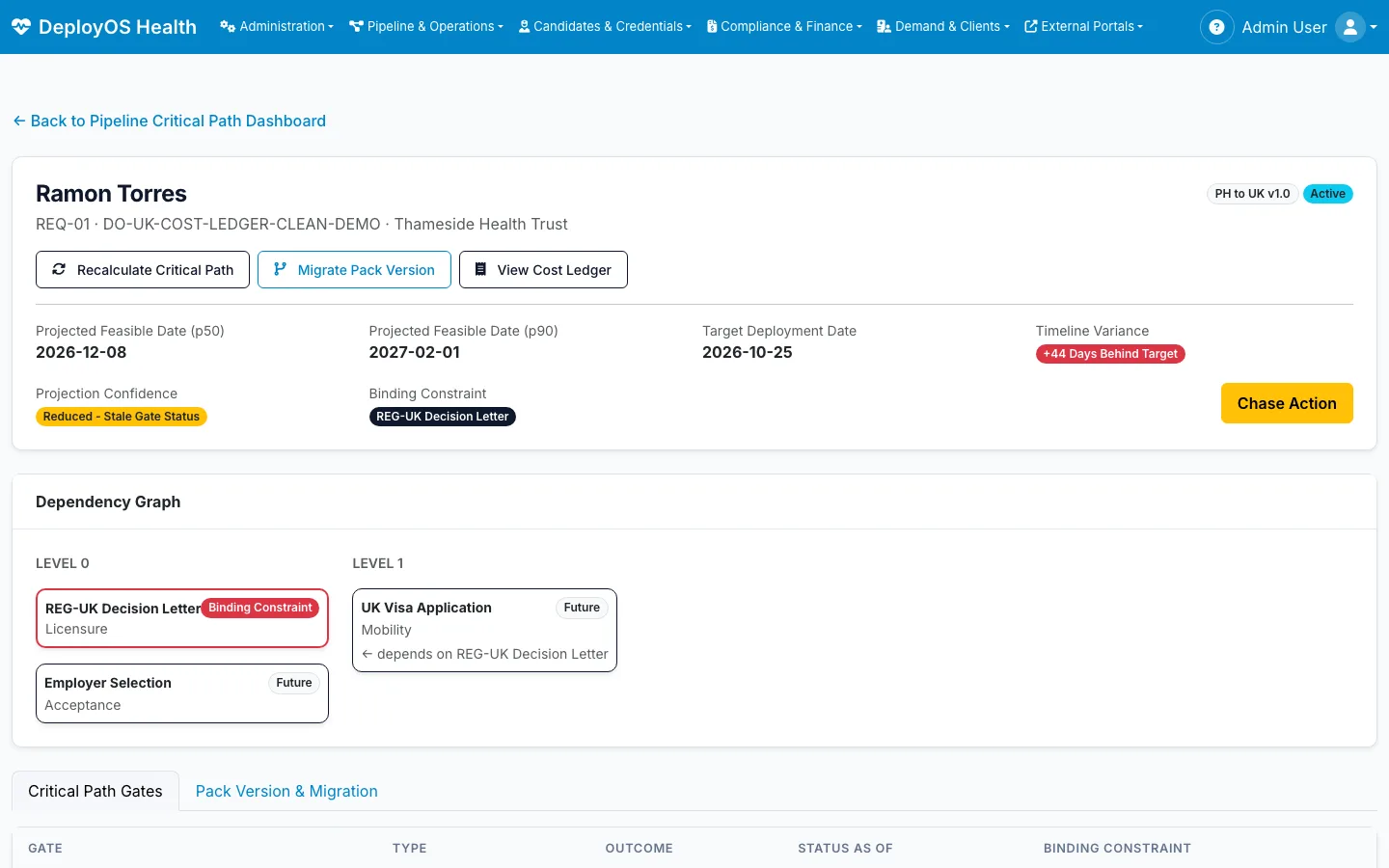
Each deployment is a chain of dated steps. DeployOS projects a median and a late-case date from them, and shows how far each candidate sits from the employer’s target.
The binding step, named
For each candidate the system names the one step that is setting the date, so the team works on what moves deployment rather than on what is easiest to update.
Expiry collisions caught early
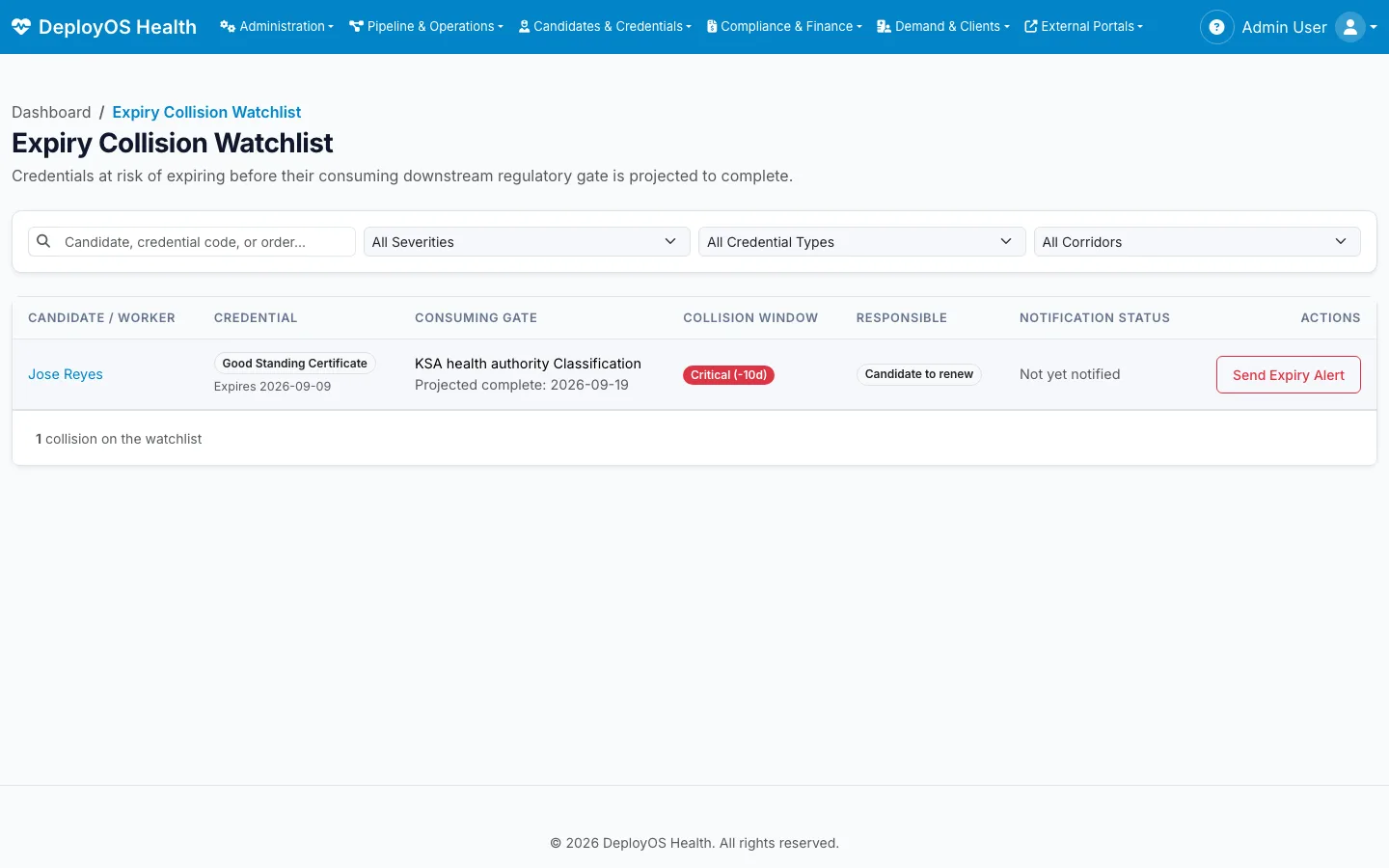
A watchlist flags any credential that will expire before the step that consumes it is projected to finish, with time to renew it instead of redoing the step.
Stale status shown as stale
External bodies rarely report back. A refresh queue ranks the steps whose last known status is oldest by how much they could move a deployment date, so portal checks go where they matter.
What does the agency team work from?
Compliance and processing staff carry most of the load. Their screens put the expiring document, the unread upload and the employer’s remaining capacity in front of them.
Corridor packs, not custom code
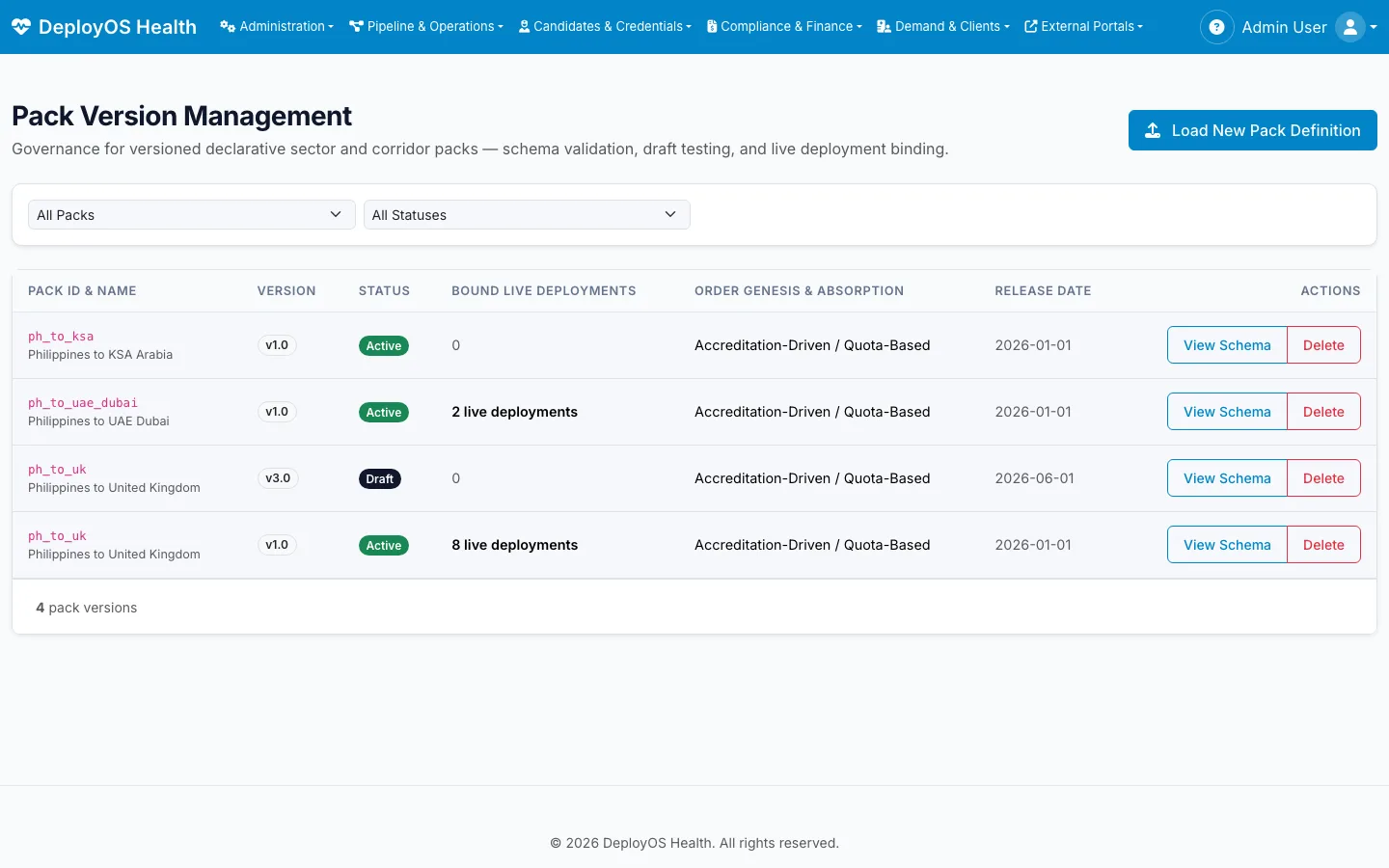
Each destination’s steps, regulators and payers live in a versioned pack. A live deployment stays on the pack version it started under; moving it to a new version is a deliberate, recorded migration.
Employer capacity in view
Placement headroom per employer, such as quota or sponsorship limits, sits beside the orders, so the agency does not fill a requisition the employer cannot absorb.
Matching with the gaps shown
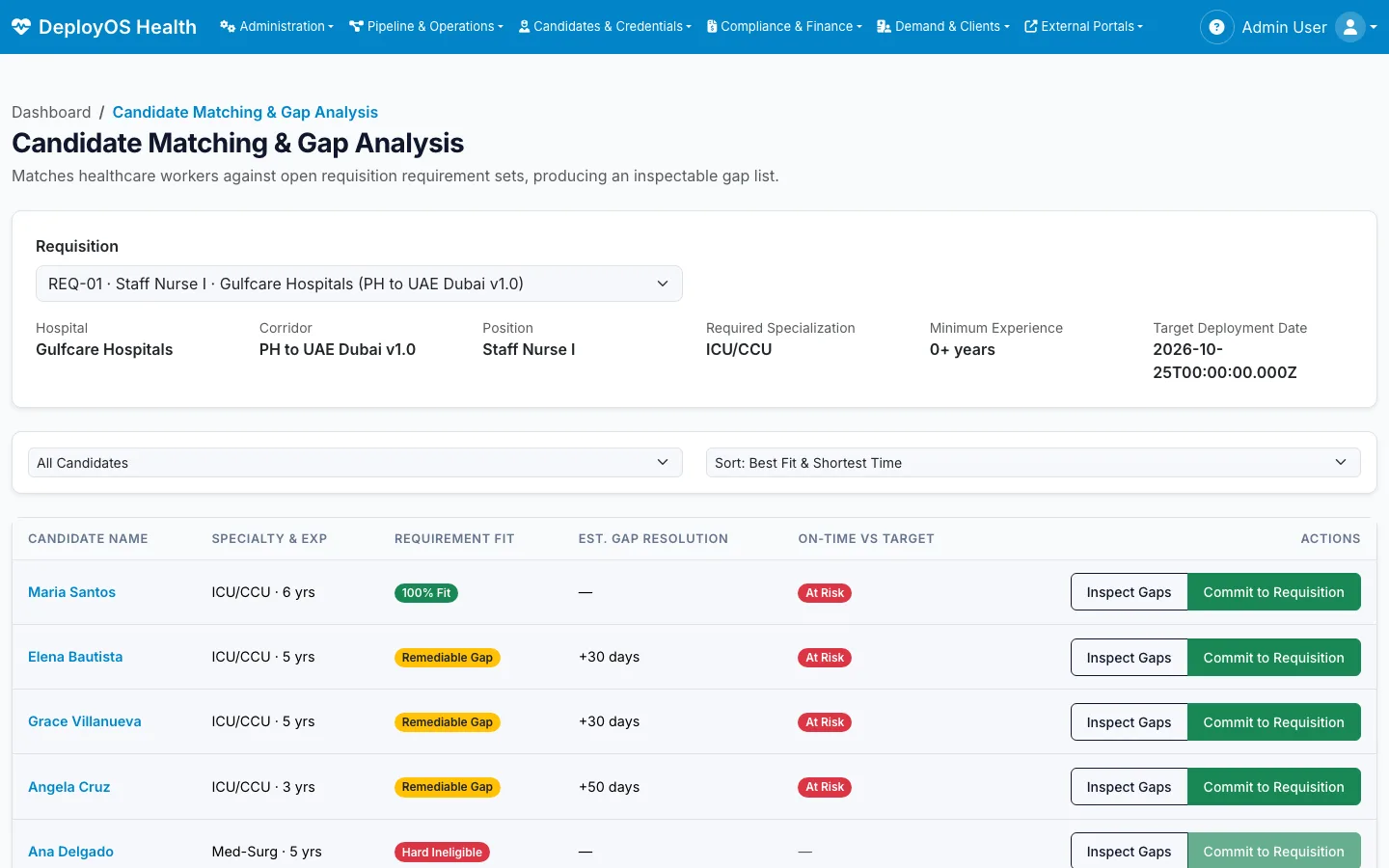
Candidates are ranked against each requisition with the gap spelled out: which credential is missing, how long it takes to close, and whether the target date still holds.
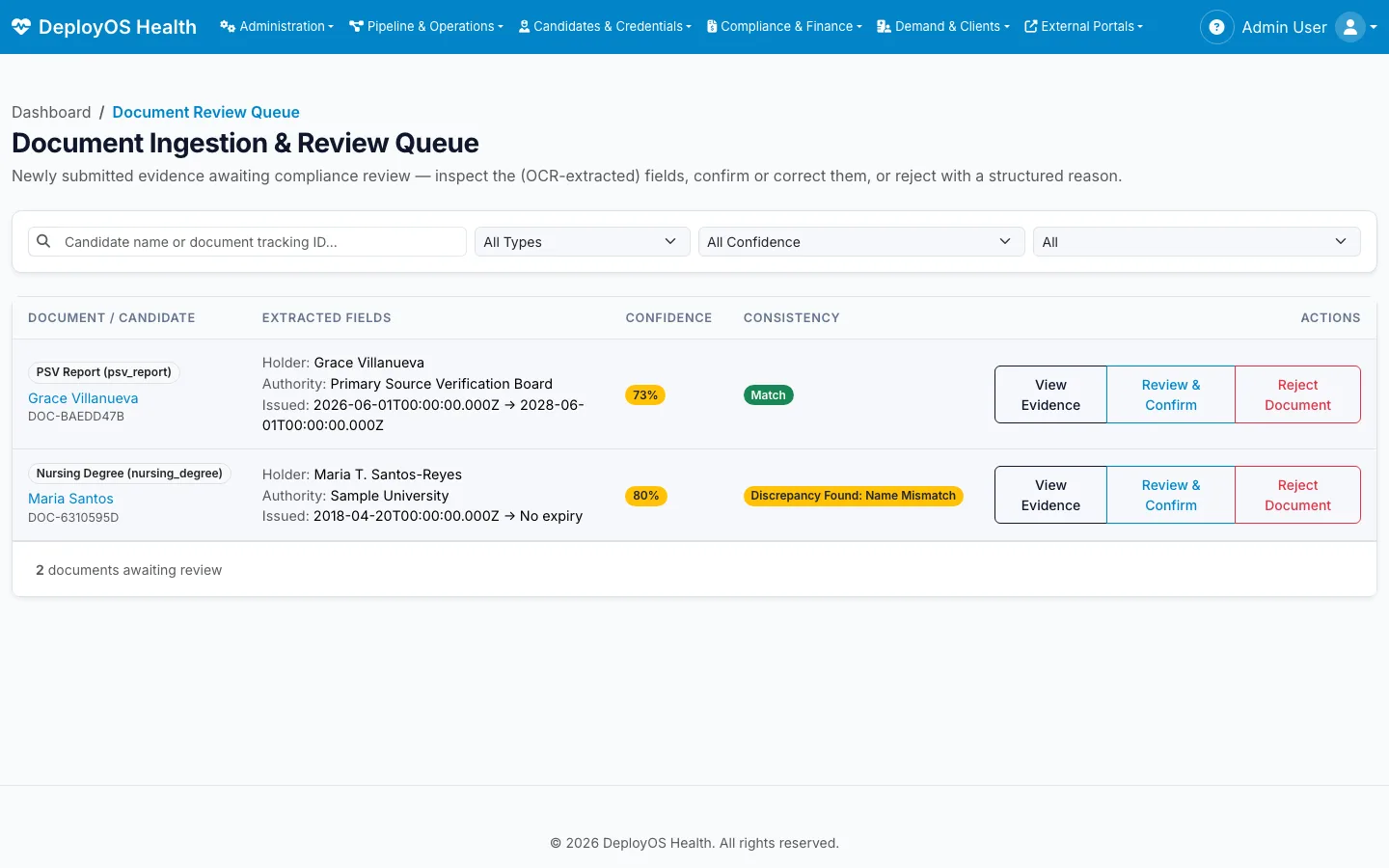
Documents read, then checked
Uploaded documents are read into fields with a confidence score. Compliance staff confirm, correct or reject each one, and a name mismatch across documents is flagged.
What does the candidate see?
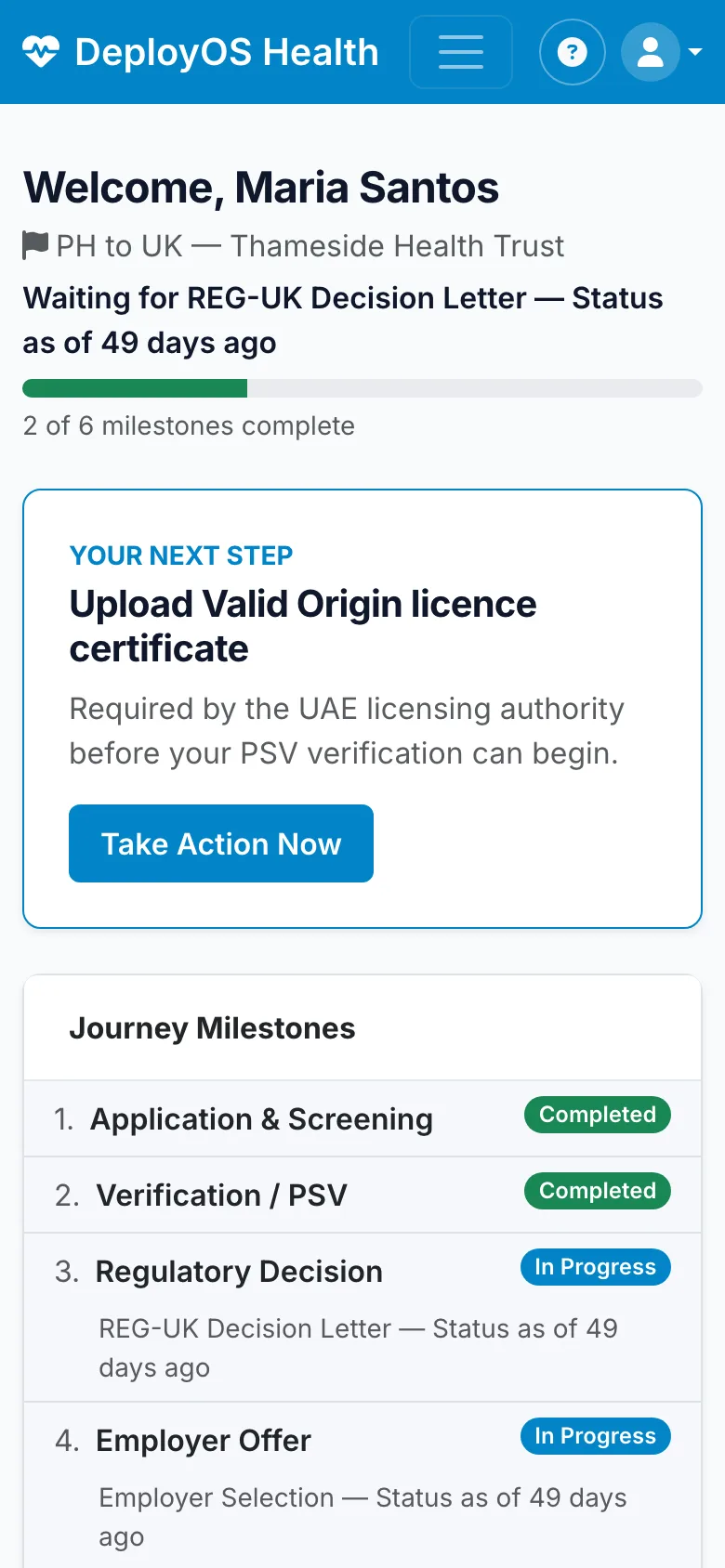
Many steps are done by the candidate in their own name. The phone app tells them which one matters now, and shows them what their deployment has cost and who paid.
One next step
The candidate’s phone opens on the one thing that would move their deployment, with why it matters.
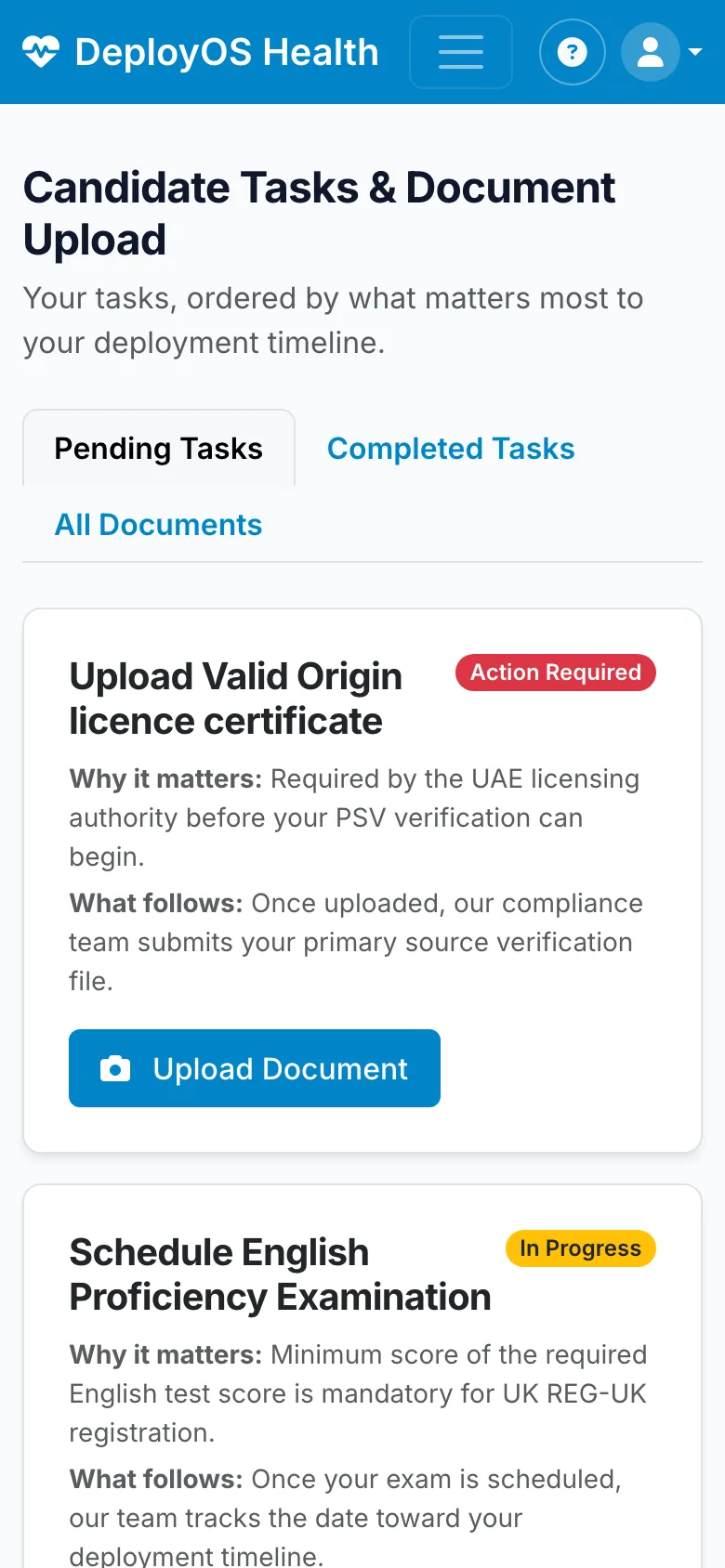
Tasks in order
Uploads and appointments listed by their effect on the timeline, not by date added.
Their own cost statement
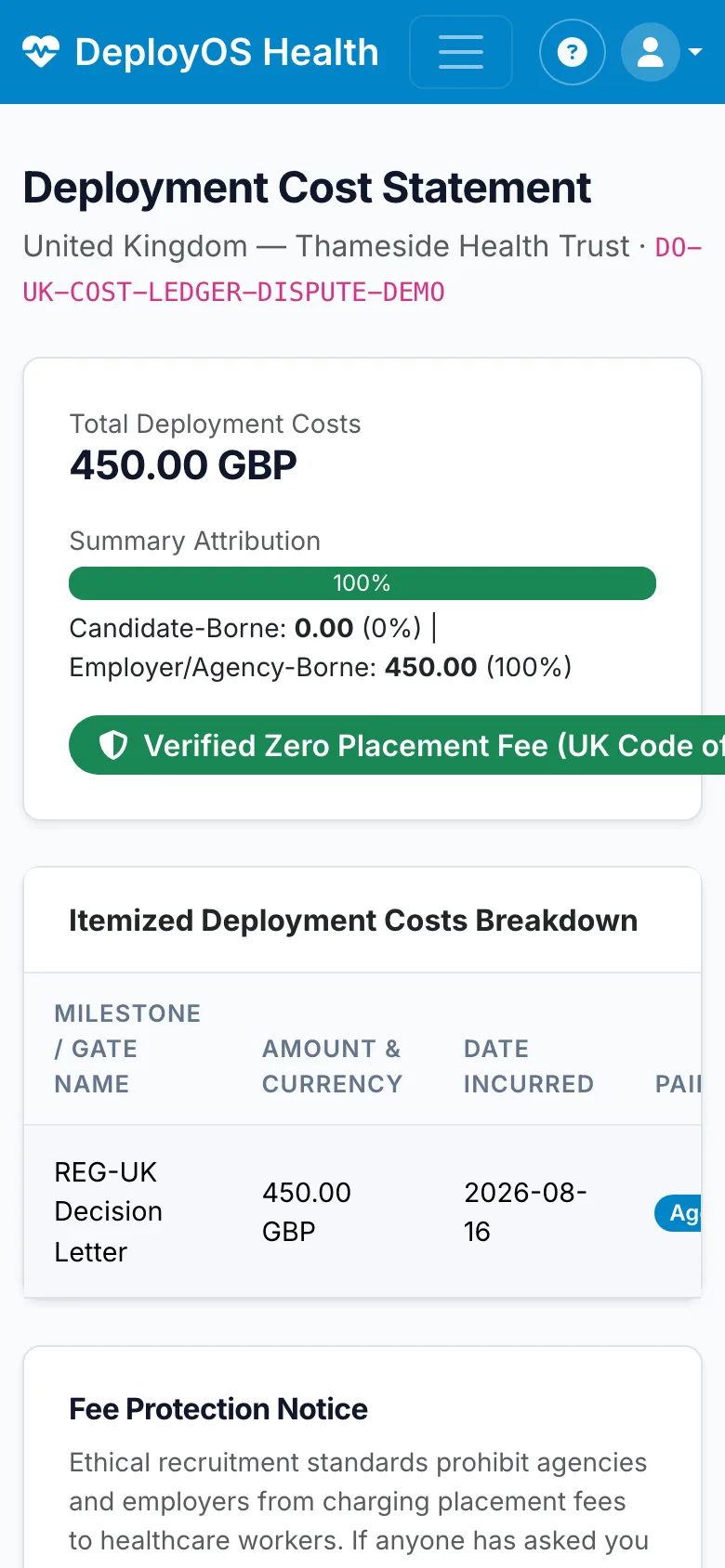
Every cost for their deployment, with who paid it. A zero candidate share is shown, not asserted.
Consent on record
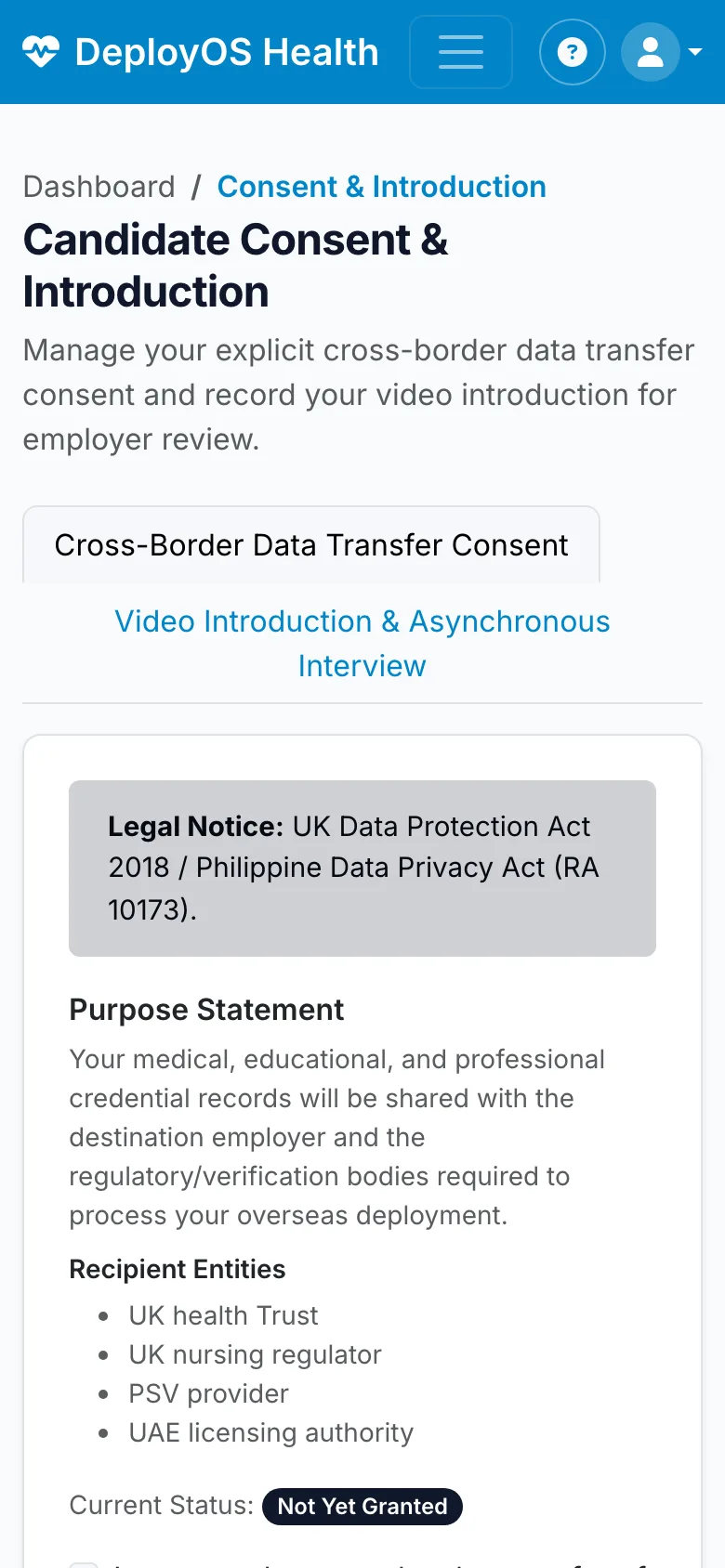
Cross-border data-sharing consent, with the recipients named, captured before anything is shared.
How does the agency prove it charged no placement fee?
From the same ledger the team works in, rather than from a declaration written afterwards.
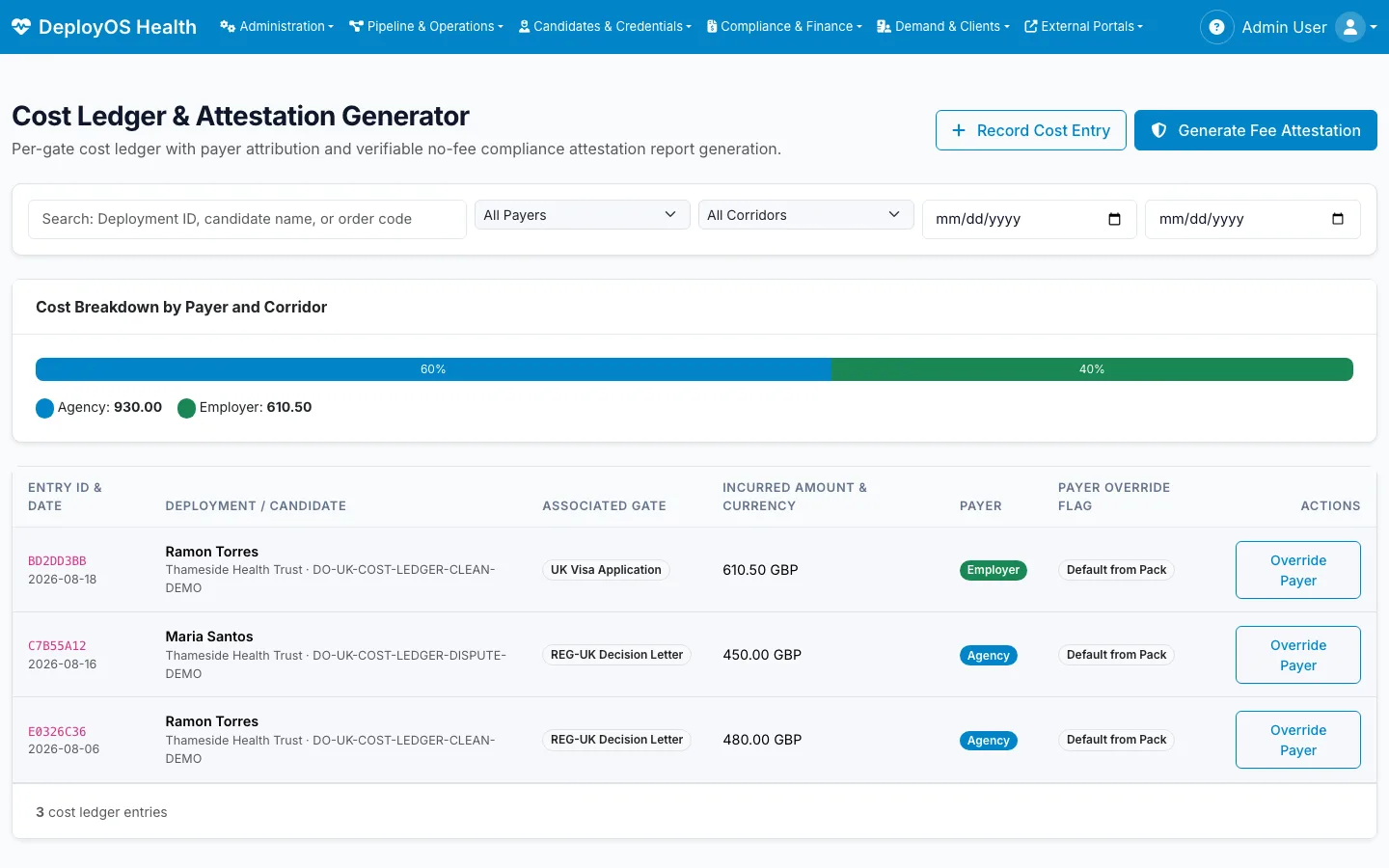
Every cost has a payer
Each step’s cost is recorded with who bears it (agency, employer or candidate) as the corridor pack declares, with any override recorded and explained.
No-fee attestation from the ledger
The attestation that a candidate paid no placement fee is generated from the cost ledger itself, which is what employers following the UK Code of Practice for international recruitment ask to see.
Slippage, measured
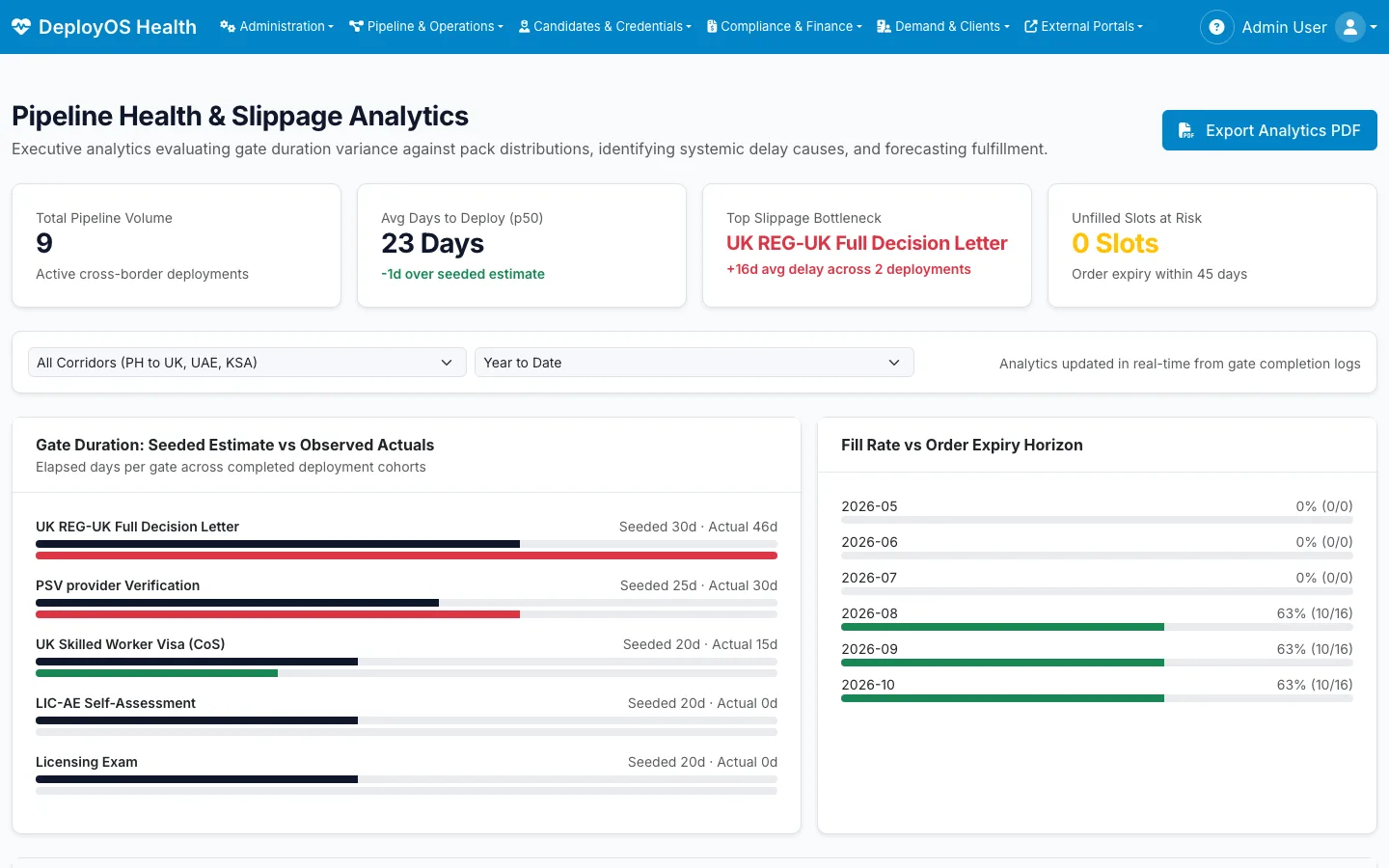
Management sees which steps run longer than the pack estimates, by how much, and how many open orders are at risk of expiring unfilled.
An audit trail for every change
Status changes, overrides and pack migrations are logged with who made them and when.
How do we start, and how do we pay?
Start with one corridor you already deploy to. Then buy it one of two ways: a licence for your own instance, white-label and source-available, or Outcome-as-a-Service, where Xamun invests the build and is paid per transaction on the unit your agency is paid on, agreed with you.
Map one corridor
Walk the demo with your compliance and processing leads against one destination you already deploy to, and mark where your process differs from the pack.
Run live candidates
Load a cohort of real candidates and orders, and compare the projected dates and the binding steps with what your team believed.
Add corridors and employers
Bring the next destination’s pack and the employers that recruit through it.
Questions agencies ask
Who is it for?
Licensed recruitment agencies that deploy nurses and allied health professionals internationally, starting from the Philippines. The agency’s account, sourcing, compliance and processing staff each get a workspace; candidates use a phone app; employers get a thin portal for their requisitions and candidate decisions.
Which corridors does it cover?
Philippines to the United Kingdom, to the UAE (Dubai) and to Saudi Arabia. Each is a versioned corridor pack holding that destination’s steps, the bodies involved and who pays for each step. A new corridor is a new pack, not a code change.
How does it work out a deployment date?
Each deployment is a chain of dated steps with their own typical durations. DeployOS projects a median and a late-case date from that chain, recalculates when a step moves, and names the step that is setting the date.
What is an expiry collision?
A credential, such as a good-standing certificate or a medical, that will expire before the step that relies on it is likely to finish. DeployOS lists these ahead of time so the candidate can renew instead of repeating the step.
Does it connect to regulators’ systems?
No, and it is built on the assumption that it cannot: the bodies involved rarely offer a machine connection to agencies. Status is recorded by staff from portals and correspondence, and DeployOS shows how old each status is and which ones to check first.
How does it show that candidates paid no placement fee?
Every cost is recorded against the step it belongs to, with who paid it. The no-fee attestation is generated from that ledger, and the candidate sees the same cost statement on their phone.
What does the candidate see?
A phone app with their next step, their tasks in order of effect on the timeline, document upload, their own cost statement and the consent they gave for their data to be shared.
How is DeployOS Health bought?
Two ways. A licence for your own instance, white-label and source-available. Or Outcome-as-a-Service, where Xamun invests the build and is paid per transaction on the unit your agency is paid on, agreed with you. No prices are published.
Is there a live demo?
Yes, at deployos.xamun.ai, with invented employers and candidates. Your own deployment is a separate instance configured to your corridors.
Bring us one corridor
We will walk your compliance and processing leads through it on the demo, and show where your current candidates’ dates are really being held.