
RosterOS — Right worker. Right shift. Every time.
A workforce-rostering platform managing the complete lifecycle — onboarding, credential verification, scheduling, GPS clock-in, timesheets and payroll — with built-in compliance for care and disability providers.
What is RosterOS?
A workforce-rostering platform managing the complete lifecycle — onboarding, credential verification, scheduling, GPS clock-in, timesheets and payroll — with built-in compliance for care and disability providers.
Who is RosterOS for?
RosterOS is built for care & ndis teams in workforce. It is delivered under Outcome-as-a-Service: Xamun invests the build, deploys it on your infrastructure, and you pay per transaction the system processes.
What regulation does RosterOS handle?
RosterOS carries the following regulatory and compliance surface, enforced in the workflow rather than documented beside it. The GraphIQ compliance layer keeps these rules current as they change.
- NDIS
What can RosterOS do?
Not a generic scheduler with a compliance bolt-on. Every module is shaped around how regulated care rostering actually works.
Full roster lifecycle
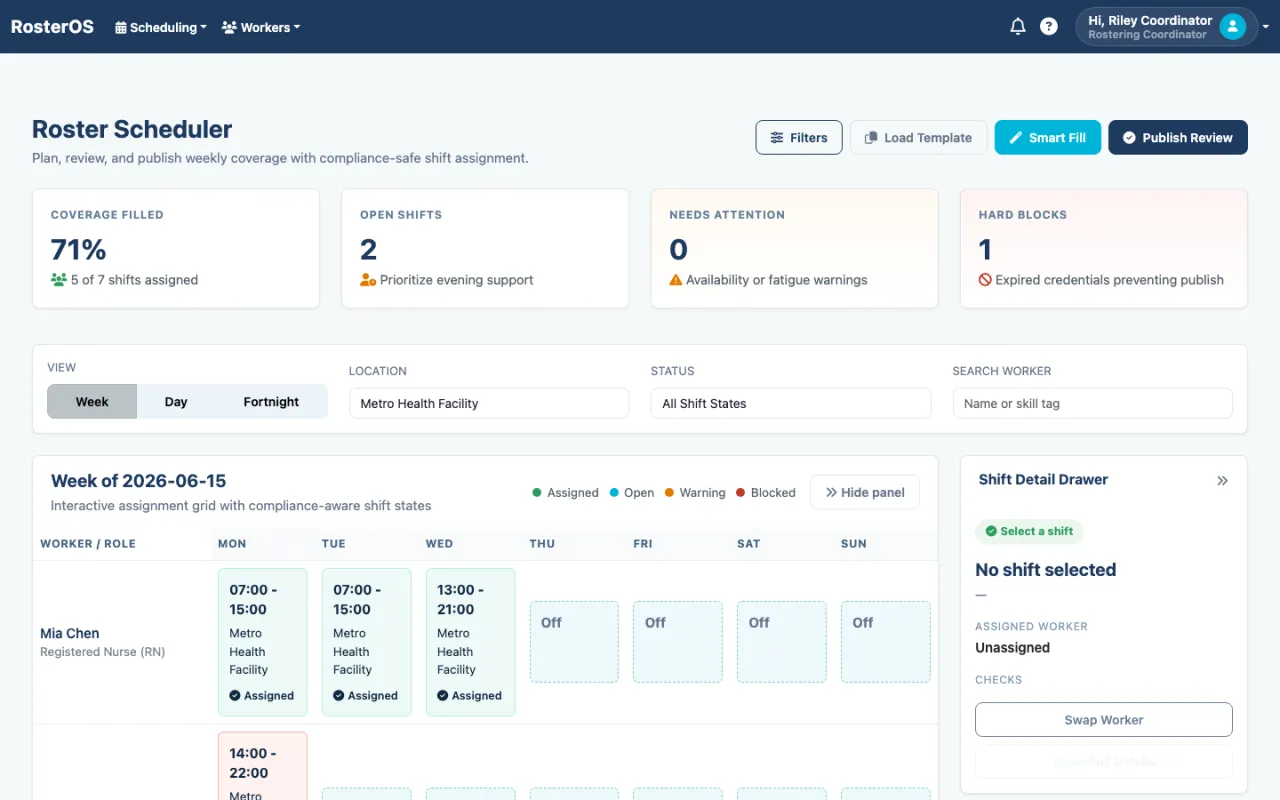
Worker onboarding, weekly roster build, publish, GPS clock-in/out, timesheets, host sign-off and payroll export — one continuous, auditable flow.
Compliance & conflict engine
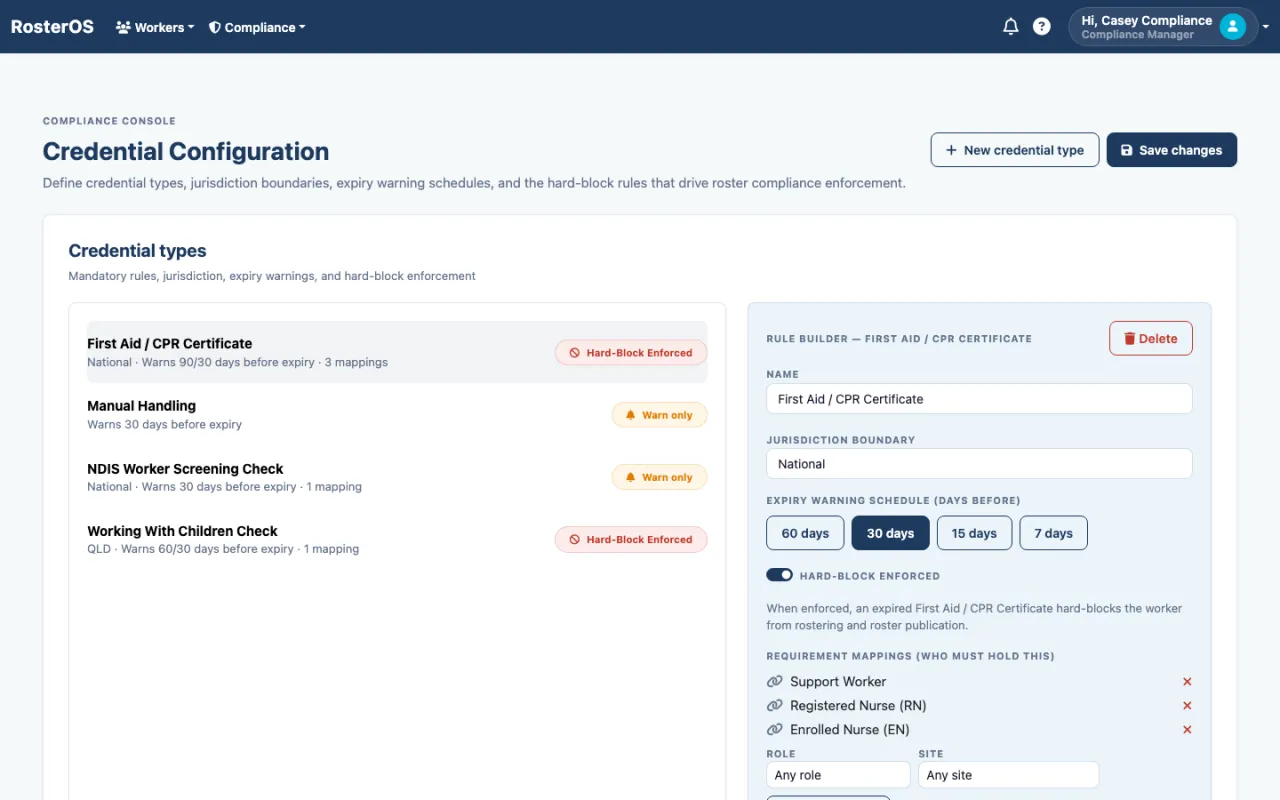
A server-side engine evaluates credentials, availability, fatigue and double-bookings on every shift. Expired First Aid or NDIS screening is a hard block on publish — not a warning you can click past.
Credential management & verification
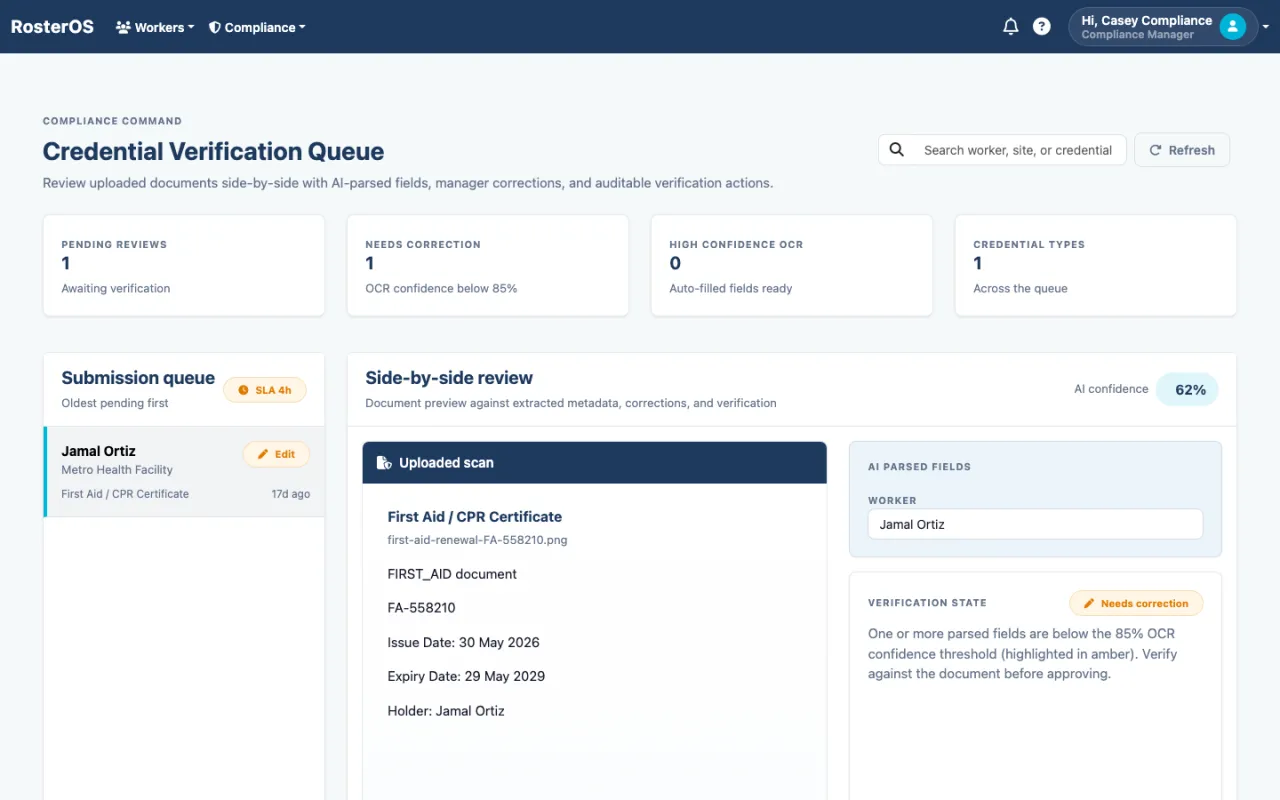
Define credential types, jurisdiction boundaries and expiry warnings. Workers upload renewals from their phone; managers verify against AI-parsed fields with OCR-confidence scoring.
Smart Fill scheduling
For any open shift, Smart Fill ranks only the workers who are qualified, compliant and available — scored on fit — so coordinators fill coverage in seconds, safely.
GPS geofenced clock-in/out
Workers clock on at the site, inside the geofence, within the shift window — with offline sync for low-signal locations. Breaches surface to ops in real time.
Timesheets & adjustments
Clocked hours flow into a review queue with exceptions flagged. Payroll officers approve or adjust with a full audit trail; host employers sign off on placed-worker hours.
Payroll export
Approved hours export straight to your payroll provider — Xero, MYOB and more — with a pre-check that catches issues before a single dollar is paid.
Mobile-first Worker PWA
An installable web app where workers see their next shift, clock in, manage credentials, set availability and request leave — no app-store gatekeeping.
Role-based operations & messaging
Distinct workspaces for coordinators, compliance, payroll, ops, host employers and admins — each scoped to its job, with in-app messaging and credential reminders.
Ops dashboard & AI risk feed
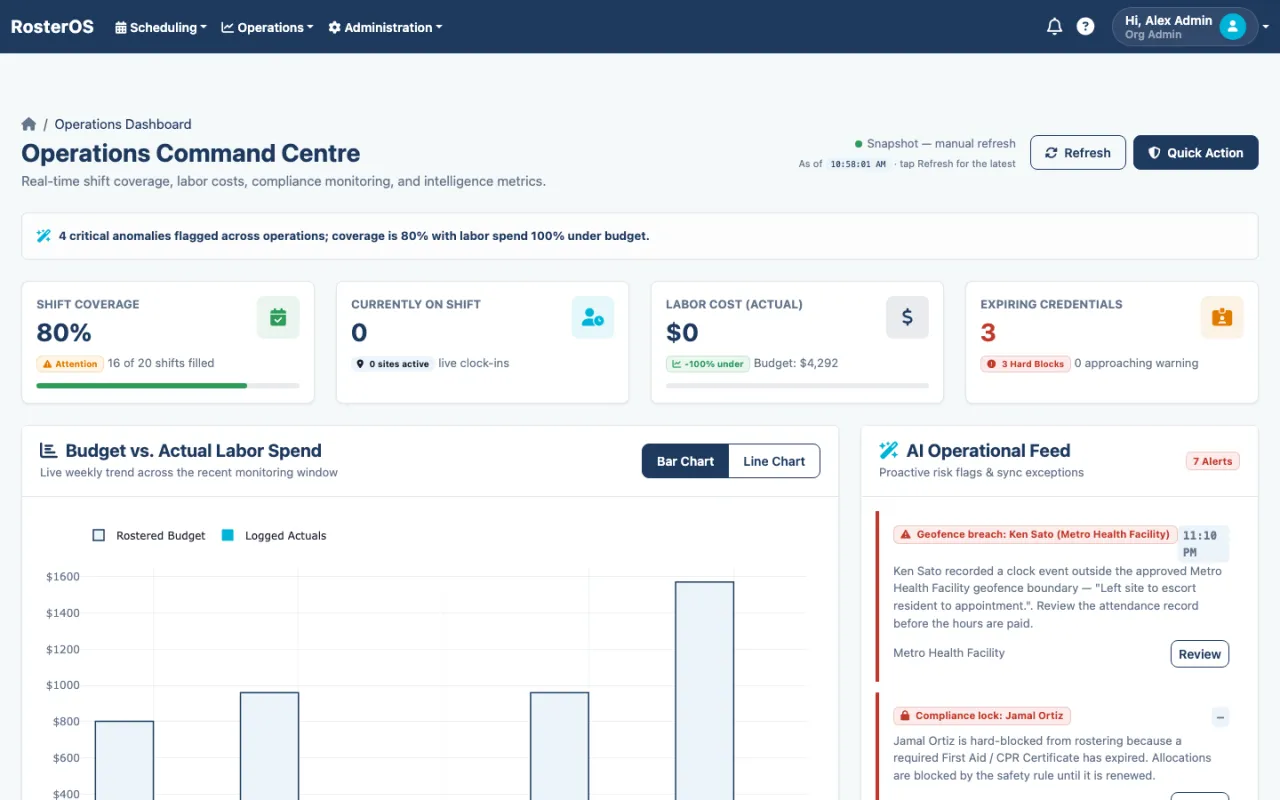
A real-time command centre — coverage, labour cost vs budget, expiring credentials — with an AI feed surfacing geofence breaches and compliance locks as they happen.
What does RosterOS look like?
Real screens from the live demo you can open above. Your own deployment is a separate instance, branded and configured to your operation.
The winning balance of cost and capability
Stacked against the four ways care providers run their rosters today.
| Capability | RosterOS Purpose-built for care | Deputy / scheduling SaaS | Generic HR suite | Enterprise WFM(UKG / SAP) | Spreadsheets / chats |
|---|---|---|---|---|---|
| Care-credential hard-block (NDIS / WWCC / First Aid) | ● Built-in | ◑ Manual fields | ✕ Not care-aware | ◑ Custom build | ✕ Manual |
| Server-side compliance & conflict engine on publish | ● Enforced | ◑ Soft warnings | ✕ None | ◑ Configurable | ✕ None |
| AI credential OCR & verification queue | ● Built-in | ✕ No | ◑ Doc store only | ◑ Add-on | ✕ Manual |
| Smart Fill (qualified & available only) | ● Built-in | ◑ Open-shift offers | ✕ No | ◑ Varies | ✕ Manual |
| GPS geofenced clock-in with offline sync | ● Built-in | ● Yes | ✕ No | ◑ Add-on | ✕ None |
| Fatigue / break / award awareness | ● Built-in | ◑ Basic | ◑ HR policy only | ● Yes | ✕ Manual |
| Timesheets → payroll export (Xero / MYOB) | ● Native | ● Yes | ◑ Varies | ● Yes | ✕ Manual |
| Host-employer placed-hours sign-off | ● Built-in | ✕ No | ✕ No | ◑ Varies | ✕ None |
| Mobile-first worker PWA | ● Included | ● App | ◑ Varies | ◑ Heavy app | ✕ None |
| Time to go live | ● Weeks | ● Days–weeks | ◑ Months | ✕ 6–18 months | ● Immediate* |
| Source code ownership & white-label | ● You own & rebrand it | ✕ Vendor SaaS | ✕ Vendor SaaS | ✕ Vendor-locked | ◑ Files only |
| Hosting & data residency control | ● Your infra, any region | ✕ Vendor cloud only | ✕ Vendor cloud only | ◑ Vendor-defined | ◑ Your device |
How do you buy RosterOS?
Under Outcome-as-a-Service, with no upfront CAPEX. What you open above is a demo instance; what you buy is your own separate deployment — on your infrastructure, under your brand, source-available, and configured to how your operation actually works. Xamun invests the build, and you pay a per-transaction fee on what the system processes. A slow month is a small invoice; if it does not run, you do not pay.
Where RosterOS fits
See RosterOS on your own numbers
Bring us one workflow and we will show you RosterOS running it.