
PunchlistOS — Every defect fixed, priced and proved.
The defect-to-closure system for hotels and luxury residences. A guest, resident or staff member scans the QR code in the room and reports a problem with a photo. The property’s supervisor sends it to an accredited contractor or an in-house technician, the contractor quotes against the agreed rate card, the right person approves the price before work starts, and the job closes only on after-photos and a sign-off. Built so that every role can use it on day one, with no training.
Who checks the contractor’s price before the work starts?
At most hotels and residences, nobody’s system does. The work is done by contractors, the requests come through guest platforms, and the property’s own control over third-party repairs falls between them.
The contractor runs the job
Maintenance at most hotels and residences is outsourced to facility-management companies and specialist contractors. Their systems are built to run their own workforce, not to answer to the property.
The guest platform runs the request
Guest-service tools handle towels, wake-up calls and messages. A cracked basin that needs a plumber, a quote and a sign-off is a different job.
The owner’s side lives in email
Who is accredited for which trade and until when, whether the price matches the contract, who approved it, and whether the work was actually done: that usually sits in email threads, chat groups and spreadsheets. PunchlistOS is that missing loop.
What is PunchlistOS?
PunchlistOS runs one operation: getting a reported defect in a high-end property fixed by an accredited contractor, at an approved price, verified and closed, with the fewest possible taps for everyone involved.
Who is PunchlistOS for?
Hotels, resorts, serviced apartments, branded residences and luxury residential buildings, single property or group. Everyone who touches a repair gets their own view of it.
For guests, residents and owners
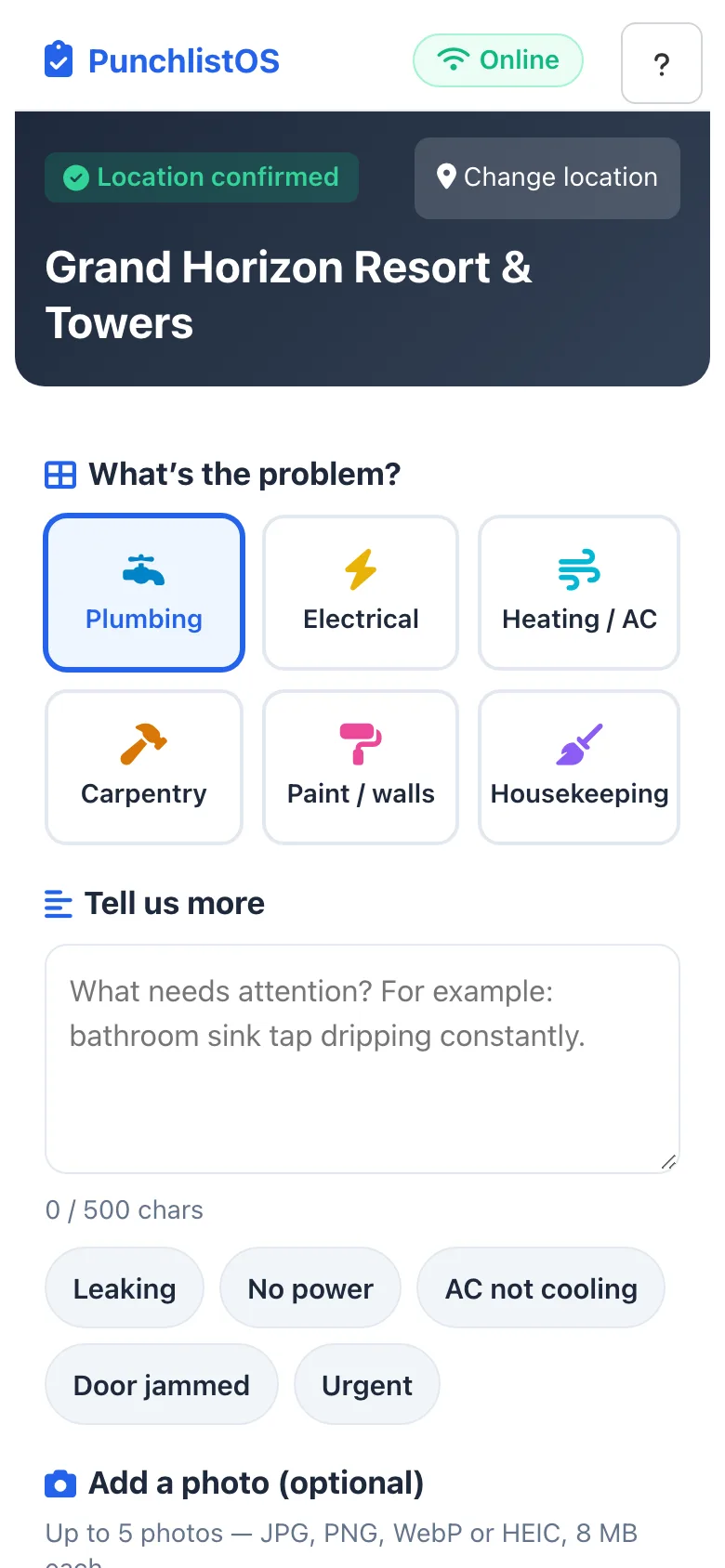
Scan the QR code in the room, pick the problem, add a photo, send. No app to install and no account needed to report.
For the property team
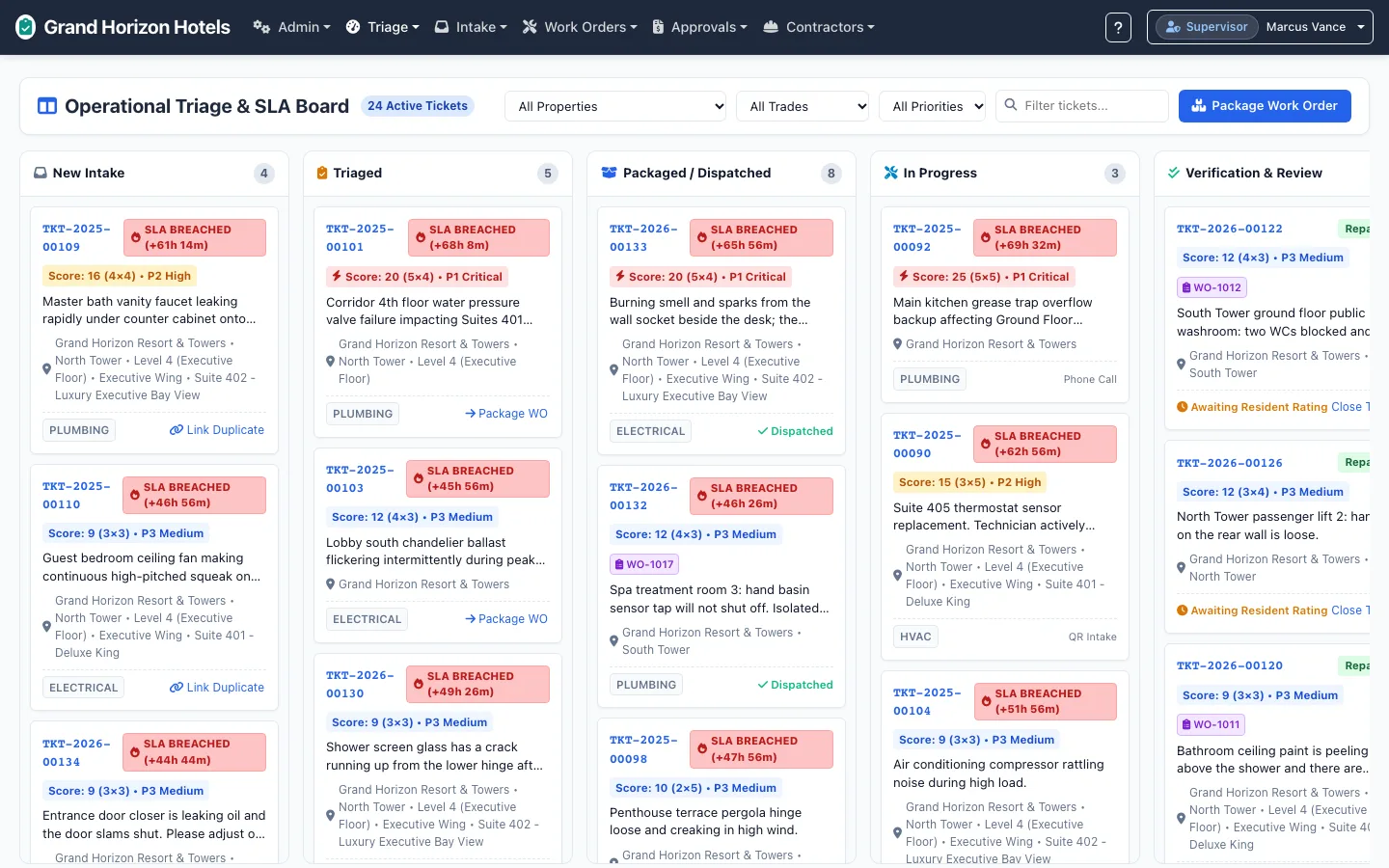
A board of every open defect by stage and SLA, one-click dispatch to a contractor or an in-house technician, and an approvals queue sized by value.
For contractors
Their own sign-in: assigned work orders, itemised quotes built from the agreed rate card, accreditation documents and a performance scorecard.
How does a defect get fixed?
Eight steps from the QR code in the room to a closed ticket with its whole history. Every step is recorded, and nobody has to chase anyone by phone.
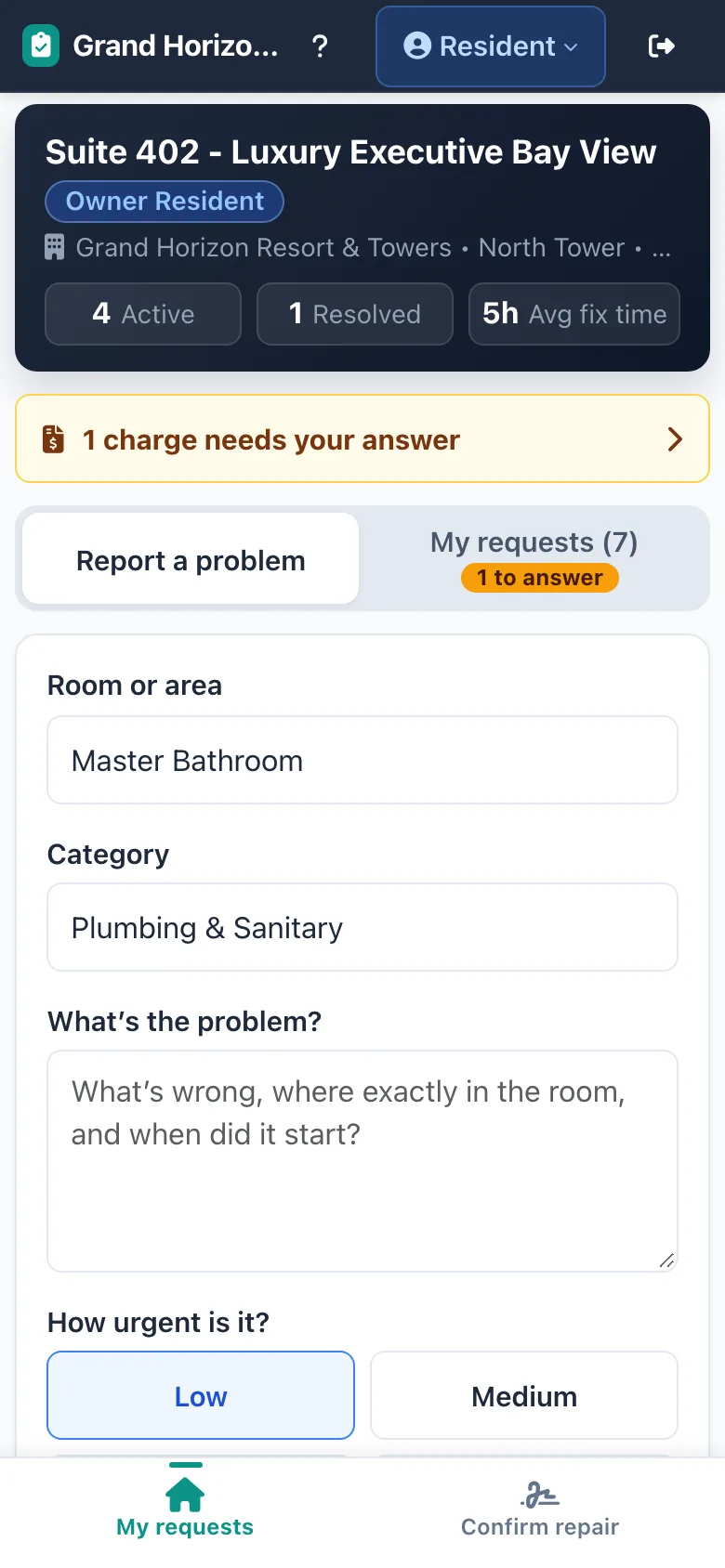
A guest or resident scans the room’s QR code and reports the problem with a photo, or the service desk logs a phone call, email or walk-in.
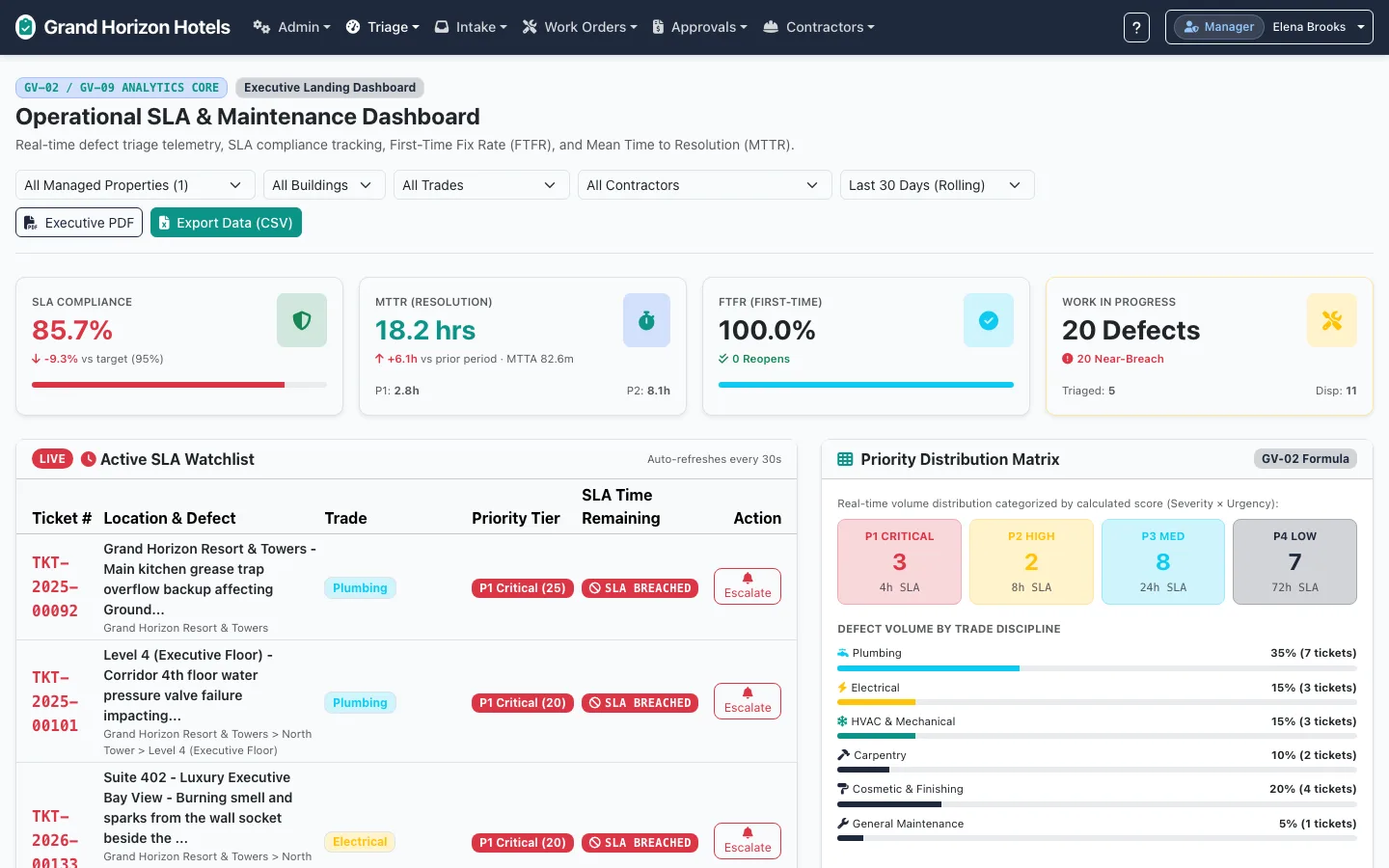
The ticket lands on the supervisor’s board with a priority from severity and urgency, and an SLA clock starts.
The supervisor sends it to an in-house technician or to a contractor accredited for that trade.
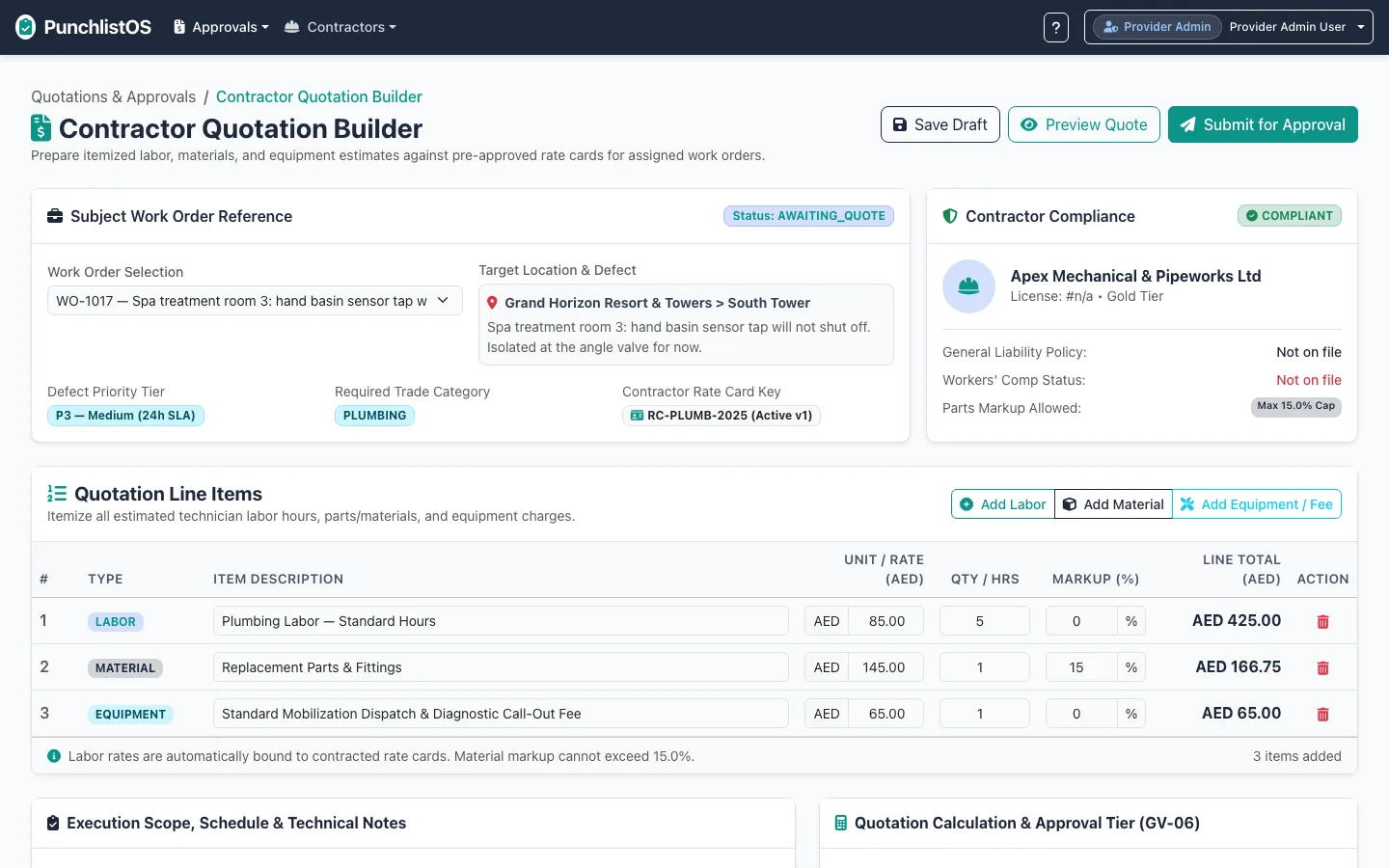
The contractor itemises labour, materials and call-out against the rate card already agreed with the property.
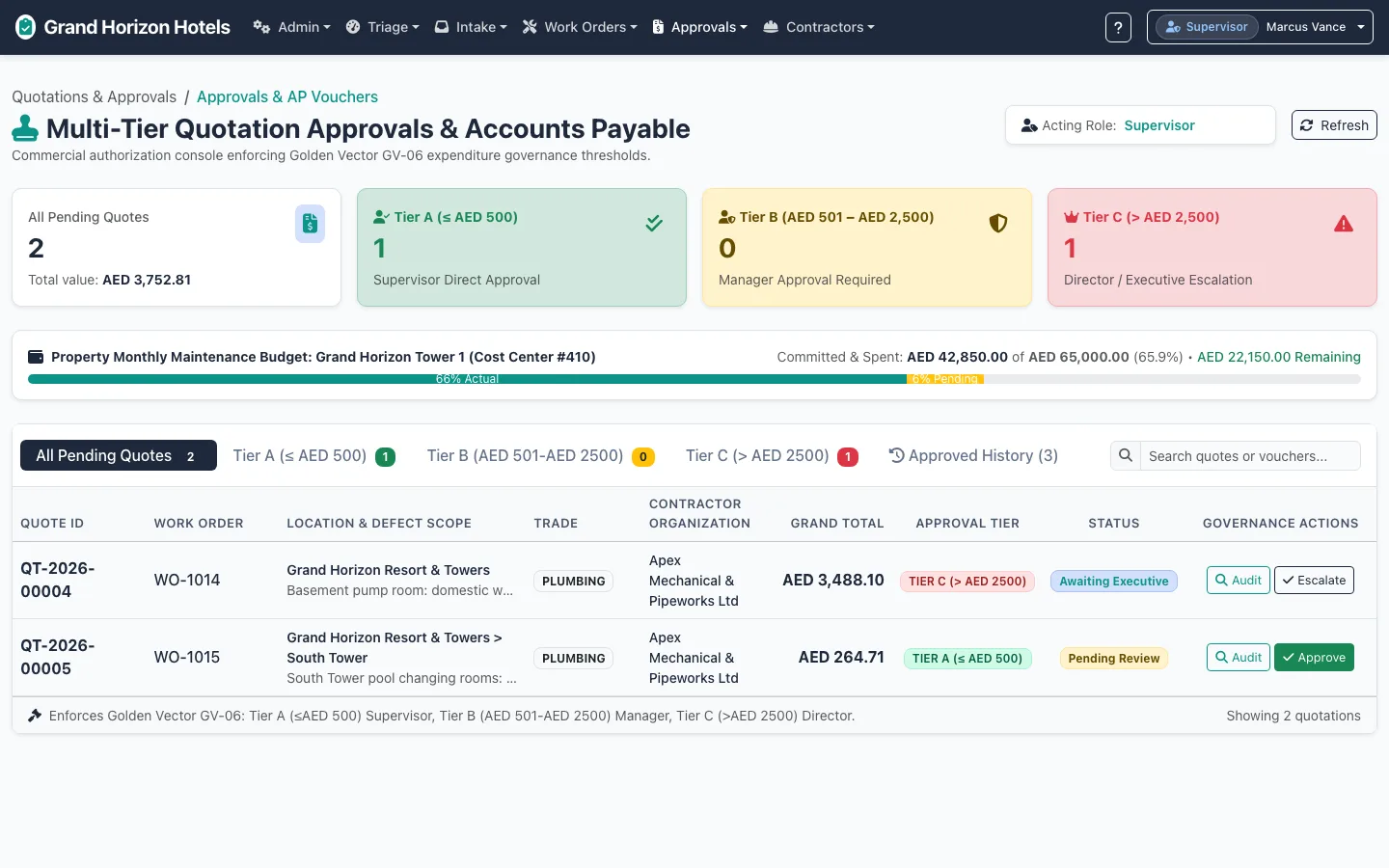
The quote goes to the right approver for its value before any work starts.
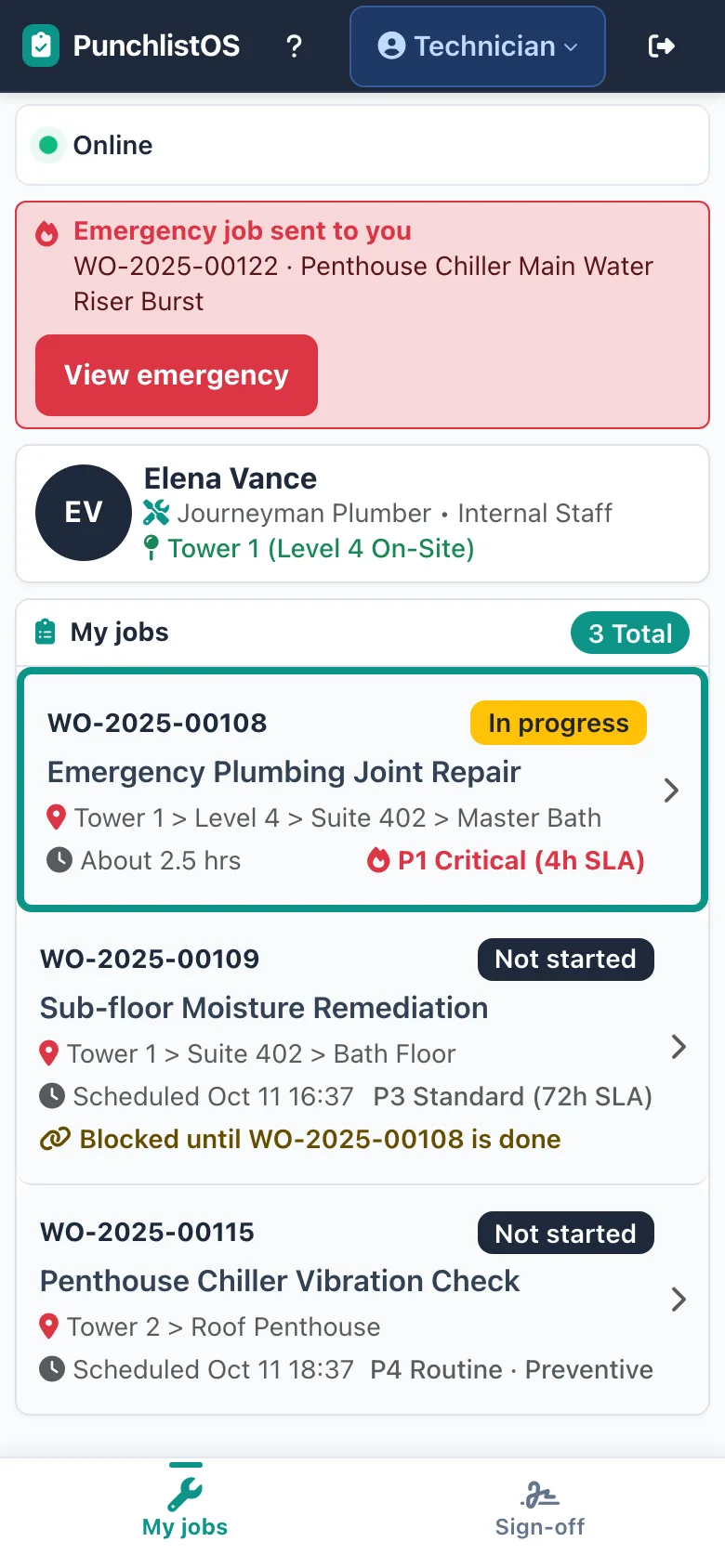
The technician works from a phone, with the job, the location and the photos.
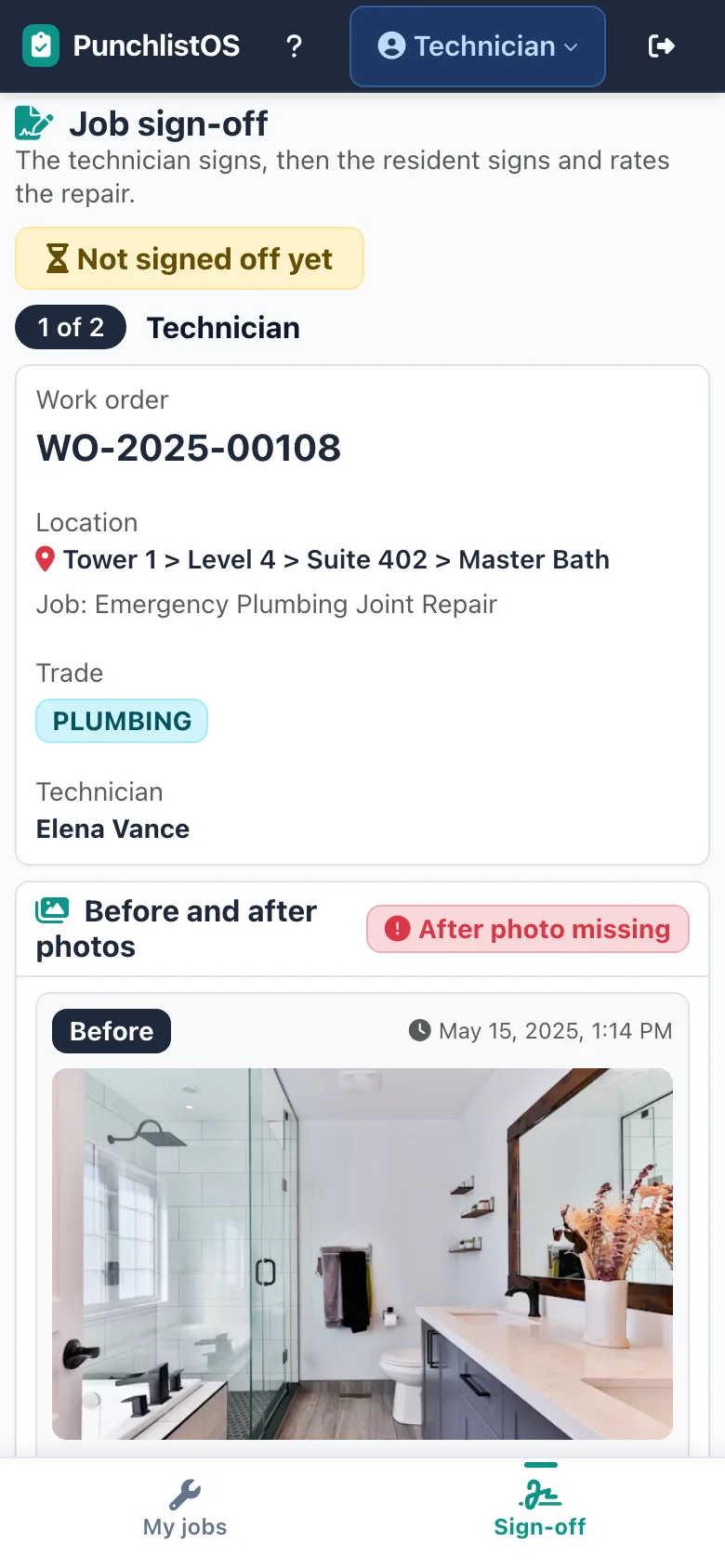
Before and after photos side by side; the technician signs, then the resident signs and rates the repair.
The ticket closes with its whole history: who reported, who priced, who approved and what it cost.
How are contractors and their prices controlled?
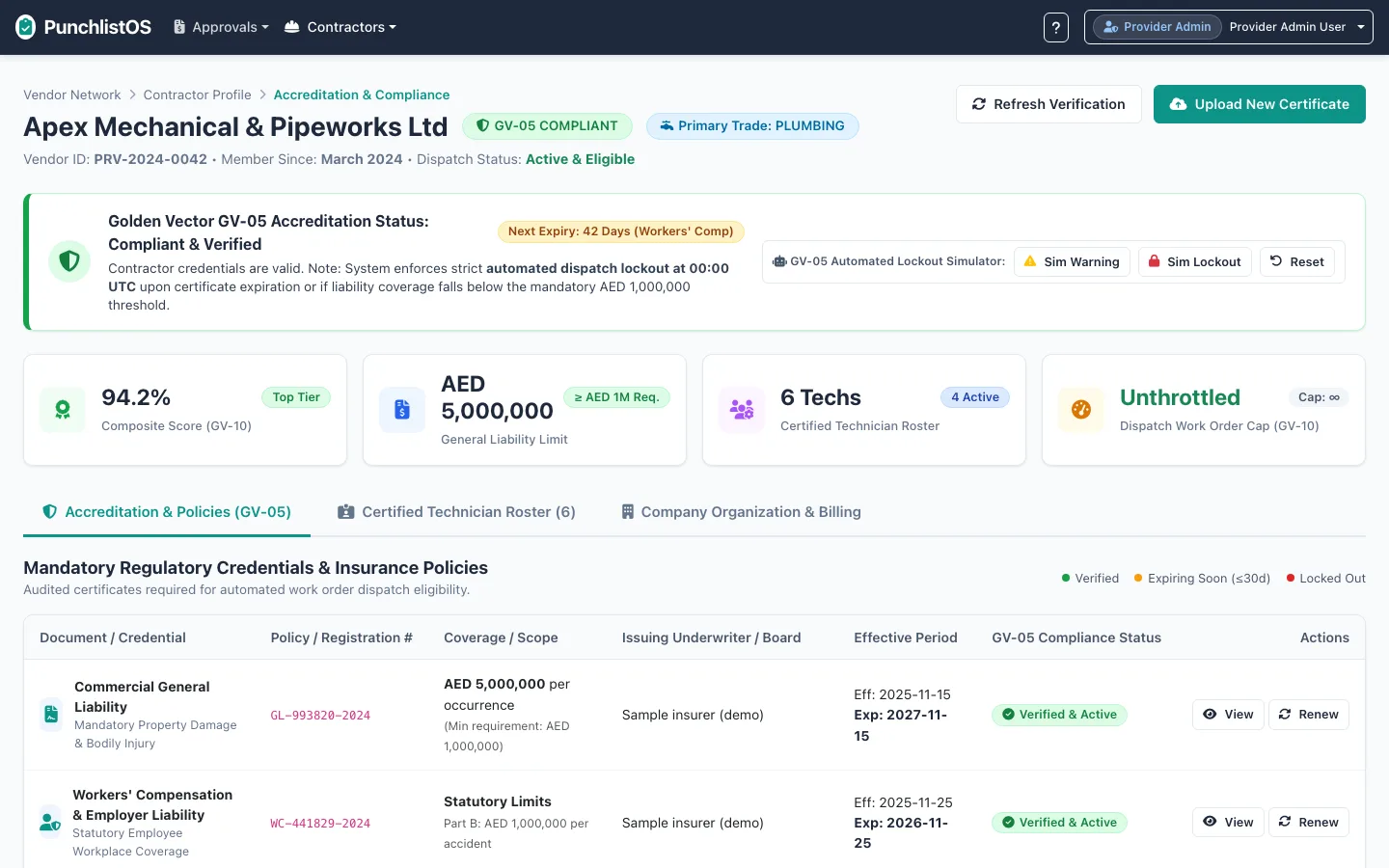
The contractor works inside the property’s rules instead of its own: accredited for the trade, priced against the agreed rate card, approved by the right person, and scored on every job.
Accreditation with expiry dates
Each contractor holds its licences and insurance policies on file, with cover amounts and expiry dates. An expired document takes the contractor off the dispatch list until it is renewed.
Rate cards agreed in advance
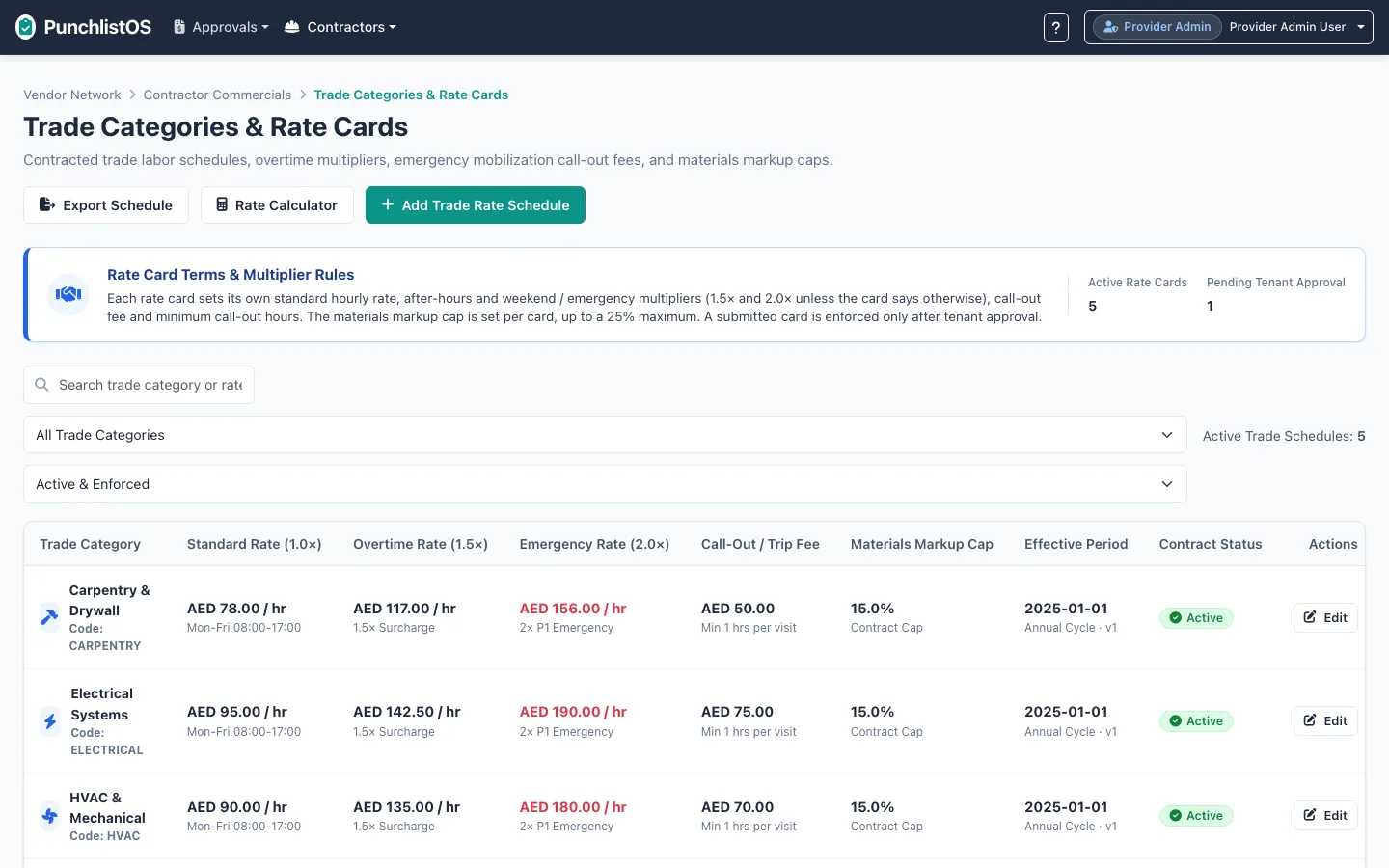
Standard, overtime and emergency hourly rates, call-out fees and a materials markup cap per trade. A new card takes effect only after the property approves it.
Itemised quotes
The contractor builds each quote line by line: labour hours, materials and equipment. Labour is bound to the rate card and markup cannot pass the cap.
Approval by value
Small quotes go to the supervisor, larger ones to a manager, the largest to an executive. The property’s monthly maintenance budget is shown beside the queue.
Multi-trade jobs in order
A defect that needs a plumber and then a carpenter becomes linked work orders, and the second stays locked until the first is done.
Contractor scorecards
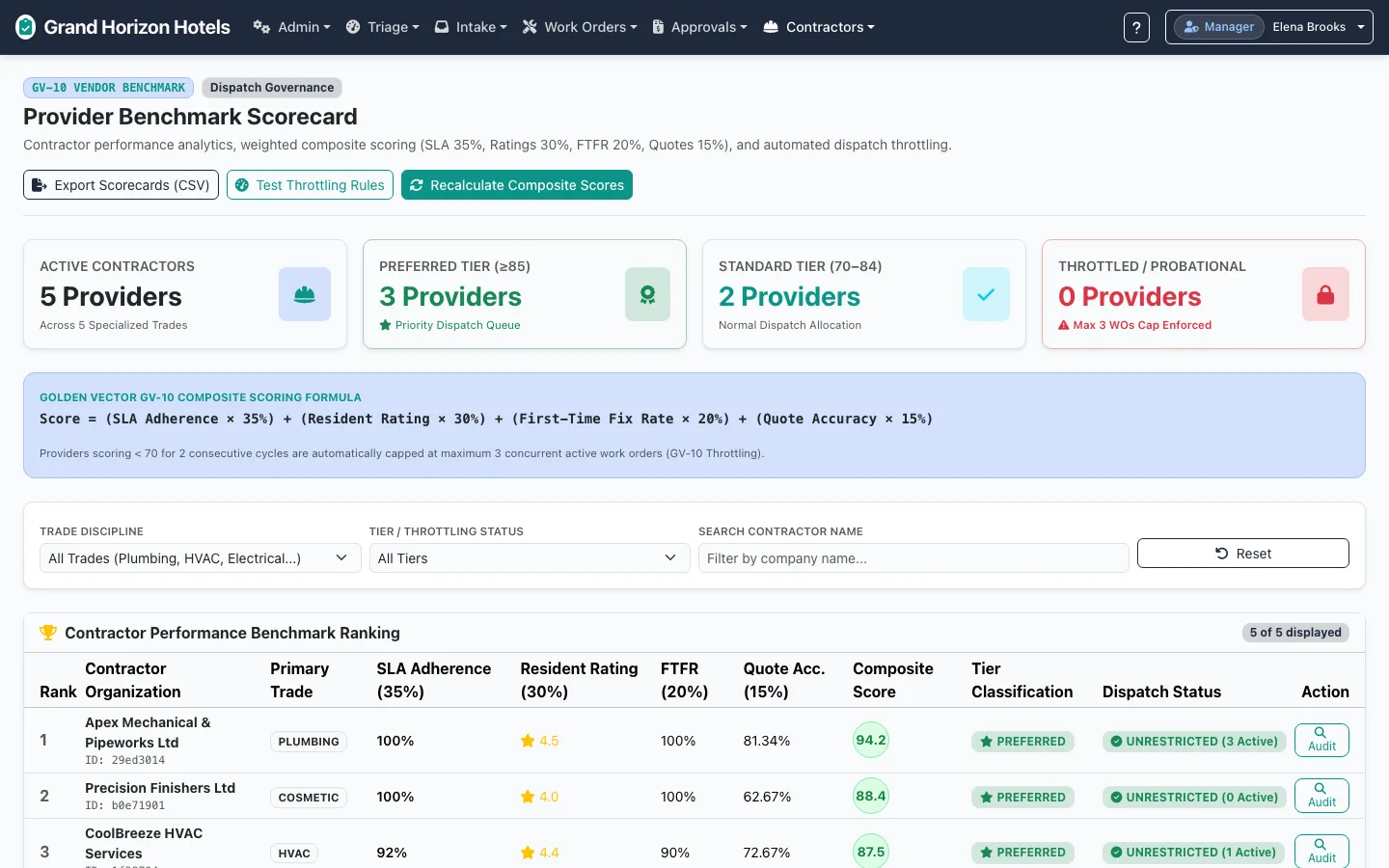
Each contractor is ranked on SLA adherence, resident ratings, first-time fixes and quote accuracy, so the next job goes to the one that earns it.
Who pays for the repair?
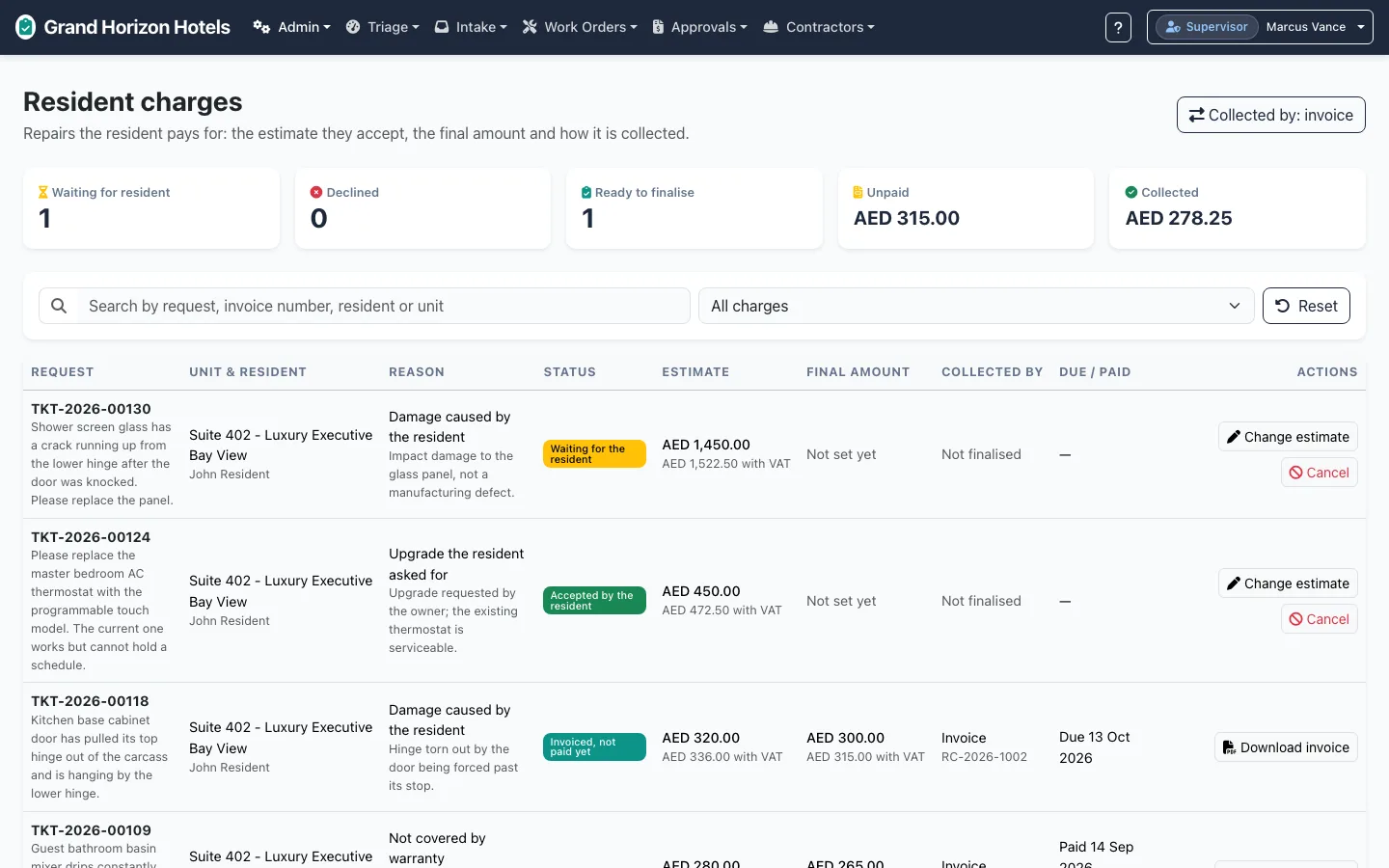
In branded residences, owners read their service-charge statements closely. Every repair in PunchlistOS carries a quote, an approver and photo evidence, and the repairs a resident pays for are agreed with the resident before the work starts.
Damage caused in the unit
The resident sees the estimate and accepts or declines it before the work goes ahead.
Not covered by warranty
Recorded as the reason, with the estimate and the final amount.
An upgrade the resident asked for
Priced and accepted like any other charge, kept apart from the property’s own repairs.
Collected the way you collect
Invoiced to the resident or added to their monthly dues, and tracked until it is paid.
Does anyone need training?
No. Hotel teams change often, and contractors’ technicians change more often still. PunchlistOS is designed so that a guest, a desk agent, a supervisor, a technician or a contractor can do their job on day one, with no manual and no onboarding session.
One job per screen
Each role lands on a home screen showing only its own work, with one main action.
Plain words
Report a problem. Approve. Done. The same words on every screen.
No password to report
Guests and residents report from the QR code in the room.
Tested without help
Each role’s core task is accepted only when a first-time user completes it unaided.
Do we still need our CAFM system or FM contractor?
Yes. A CAFM system runs planned preventive maintenance and the facility-management contractor’s own workforce, and PunchlistOS replaces neither. It runs the property’s side of reactive repairs: the report, the accredited contractor, the approved price and the verified closure. Your facility-management company can work inside it as one of your contractors.
For the register of what the hotel owns, where it is and what it is worth on the books, see AssetOS, which pairs with PunchlistOS.
What does PunchlistOS look like?
Real screens from the live demo you can open above. The demo property, its people and its contractors are fictional.
How do we start, and how do we pay?
Start with a walkthrough of the demo with your engineering and front-office leads, then buy it the way it suits your business.
Per property, per month
Outcome-as-a-Service priced on the unit you are paid on: you earn per property you manage, so that is how Xamun charges. Configured to how your hotels run, mapped to your outcome goals, hosted by Xamun and priced to replace the software you rent today.
Licence
Your own instance on your infrastructure, white-label and source-available.
Questions hotel and residence teams ask
Who checks the contractor’s price before the work starts?
The property does, inside PunchlistOS. The contractor builds an itemised quote against the rate card the property has already approved, labour is bound to that card and materials markup cannot pass the agreed cap. The quote then goes to a supervisor, a manager or an executive depending on its value, and no work starts until it is approved.
Do we still need our CAFM system or facility-management contractor?
Yes. Keep them. A CAFM system runs planned preventive maintenance and the facility-management contractor’s own workforce; PunchlistOS does not replace either. It runs the property’s side of reactive repairs: the defect report, the accredited contractor, the approved price and the verified closure. For the register of what the hotel owns and what it is worth, see AssetOS.
How does a guest or resident report a defect?
They scan the QR code placed in the room or area. The location is filled in from the code, they pick the type of problem, add a line of text and a photo, and send. There is no app to download and no account needed to report. The service desk can also log a phone call, an email or a walk-in on their behalf.
How are hotel maintenance contractors managed?
Each contractor has a profile with its trades, licences and insurance policies, with cover amounts and expiry dates. An expired document takes it off the dispatch list. Contractors get their own sign-in for work orders and quotes, and a scorecard ranks them on SLA adherence, resident ratings, first-time fixes and quote accuracy.
How does a job get closed?
Only on evidence. The technician adds after-photos, which are shown beside the before photos, and signs off; the resident then signs and rates the repair. The ticket keeps its whole history: who reported it, who priced it, who approved it and what it cost.
Who pays for a repair?
Most repairs are the property’s. When a repair is the resident’s to pay, for damage in the unit, work outside warranty or an upgrade they asked for, the resident sees the estimate and accepts or declines it first. The charge is then invoiced or added to their monthly dues and tracked until paid. PunchlistOS approves and exports contractor charges; your own finance system pays the contractor.
Does our team need training?
No. Working on day one with no training is the main design rule: each role sees only its own work, one main action per screen and the same plain words everywhere, and each role’s core task is accepted only when a first-time user completes it unaided.
Is PunchlistOS for construction snagging at handover?
No. PunchlistOS handles defects in a building that is open and occupied: hotel rooms, residences and common areas. Handover snagging on new developments is not part of the product today.
How is PunchlistOS priced?
Per property per month, the same unit a hotel or residence operator is paid on. Xamun hosts it, configured to your properties and mapped to your outcome goals, with each property on a Small, Mid or Large plan by number of keys; adding staff, residents or contractors never changes the bill. Or license it as your own instance, white-label and source-available.
See your next repair run on PunchlistOS
A walkthrough of the demo with your engineering and front-office leads, from the QR code in the room to a verified, closed job.