
WorkForceOS — a work assistant for every team, safe enough for production.
Ask in a chat, the way you’d message a colleague. The right agent does the work — the weekly report, the vendor check, the board pack — or a new one is built from a single sentence. A supervisor approves what it may touch, and the whole team can reuse it. Every number is calculated from your own data, every decision is on the record, and every hour saved is measured. Most people never need more than the chat and their inbox.
Ask · Build · Share · Prove
Why do most AI pilots never reach real work?
Getting an AI to write a good paragraph is easy. Putting it on real work is not — because the moment you try, your risk committee asks four questions a chatbot can’t answer. WorkForceOS is built to answer all four.
“Where did this number come from?”
A figure an AI made up can’t go in a board pack. Here, every number is calculated from your data and shows its source.
“Who decided?”
Auditors need a named person and a reason. Here, every decision is recorded with who made it and why.
“How much can it do on its own?”
All-or-nothing is either useless or unsafe. Here, freedom is earned step by step — and can be taken back.
“Is it paying for itself?”
Most pilots report hours nobody measured. Here, time saved is measured against a baseline you set.
Simple for everyone. Full control for the few.
Running AI safely is genuinely complex. We don’t hide that — we put it where it belongs. The detail sits with the handful of people whose job it is, so everyone else gets a chat and an inbox.
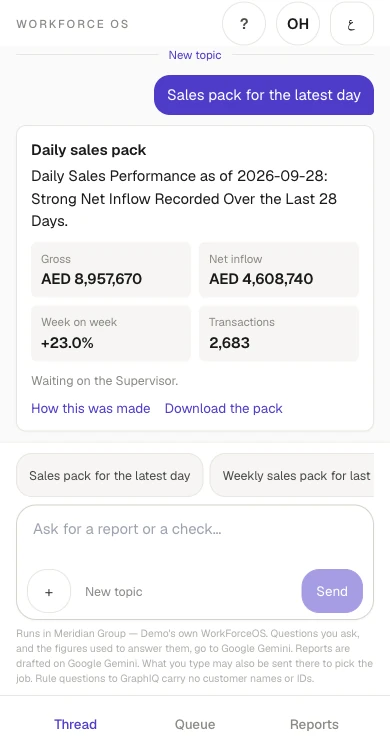
A chat and their inbox. That’s it.
- Ask for a report or a check in the chat, on the web or their phone, in English or Arabic.
- Reports arrive by email as a ready-to-read PowerPoint pack — no login needed to read one.
- When something needs their say, it arrives in the chat or by email. One tap: yes or no.
No training course, no dashboards, no new system to learn.
The control room — detailed on purpose.
- Supervisors decide what each agent may read, who sees its results, and how much it may do alone.
- Compliance reviewers sign off wherever a rule or the law needs a person.
- Agent handlers keep schedules, connections and failures in hand.
These screens carry the complexity so nobody else has to.
One chat is the whole interface.
No menus to learn and no prompts to engineer. People write the way they’d message a colleague — in English or Arabic, on the web or on their phone.
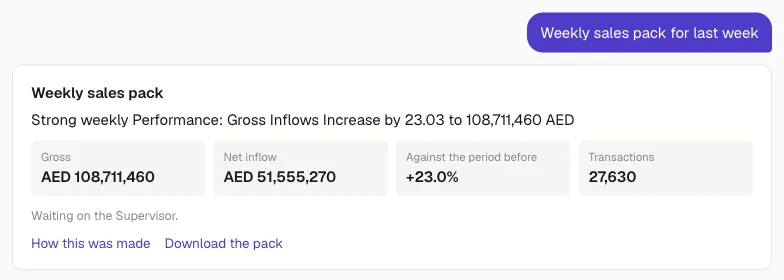
Ask anything
Answers come from your own records, with the source shown.
Get work done
The right agent returns the report, pack or check you asked for.
Decide where you are
Approvals arrive in the chat and by email — one tap to say yes or no.
Anyone can create a new agent with one sentence.
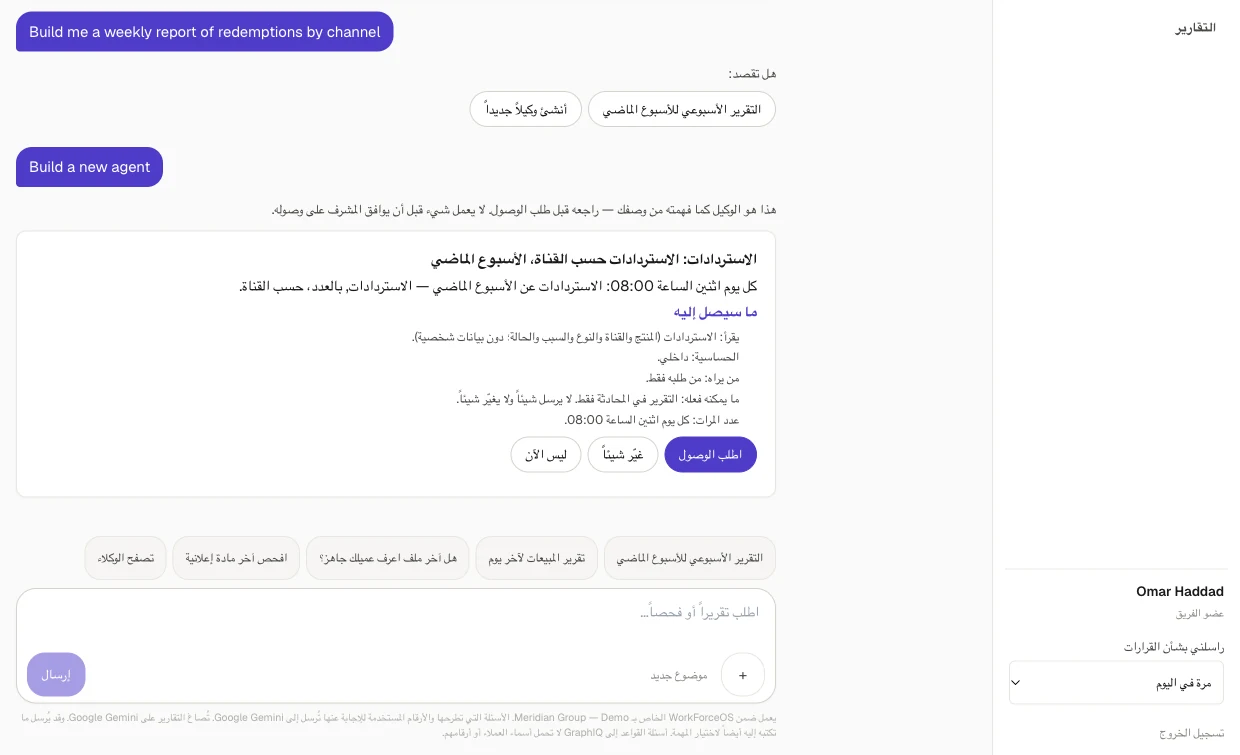
“Build me a weekly report of redemptions by channel.” The agent is set up from those words and shown back to you in plain language before anything runs.
Say what you need
In the chat, in your own words — or pick a ready-made agent from the library.
See what it will do
A card in plain words: what it reads, who sees the result, how often it runs.
Ask for access
One tap sends the card to your supervisor. Nothing runs until they approve.
It starts working
It proves itself on past data first, then runs on schedule or when you ask.
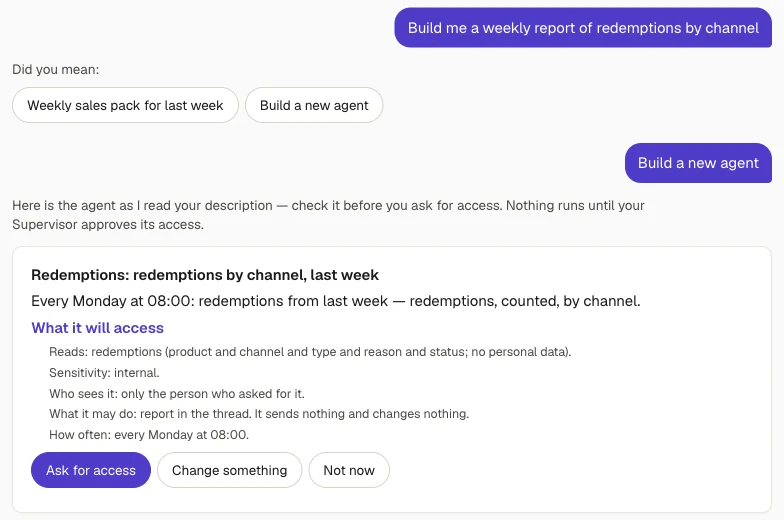
No developer, no ticket, no weeks of waiting: the people who know the work describe it.
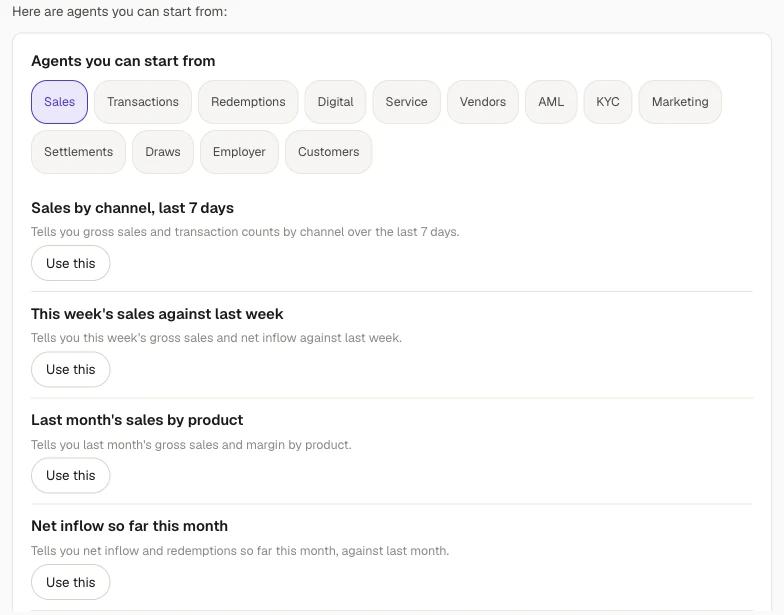
An agent one person builds becomes the whole team’s.
Control stays with the supervisor. Reusing an agent is one tap for everyone else.
The supervisor approves
What the agent may read and who may see its results. Change either, and it asks again.
It joins the library
Once approved, it appears under “Built by your team”, next to 40 ready-made agents, with the name of whoever built it.
Colleagues reuse it
“Use this” gives each person their own copy. If their role is already approved, it starts straight away.
Real work, not just answers.
Answer questions Live
From your own records, with the source cited.
Run reports and checks Live
Daily, weekly and board packs; compliance, KYC and vendor checks.
Deliver where people work Live
PowerPoint packs by email and in the app; CSV exports.
Work on a schedule or a trigger Live
Every morning, when a new record arrives, or whenever you ask.
Connect to your systems Per engagement
Your warehouse, CRM, ERP and service desk.
Use the web Per engagement
Look up public information and work inside web applications.
Create documents Per engagement
Word, Excel and PDF alongside PowerPoint.
Run your own logic Per engagement
Your own calculations, reviewed and version-controlled.
Per engagement means it’s part of the platform and switched on for your organisation, under the same approval and audit controls.
An assistant for every worker, not one team’s project.
Finance
Daily cash and sales packs, variance explanations, the month-end board pack.
Sales
Performance reports, channel and product mix, what moved and where.
Marketing
Campaign copy checked against the rules before it goes out.
Compliance & risk
KYC readiness, policy checks, audit reports on demand.
Operations
Service levels, backlogs and exceptions, flagged every morning.
Procurement
Vendor performance against contract, renewals and overruns.
HR
Headcount, hiring and attrition reports, onboarding checklists.
IT & digital
App and web funnels, incident and ticket summaries.
Start with the 40-agent library; build the rest in words.
Why your risk committee can say yes.
Numbers you can trace
Every figure is calculated from your data and carries its source. The AI writes the words, never the numbers.
People stay in control
Agents only reach what a supervisor approved. Decisions that can’t be undone — a board pack, a KYC case — always need a person’s sign-off.
Everything on the record
Every run, rule and decision is kept with who and why. An audit report is one question away.
Value you can prove
Hours saved are measured against a baseline you declare, not claimed. The agents get more freedom only when the record shows they’ve earned it.
What lands in your inbox?
A PowerPoint pack — because that’s how executives actually read a report. A short summary in the email, the deck attached, sent to the people who need it. Readers don’t need a login.
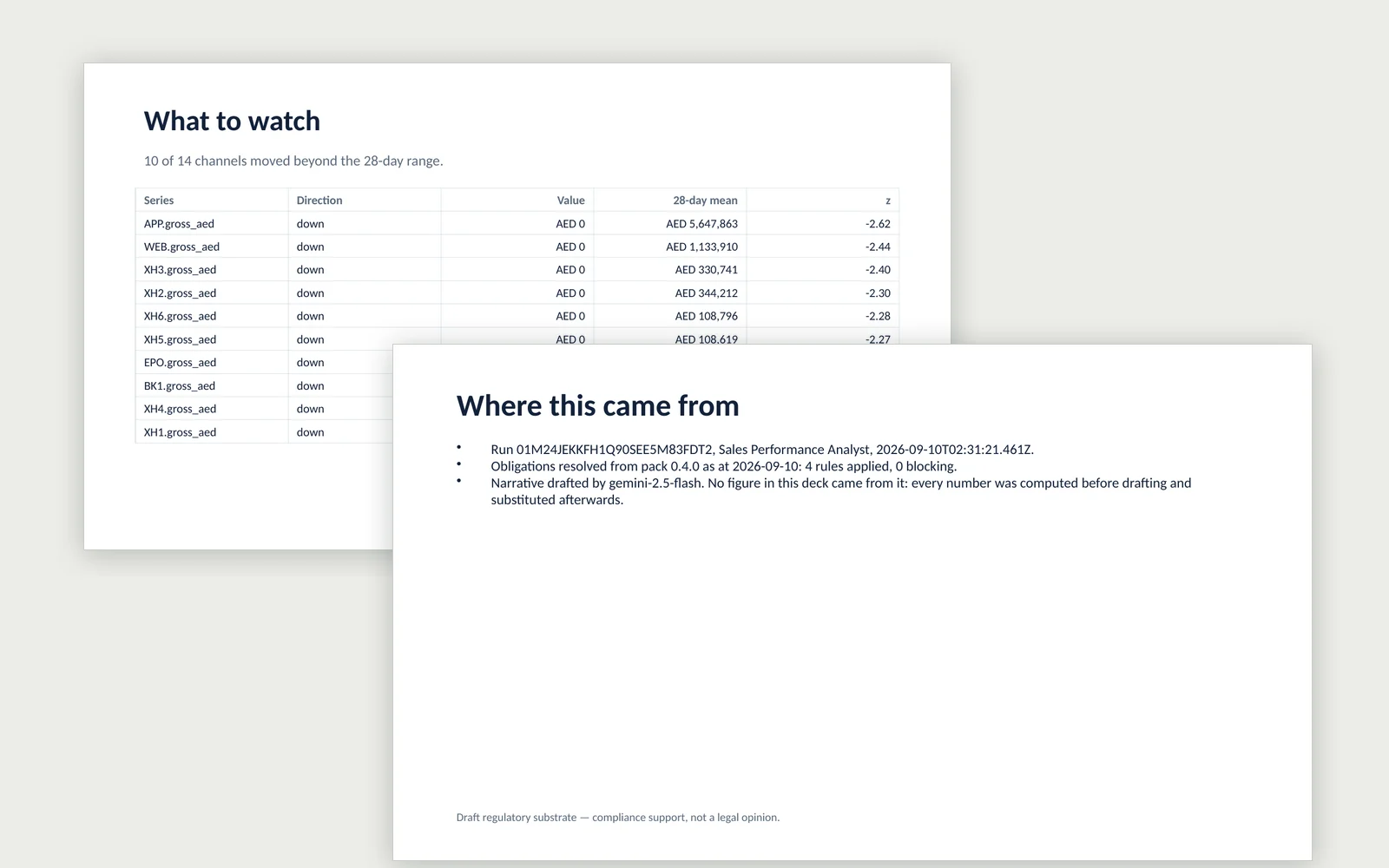
- The headline numbers — and what moved since last period.
- The split — by channel, product or team, as a chart and a table.
- What to watch — anything unusual, flagged for you.
- Where this came from — every pack ends with a slide showing its sources, the rules checked, and confirmation that no figure came from the AI.
From pilot to production in three steps.
Pick a few agents
Choose 3–5 from the library for one team. They make suggestions while people work as usual, so you can see how much time the work really takes today.
Connect and try
Point them at your real data, choose who receives each report, and let each agent pass its checks on a trial. Build any missing ones in words.
Let them earn trust
Your team approves, marks results right or wrong, and the record shows when an agent is ready for more freedom. Time saved is measured from day one.
How is it different from a chatbot or an automation tool?
The questions a chat assistant or an RPA suite can’t answer.
| Chat assistant | RPA / workflow tool | WorkForceOS | |
|---|---|---|---|
| Where did this number come from? | The AI | A script | Calculated from your data, with the source shown |
| Which rule applied? | Unknown | Hard-coded | Cited, as it stood on the date in question |
| Who decided, and why? | Nobody | Nobody | A named person and a reason, permanently recorded |
| How much can it do alone? | All or nothing | Everything | Earned decision by decision; never for irreversible work |
| Can people ask in their own words? | Yes, unchecked | No | Yes — with numbers calculated, not guessed |
| Can the business build new agents? | Prompts | Developers | In words, with supervisor approval and a trial |
| How many hours did it save? | Claimed | Estimated | Measured against a baseline you set |
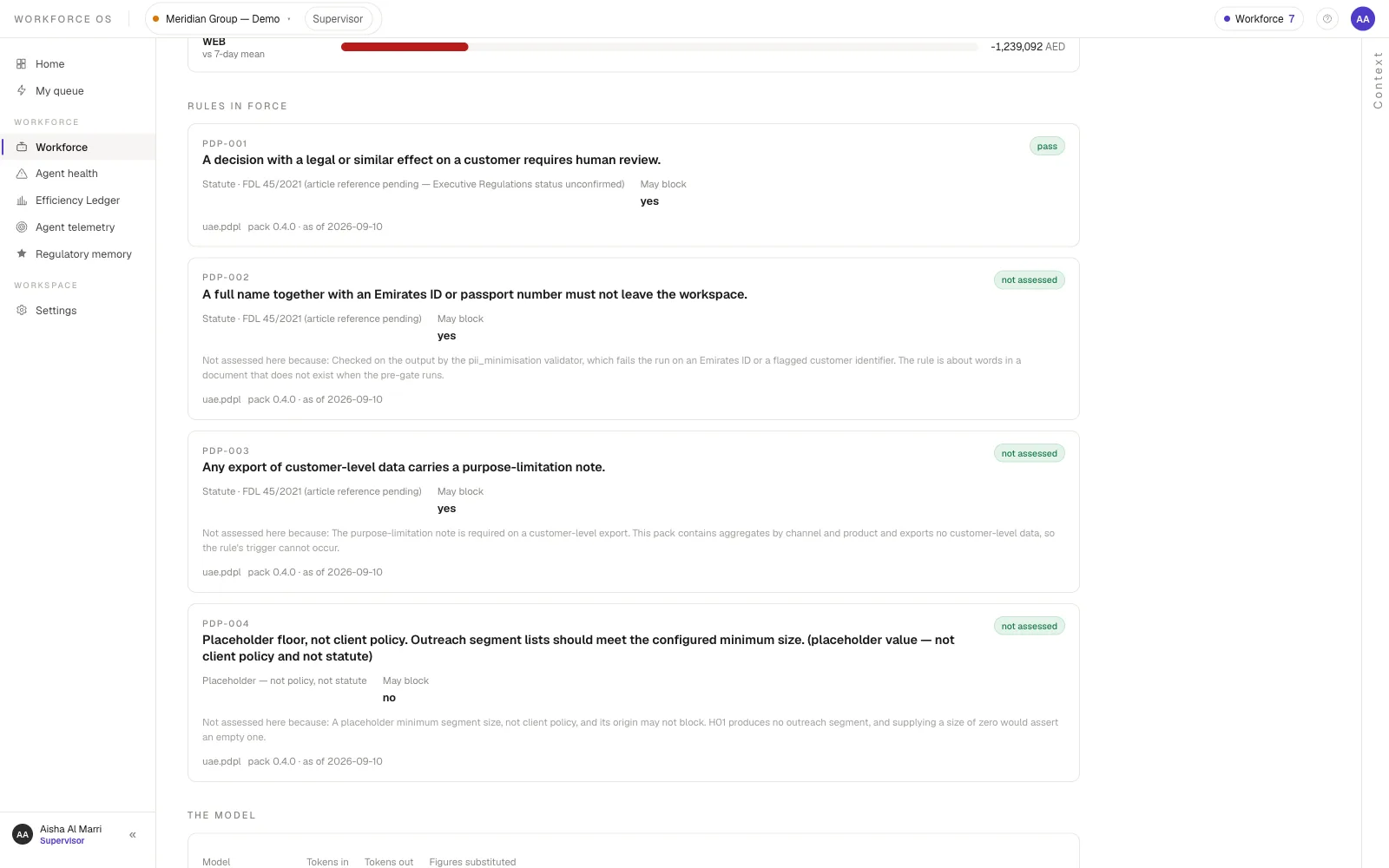
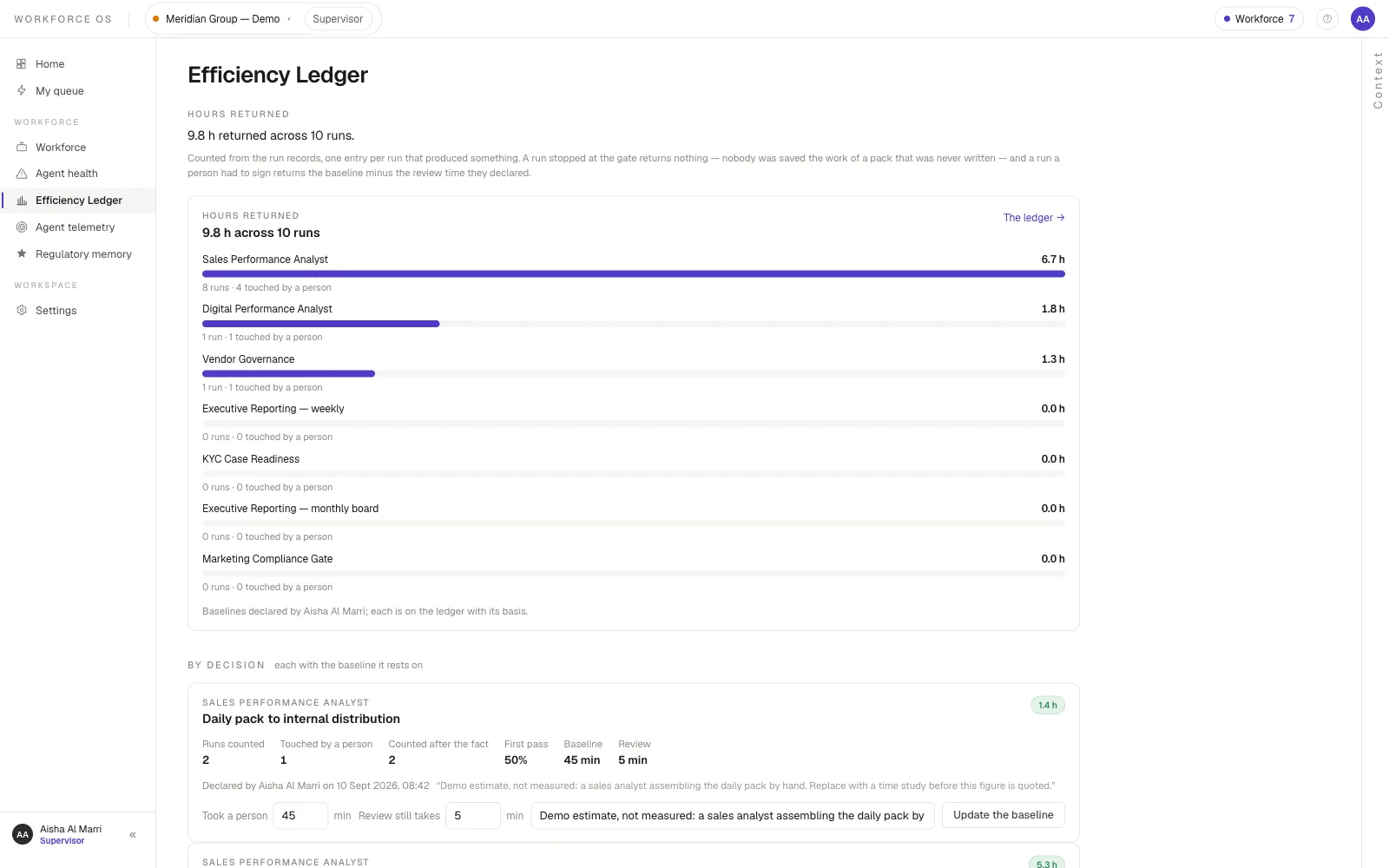
What does WorkForceOS look like?
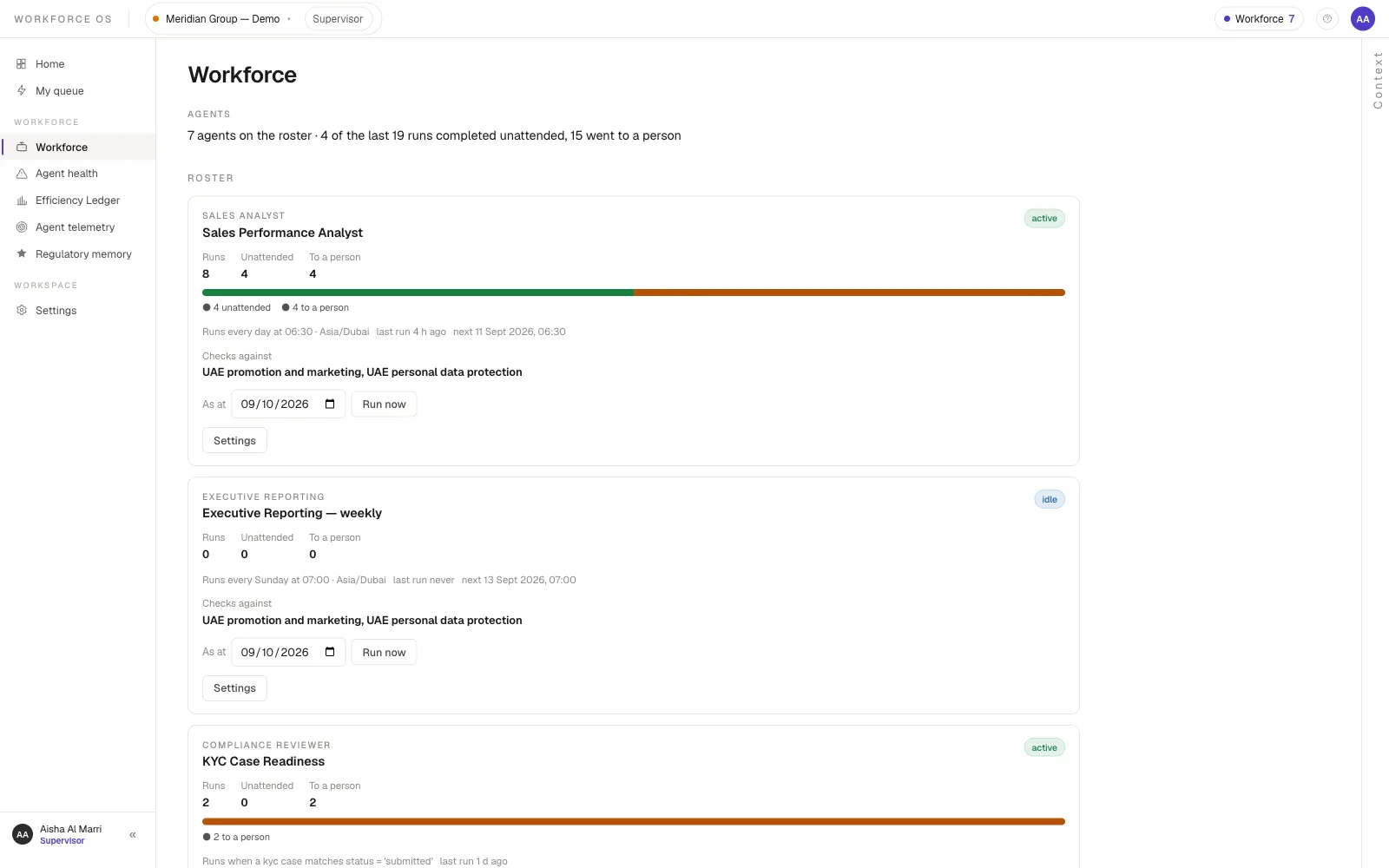
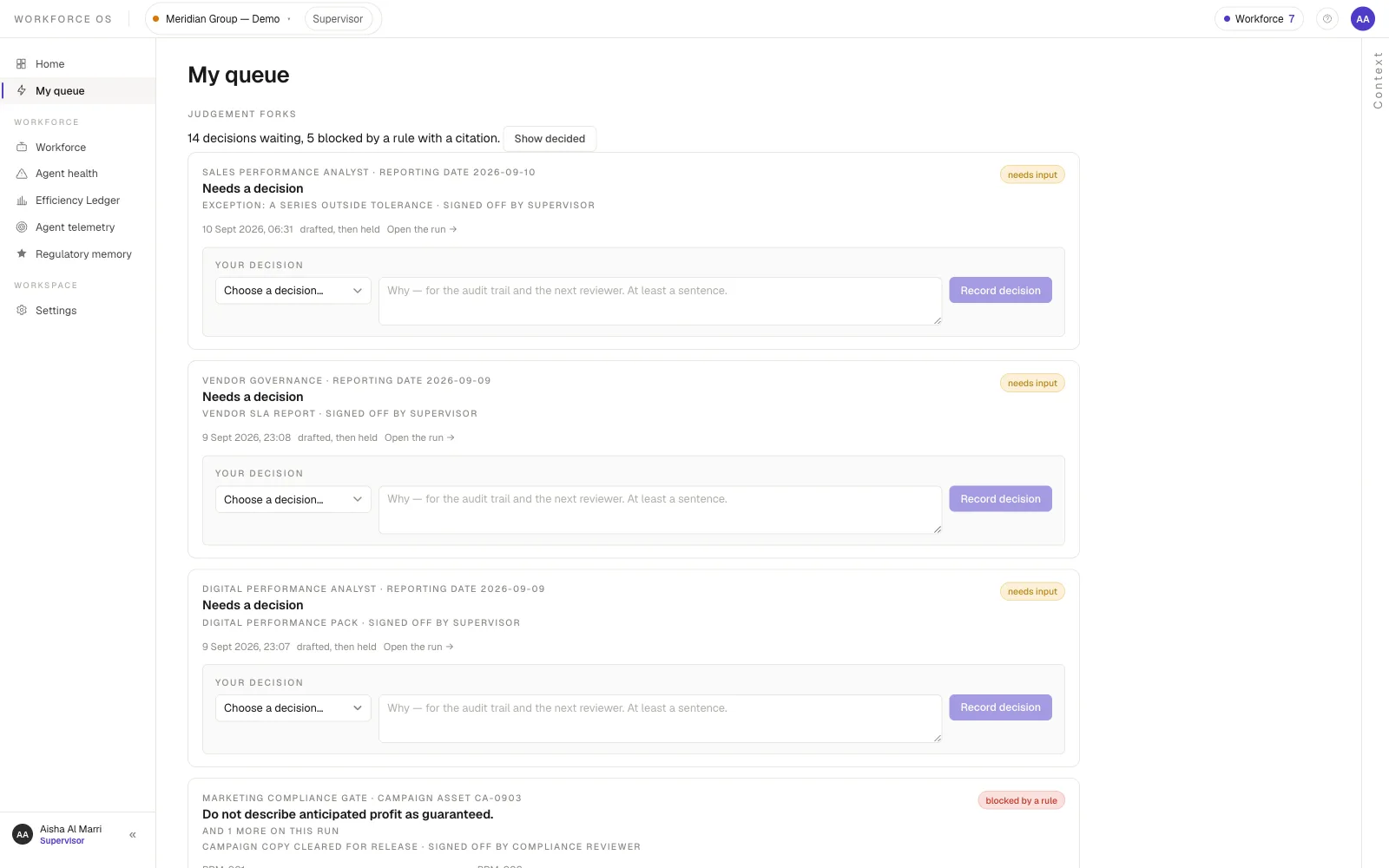
Two views of the same system, both real screens from the live demo. Your own deployment is a separate instance, branded and set up around how your organisation works.
What your team sees
What supervisors and reviewers see — the control room
Detailed on purpose, and used by a handful of people: this is where access is approved, decisions are signed and the time saved is counted.
Common questions
What is WorkForceOS?
A work assistant for every team. People ask in a chat, and the right AI agent does the work — a report, a check, a weekly pack — or a new agent is built from a sentence. A supervisor approves what each agent may touch, every number is calculated from your own data, and every hour saved is measured.
Do my people need training or technical skills?
No. They write the way they’d message a colleague, in English or Arabic, on the web or their phone. Building a new agent is describing the work in a sentence; the agent is shown back in plain words before anything runs. Most people only ever use the chat and their email; the detailed screens — agent access, the decisions queue, the audit trail — are for the few supervisors, reviewers and admins who run it.
Can the AI make up numbers?
No. Every figure is calculated by code from your data and carries its source. The AI only writes the words around the numbers, and an answer containing a figure it produced itself is rejected.
Can an agent act without anyone approving it?
Not until it has earned it. Agents start by suggesting, move to acting on sign-off, and only go further when their record justifies it — and that can be taken back in one step. Decisions that can’t be undone, such as a board pack or a KYC case, always need a person’s sign-off.
Which departments can use it?
Any of them: finance, sales, marketing, compliance and risk, operations, procurement, HR and IT. You start with a library of 40 ready-made agents and build the rest in words.
Where does our data go? Can we use our own AI model?
WorkForceOS is deployed as your own instance, reading your warehouse, service desk and registers. You choose the model — Anthropic, Gemini, an OpenAI-compatible endpoint, or one running on your own hardware — and each is tested before it’s trusted with a job. Personal data is never sent to the knowledge base.
How do we prove it’s saving time?
A named person declares how long the work takes today. Only work that was actually released counts, review time is subtracted, and work nobody has baselined shows as “not measured” — never as a saving.
How do we start?
Pick 3–5 agents for one team, connect them to your real data, and let each pass its checks on a trial. From there, your team’s approvals decide when each agent gets more freedom.
How it works under the hood
Two minds, in a fixed order
A deterministic mind — code — loads the data, computes every figure, resolves the rules in force on the date being judged, and decides whether a run may proceed. If a rule blocks, the model is never called. The model drafts the narrative and, in the chat, picks which read-only tool to call; every number it writes is substituted from a calculation, and validators check wording, disclosures and personal data before anyone sees a draft. The model can offer an agent but never start, send, approve or write anything; a guard test fails the build if a path to do so appears. The Two Minds architecture →
Rules, cited and dated
No rule is hard-coded. Every rule an agent applies is resolved from GraphIQ with its instrument, article and pack version, as of the date of the event. Obligations may block a run; entries awaiting curation may only warn. No customer identifiers leave for the knowledge base. Draft regulatory substrate — compliance support, not a legal opinion.
Human control: suggest, approve, autonomous
- Judgement forks name the record, the rule’s own sentence and who may sign; the server refuses anyone else.
- Prepared decisions say what code suggests and why (“matches 3 earlier approvals”); similar ones resolve together with one reason.
- Standing approvals release holds that match earlier approvals — never for a board pack, a KYC case or an obligation — and the first rejection suspends them.
- Irreversible decisions need a one-time step-up code emailed to the approver. Autonomy is earned per decision and taken back in one recorded move.
Evaluations before trust
Every agent runs as a Trial and goes Active only when four checks pass: same inputs give the same figures; past runs reach the same verdicts under today’s rules; requests reach this agent and no other; drafts carry only computed figures. The same evaluation discipline decides which model does which job.
Governance and audit
Every run is a trace: the calculation, the rules applied, whether a model was called, what it was shown, and who decided — exportable to your monitoring stack. “Audit report for the marketing gate this month” returns a deck of runs, rules and decisions, every figure counted by SQL. A new agent reads nothing until a supervisor approves its sources and audience; changing either asks again, and retiring one stops it for good.
The time-saved ledger
Baselines are declared by a named person with a stated basis — a time study or a manager’s estimate. No baseline, no number. Only released work counts; a run a person had to sign returns the baseline minus their review time, and can be negative. Reported per agent and per decision, with decision counts and wait times.
Deployment, models and delivery
Your own instance, on your infrastructure. Bring your own model per company — Anthropic, Gemini, OpenAI-compatible endpoints or a model on your own GPU — each measured on your evaluations before it takes a job. Answers use read-only tools only, and personal data has no tool. Delivered as a web app and installable phone app in English and Arabic, with reports and decisions by email, Teams and in-app.
How do you buy WorkForceOS?
Under Outcome-as-a-Service, with no upfront cost. The demo is a shared instance; what you buy is your own deployment — on your infrastructure, under your brand, set up around how your organisation works. Xamun invests in the build, and you pay for the work the agents actually do. A quiet month is a small invoice.
Where WorkForceOS fits
Give every worker an assistant that does real work.
And give your risk committee a system it can sign off. Bring us one piece of routine work and we’ll show you WorkForceOS doing it.